Account Contact
Your Cart
Pay the courier with no extra fees.
Need help? DistriNode AI can handle any task on our site.

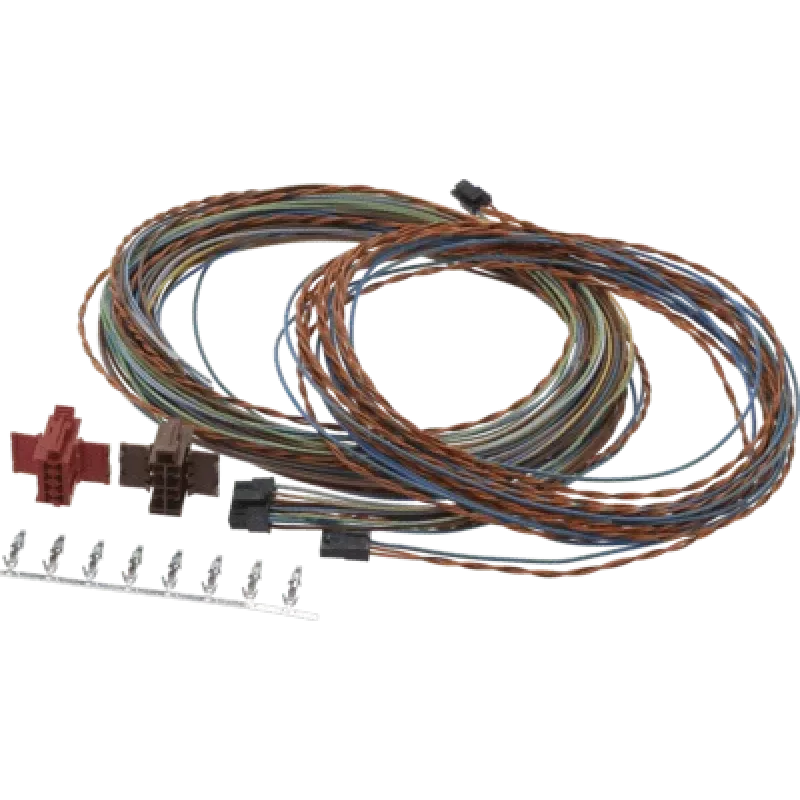
TOMTOM Tachograph Download Cable RDL for LINK710/740 (model 10407)

TOMTOM Tachograph Download Cable RDL for LINK710/740 (model 10407)
R945
The TOMTOM Tachograph Download Cable RDL for LINK710/740 is an OEM cable designed to connect TOMTOM LINK710 and LINK740 units to digital tachograph interfaces. It enables reliable transfer of driver card and vehicle data from the tachograph to a compatible LINK device for storage, processing and com... Read More
Stock 42 Code 2345151 Brand TOMTOM Model 10407 Warranty 2 Years

Shipping & Returns

Estimated delivery Thursday, October 1
You will be kept updated through our detailed tracking system
Payment options
EFTPayFastBank CardSnapScanZapperGoogle PayApple PayMobicredMoreTymePay on Arrival

The TOMTOM Tachograph Download Cable RDL for LINK710/740 is an OEM cable designed to connect TOMTOM LINK710 and LINK740 units to digital tachograph interfaces. It enables reliable transfer of driver card and vehicle data from the tachograph to a compatible LINK device for storage, processing and compliance reporting. The cable is intended for use in commercial vehicles where regular tachograph downloads are required as part of fleet management and legal record keeping.

Advantages

This dedicated tachograph download cable provides a direct, factory-specified connection between LINK units and vehicle tachographs, ensuring compatibility and stable data transfer. The design minimizes connection errors and supports consistent retrieval of driver and vehicle activity logs. Using the OEM cable helps preserve device warranty and reduces the need for adapters, contributing to a simplified installation process and predictable performance during scheduled downloads.

Suitable for

  • Downloading driver card data and vehicle files during routine tachograph checks
  • Integration with fleet management procedures that require regular tachograph data collection
  • Installation in commercial trucks, buses and other vehicles equipped with compatible digital tachographs

Key specifications

  • Manufacturer: TOMTOM OEM accessory
  • Compatibility: Designed for use with LINK710 and LINK740 devices
  • Function: Connects LINK device to digital tachograph for data download
  • Connection type: Tachograph interface to LINK unit cable (factory configuration)

How to use

Connect one end of the cable to the LINK710 or LINK740 device and the other end to the vehicle's digital tachograph interface following the vehicle and device manuals. After establishing the physical connection, initiate the tachograph data download using the LINK unit's software or management application. Ensure the vehicle ignition and device are powered as required and wait until the transfer completes before disconnecting to avoid incomplete files.

Recommendations

Inspect connectors regularly for damage or corrosion and keep contacts clean. Use the cable specifically with compatible LINK models to maintain reliable downloads and to comply with recommended installation practices documented by the device manufacturer.

Key Highlights
  • Downloading driver card data and vehicle files during routine tachograph checks
  • Integration with fleet management procedures that require regular tachograph data collection
  • Installation in commercial trucks, buses and other vehicles equipped with compatible digital tachographs
  • Manufacturer: TOMTOM OEM accessory
  • Compatibility: Designed for use with LINK710 and LINK740 devices
  • Function: Connects LINK device to digital tachograph for data download
  • Connection type: Tachograph interface to LINK unit cable (factory configuration)
Price history over the last 6 months
TOMTOM Tachograph Download Cable RDL for LINK710/740 (model 10407)
Current
R945
Lowest
R921
Highest
R971
Change 24H
+R13   +1%
Week
+R22   +2%
Month
+R20   +2%
WhatsApp
Hi, I’m DistriNode’s AI assistant. I can help you find products, compare options, create quote PDFs, or open support requests.