Account Contact
Your Cart
Pay the courier with no extra fees.
Need help? DistriNode AI can handle any task on our site.

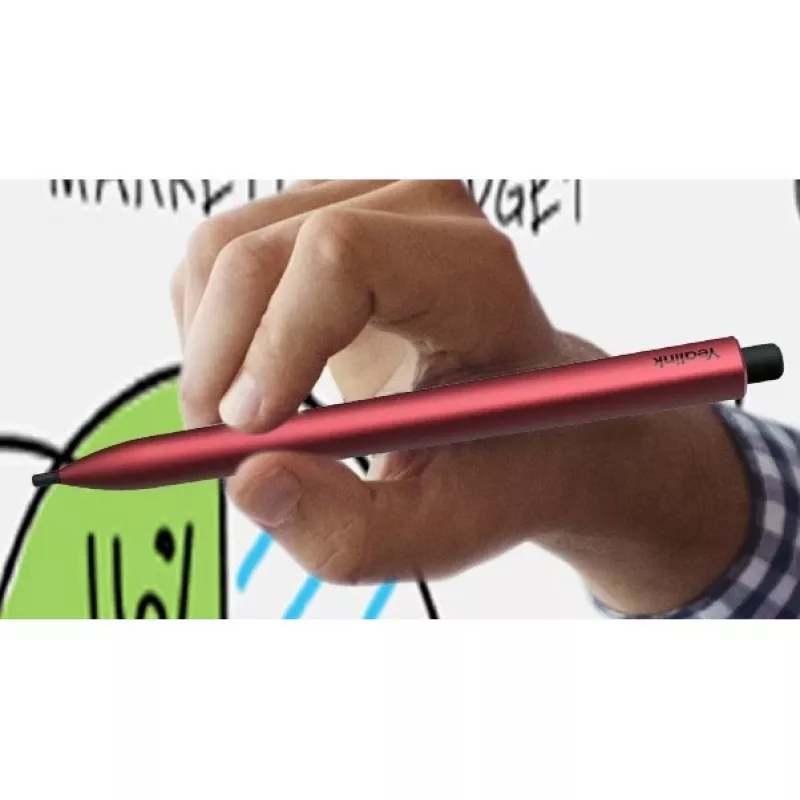
Stylus for Yealink MeetingBoard model 330100058002 — replacement pen for interactive whiteboard

Stylus for Yealink MeetingBoard model 330100058002 — replacement pen for interactive whiteboard
R689
Replacement stylus designed for the Yealink MeetingBoard interactive display. This pen restores precise touch input for handwriting, drawing and simple navigation on the MeetingBoard surface. It is intended as a practical spare part to maintain pen functionality during meetings, teaching sessions an... Read More
Stock 8 Code 1223385 Brand Yealink Model 330100058002 Warranty 2 Years

Shipping & Returns

Estimated delivery Tuesday, October 6
You will be kept updated through our detailed tracking system
Payment options
EFTPayFastBank CardSnapScanZapperGoogle PayApple PayMobicredMoreTymePay on Arrival

Replacement stylus designed for the Yealink MeetingBoard interactive display. This pen restores precise touch input for handwriting, drawing and simple navigation on the MeetingBoard surface. It is intended as a practical spare part to maintain pen functionality during meetings, teaching sessions and collaborative work on the Yealink MeetingBoard.

Advantages

The stylus delivers accurate, low-friction contact with the interactive screen to produce clear handwriting and smooth lines. Its shape and weight are balanced for comfortable single-handed use, and the tip is engineered to register fine strokes reliably on the MeetingBoard glass. As a replacement accessory, it provides consistent performance equivalent to the original pen supplied with the display and helps avoid interruptions caused by a missing or worn stylus.

Suitable for

  • Writing and annotating documents during meetings
  • Drawing diagrams and flowcharts on the interactive display
  • Teaching, training and presenting with pen-based input
  • Replacing a lost or damaged pen for routine collaboration

Key specifications

  • Compatibility: designed for use with Yealink MeetingBoard interactive displays
  • Input type: passive stylus tip for capacitive/resistive hybrid touch surfaces
  • Construction: lightweight, balanced barrel for comfortable handling
  • Tip: fine point optimized for accurate handwriting and drawing
  • Finish: durable outer surface resistant to daily wear during meeting use

How to use

Hold the stylus as you would a regular pen and touch the MeetingBoard screen to write, draw or navigate. Apply gentle, consistent pressure—no special activation or pairing is required for basic pen input. Replace the stylus when the tip shows signs of wear, reduced sensitivity or inconsistent tracking to maintain precise on-screen annotation and smooth line rendering.

Recommendations

Store the stylus in a dedicated pen holder or soft pouch when not in use to prevent tip damage. Clean the display surface regularly with a manufacturer-recommended cleaner and a microfiber cloth to preserve responsiveness. If the stylus tip becomes worn, replace it promptly to avoid scratches or degraded writing quality.

Key Highlights
  • Writing and annotating documents during meetings
  • Drawing diagrams and flowcharts on the interactive display
  • Teaching, training and presenting with pen-based input
  • Replacing a lost or damaged pen for routine collaboration
  • Compatibility: designed for use with Yealink MeetingBoard interactive displays
  • Input type: passive stylus tip for capacitive/resistive hybrid touch surfaces
  • Construction: lightweight, balanced barrel for comfortable handling
  • Tip: fine point optimized for accurate handwriting and drawing
  • Finish: durable outer surface resistant to daily wear during meeting use
Price history over the last 6 months
Stylus for Yealink MeetingBoard model 330100058002 — replacement pen for interactive whiteboard
Current
R689
Lowest
R675
Highest
R1,146
Change 24H
+R12   +2%
Week
-R150   -18%
Month
-R311   -31%

Popular products in this category

WhatsApp
Hi, I’m DistriNode’s AI assistant. I can help you find products, compare options, create quote PDFs, or open support requests.