Account Contact
Your Cart
Pay the courier with no extra fees.
Need help? DistriNode AI can handle any task on our site.

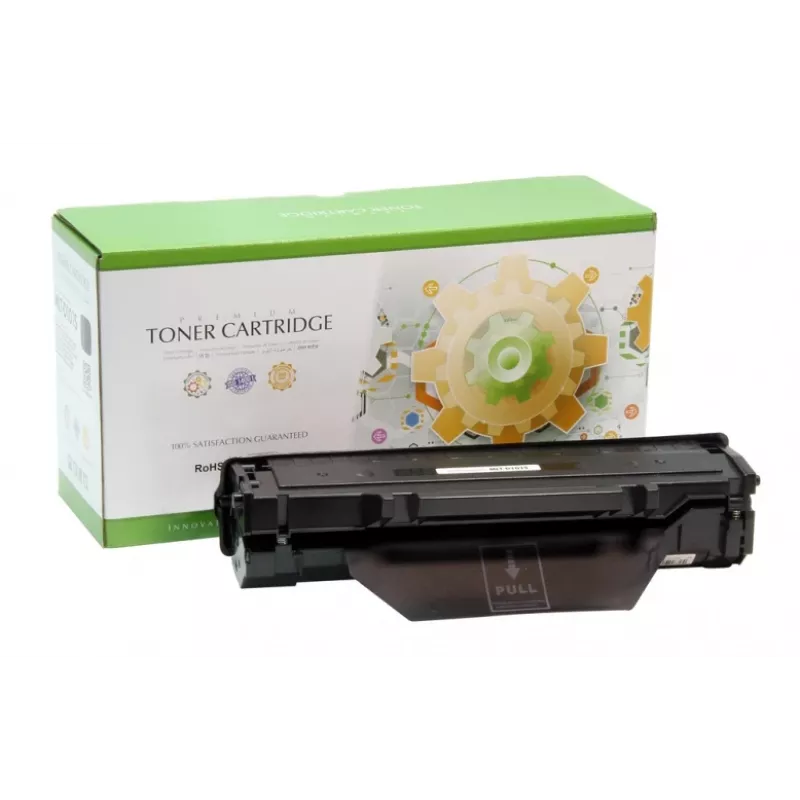
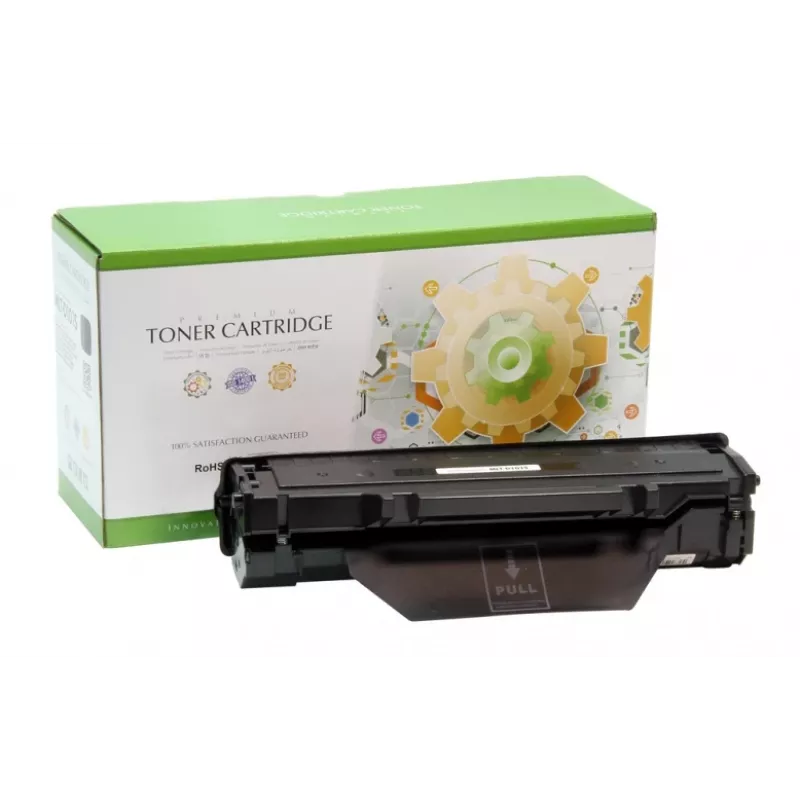
Toner Compatible Static-Control Samsung MLT-D101S 1500 pages Black

Toner Compatible Static-Control Samsung MLT-D101S 1500 pages Black
R783
Compatible toner cartridge Static-Control MLT-D101S delivers up to 1500 pages in black and is intended for use with a range of Samsung monochrome laser printers and MFPs. The cartridge is compatible with Samsung models such as ML-2160 series, ML-2164/2164W and SCX-3400/3405 series, providing sharp t... Read More
Stock 7 Code 1255075 Brand STATIC CONTROL Model CH/002-02SD101SELS Warranty 2 Years

Shipping & Returns

Estimated delivery Tuesday, September 29
You will be kept updated through our detailed tracking system
Payment options
EFTPayFastBank CardSnapScanZapperGoogle PayApple PayMobicredMoreTymePay on Arrival

Compatible toner cartridge Static-Control MLT-D101S delivers up to 1500 pages in black and is intended for use with a range of Samsung monochrome laser printers and MFPs. The cartridge is compatible with Samsung models such as ML-2160 series, ML-2164/2164W and SCX-3400/3405 series, providing sharp text and consistent monochrome output for home and small office printing.

Advantages

This Static-Control compatible toner offers a 1500‑page yield in black, straightforward installation and stable print density across the cartridge life. It is manufactured to fit Samsung MLT‑D101S slots and aims to produce clear text and reliable monochrome prints while maintaining compatibility with listed Samsung printers.

Suitable for

  • Home printing of documents and schoolwork
  • Small office document workflows and internal reports
  • Monochrome printing tasks requiring consistent text quality
  • Replacement of Samsung MLT-D101S cartridges

Key specifications

  • Brand compatibility: Samsung
  • Manufacturer: Static‑Control (compatible cartridge)
  • Model reference: compatible with MLT‑D101S
  • Page yield: approximately 1500 pages (black)
  • Printing colour: Black
  • Compatible printers: ML-2160/2161/2162/2164/2164W/2165/2165W/2166/2167/2168/2168W and SCX-3400/3405/3405W/3405FW/3400F/3405F and SF-760P

How to use

Turn off the printer, open the front cover and remove the empty cartridge according to the printer manual. Unpack the replacement Static‑Control MLT‑D101S compatible cartridge, remove any protective seals, then insert the cartridge into the slot until it clicks. Close the front cover and turn the printer on. Perform a test print or alignment if required by the printer.

Recommendations

Store the toner cartridge in a cool, dry place away from direct sunlight. Handle the cartridge carefully to avoid spilling toner powder. For best results, use the cartridge in printers listed as compatible and follow the printer manufacturer’s maintenance guidance.
Key Highlights
  • Home printing of documents and schoolwork
  • Small office document workflows and internal reports
  • Monochrome printing tasks requiring consistent text quality
  • Replacement of Samsung MLT-D101S cartridges
  • Brand compatibility: Samsung
  • Manufacturer: Static‑Control (compatible cartridge)
  • Model reference: compatible with MLT‑D101S
  • Page yield: approximately 1500 pages (black)
  • Printing colour: Black
  • Compatible printers: ML-2160/2161/2162/2164/2164W/2165/2165W/2166/2167/2168/2168W and SCX-3400/3405/3405W/3405FW/3400F/3405F and SF-760P
Specifications
Brand compatibility
Samsung
Compatible products
ML-2164, ML-2164W, SCX-3400, SCX-3405
Printing colours
Black
Price history over the last 6 months
Toner Compatible Static-Control Samsung MLT-D101S 1500 pages Black
Current
R783
Lowest
R559
Highest
R845
Change 24H
+R216   +38%
Week
+R222   +40%
Month
+R220   +39%

Popular products in this category

WhatsApp
Hi, I’m DistriNode’s AI assistant. I can help you find products, compare options, create quote PDFs, or open support requests.