Account Contact
Your Cart
Pay on delivery – no extra fees
Need help? Ask our AI

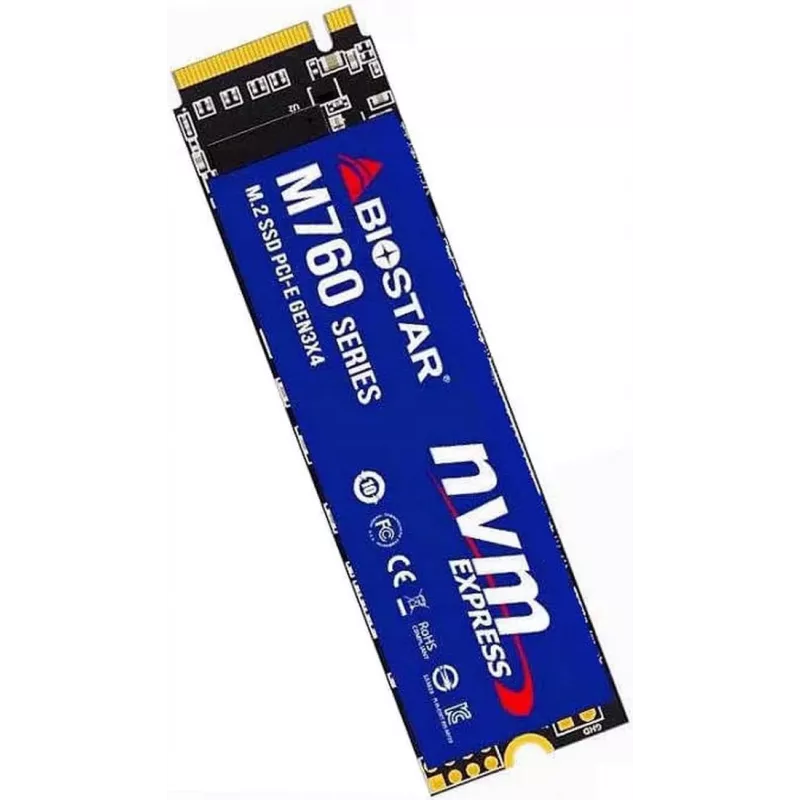
SSD disk Biostar 256 GB M.2 PCI Express 4.0 NVMe M760

SSD disk Biostar 256 GB M.2 PCI Express 4.0 NVMe M760
36 mo.
SSD disk Biostar 256 GB M.2 PCI Express 4.0 NVMe M760
R1,625
The Biostar 256 GB M.2 PCI Express 4.0 NVMe M760 is a compact internal solid-state drive designed for modern desktop and laptop systems. With an M.2 form factor and PCIe 4.0 NVMe interface, this SSD provides a balance of capacity and performance suitable for system drives, application storage, and r... Read More
Stock Out Of StockNo Stock Code 1715164 Brand BIOSTAR Model SA122PME36 Warranty 3 Years

Shipping & Returns

The Biostar 256 GB M.2 PCI Express 4.0 NVMe M760 is a compact internal solid-state drive designed for modern desktop and laptop systems. With an M.2 form factor and PCIe 4.0 NVMe interface, this SSD provides a balance of capacity and performance suitable for system drives, application storage, and rapid file access. Typical sustained sequential read speeds reach up to 3200 MB/s and sequential write speeds up to 1300 MB/s, which helps to reduce boot times and accelerate application and game loading.

Advantages

The M.2 PCIe 4.0 NVMe interface delivers significantly higher throughput than SATA drives, enabling faster data transfers and more responsive system operation. Its compact M.2 form factor saves space inside PCs and laptops and simplifies installation on compatible motherboards. The 256 GB capacity offers enough room for an operating system plus key applications, while the high read and write speeds improve everyday tasks such as file copying, program launch, and multitasking.

Suitable for

  • Operating system installation to improve boot and resume times
  • Storage of frequently used applications and games for faster loading
  • Everyday multitasking in desktops and laptops
  • Compact systems and small-form-factor builds where M.2 slots are available

Key specifications

  • Form factor: M.2
  • Interface: PCI Express 4.0, NVMe protocol
  • Capacity: 256 GB
  • Maximum sequential read speed: up to 3200 MB/s
  • Maximum sequential write speed: up to 1300 MB/s

How to use

Install the M.2 SSD into an available M.2 slot on a compatible motherboard or laptop following the manufacturer’s hardware instructions. Ensure the system is powered off and disconnected from mains before installation. After physical installation, configure the drive in the system BIOS/UEFI if necessary, then initialize, partition, and format the drive within your operating system. For use as a system drive, clone your existing OS or perform a fresh installation onto the M760.

Recommendations

To maintain performance, enable NVMe drivers provided by the operating system or motherboard vendor and verify that the M.2 slot supports PCIe 4.0 for optimal throughput. Keep firmware up to date and avoid filling the drive to full capacity to preserve write performance. Use appropriate cooling in compact systems if sustained heavy workloads are expected.

Key Highlights
  • Operating system installation to improve boot and resume times
  • Storage of frequently used applications and games for faster loading
  • Everyday multitasking in desktops and laptops
  • Compact systems and small-form-factor builds where M.2 slots are available
  • Form factor: M.2
  • Interface: PCI Express 4.0, NVMe protocol
  • Capacity: 256 GB
  • Maximum sequential read speed: up to 3200 MB/s
  • Maximum sequential write speed: up to 1300 MB/s
Specifications
Component for
PC/Laptop
Depth
80 mm
Height
3.5 mm
Interface
PCI Express 4.0
Linux operating systems supported
Y
M.2 SSD size
2280 (22 x 80 mm)
Mac operating systems supported
Y
NVMe
Yes
NVMe version
1.3
Operating temperature (T-T)
0 - 70
Operating voltage
3.3 V
Package type
Box
Read speed
3200 MB/s
SSD capacity
256 GB
SSD form factor
M.2
Width
22 mm
Windows operating systems supported
Y
Write speed
1300 MB/s
Price history is not available yet
We are still collecting enough daily price data for this product.

Popular products in this category

WhatsApp
Hi, I’m DistriNode’s AI assistant. I can help you find products, compare options, create quote PDFs, or open support requests.