Account Contact
Your Cart
Pay the courier with no extra fees.
Need help? DistriNode AI can handle any task on our site.

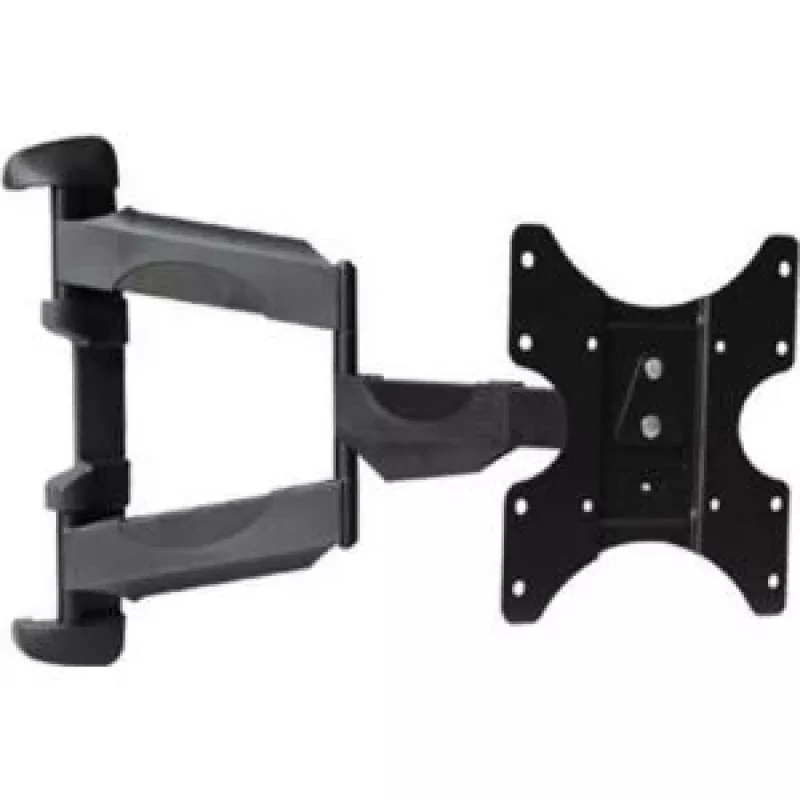
TV mount S/CONN 89745 139.7 cm (55 inch) Black

TV mount S/CONN 89745 139.7 cm (55 inch) Black
R1,224
The ShiverPeaks TV mount S/CONN 89745 is a wall bracket designed for flat-panel televisions with screen sizes from 23" up to 55" and a maximum load capacity of 35 kg. Its low-profile black finish provides a discreet appearance while allowing the display to be positioned between 4.5 cm and 51 cm from... Read More
Stock 147 Code 2350991 Brand SHIVERPEAKS Model 89745 Warranty 2 Years

Shipping & Returns

Estimated delivery Tuesday, October 6
You will be kept updated through our detailed tracking system
Payment options
EFTPayFastBank CardSnapScanZapperGoogle PayApple PayMobicredMoreTymePay on Arrival

The ShiverPeaks TV mount S/CONN 89745 is a wall bracket designed for flat-panel televisions with screen sizes from 23" up to 55" and a maximum load capacity of 35 kg. Its low-profile black finish provides a discreet appearance while allowing the display to be positioned between 4.5 cm and 51 cm from the wall. The mount offers a controlled tilt range from -10° to 15° to reduce glare and achieve comfortable viewing angles in living rooms, bedrooms, or offices.

Advantages

This TV mount combines wide compatibility with a compact design, supporting a broad range of screen sizes while remaining sturdy enough for displays up to 35 kg. The adjustable extension allows you to set the screen closer to the wall for a minimalist look or pull it further out for access to cables and connectors. The tilt function provides straightforward angle adjustment to improve viewing comfort and reduce reflections without requiring complex tools.

Suitable for

  • Mounting 23"–55" flat-panel LED, LCD or OLED TVs
  • Home living rooms and bedrooms
  • Offices, meeting rooms and small commercial displays
  • Installations that require occasional access to rear connections or cable routing

Key specifications

  • Supported screen size: 23" to 55"
  • Maximum load capacity: 35 kg
  • Tilt range: -10° to 15°
  • Wall distance (adjustable): 4.5 cm to 51 cm
  • Finish: black

How to use

Position the mounting plate on the chosen wall surface and mark the fixing points using a spirit level to ensure horizontal alignment. Secure the plate to a suitable wall structure using appropriate anchors or bolts for the wall type. Attach the TV brackets to the display following the manufacturer recommended VESA pattern, then lift the screen and hang it on the wall plate. Adjust the tilt angle within the -10° to 15° range to reduce reflections and set the preferred viewing height. Check that all fasteners are tight and that the TV sits securely before letting go.

Recommendations

Verify the television's weight and VESA mounting pattern before installation. Use appropriate wall anchors for the wall material and, where possible, fix the mount into studs for maximum stability. For safety, have two people lift and hang heavier TVs and periodically recheck mounting hardware for tightness.

Key Highlights
  • Mounting 23"–55" flat-panel LED, LCD or OLED TVs
  • Home living rooms and bedrooms
  • Offices, meeting rooms and small commercial displays
  • Installations that require occasional access to rear connections or cable routing
  • Supported screen size: 23" to 55"
  • Maximum load capacity: 35 kg
  • Tilt range: -10° to 15°
  • Wall distance (adjustable): 4.5 cm to 51 cm
  • Finish: black
Specifications
Distance to the wall (max)
510 mm
Distance to the wall (min)
45 mm
Manual
Yes
Maximum screen size
55 "
Maximum weight capacity
35 kg
Minimum screen size
23 "
Mounting type
Wall
Product colour
Black
Swivel angle
90 °
Tilt angle range
-10 - 15
Price history over the last 6 months
TV mount S/CONN 89745 139.7 cm (55 inch) Black
Current
R1,224
Lowest
R1,208
Highest
R1,224
Change 24H
+R13   +1%
Week
—   
Month
—   

Popular products in this category

WhatsApp
Hi, I’m DistriNode’s AI assistant. I can help you find products, compare options, create quote PDFs, or open support requests.