Account Contact
Your Cart
Pay the courier with no extra fees.
Need help? DistriNode AI can handle any task on our site.

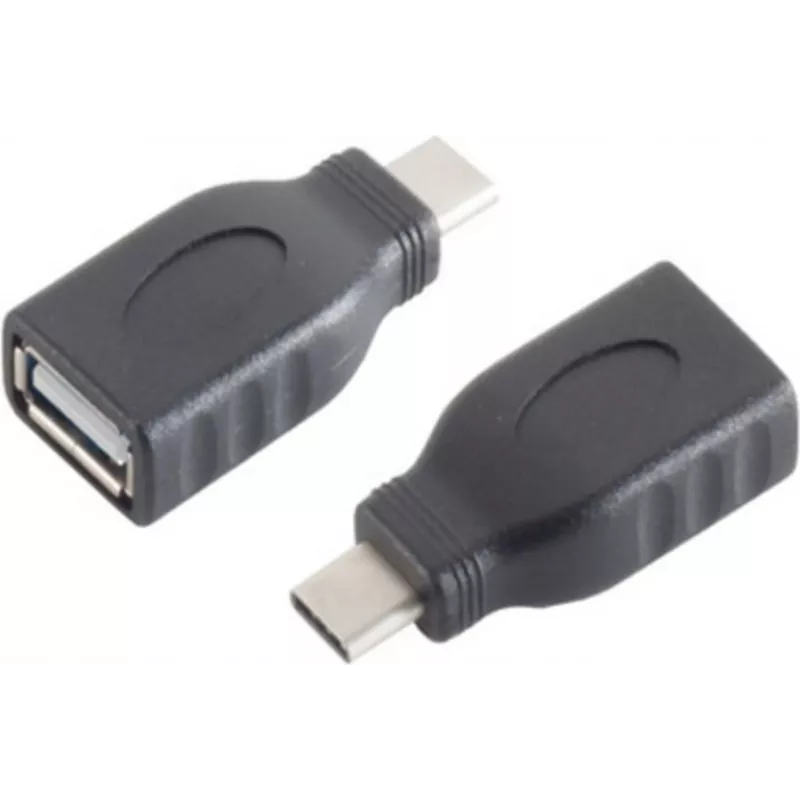
Cable Gender Changer S/CONN 13-20014

Cable Gender Changer S/CONN 13-20014
R327
The ShiverPeaks Cable Gender Changer S/CONN 13-20014 is an adapter cable designed to connect devices with a USB 3.1 Type‑C port to equipment that uses a USB 2.0 Type‑A interface. Finished in black, this compact gender changer allows a physical and functional bridge between modern USB‑C devices and l... Read More
Stock 1280 Code 2351852 Brand SHIVERPEAKS Model 13-20014 Warranty 2 Years

Shipping & Returns

Estimated delivery Tuesday, October 6
You will be kept updated through our detailed tracking system
Payment options
EFTPayFastBank CardSnapScanZapperGoogle PayApple PayMobicredMoreTymePay on Arrival

The ShiverPeaks Cable Gender Changer S/CONN 13-20014 is an adapter cable designed to connect devices with a USB 3.1 Type‑C port to equipment that uses a USB 2.0 Type‑A interface. Finished in black, this compact gender changer allows a physical and functional bridge between modern USB‑C devices and legacy USB‑A hosts or chargers, enabling data exchange and basic charging where supported by the connected hardware.

Advantages

This adapter provides simple, plug‑and‑play connectivity without the need for drivers or software. Its USB 3.1 Type‑C connector supports reversible insertion for easier handling, while the USB 2.0 Type‑A end ensures compatibility with a wide range of older computers, chargers and peripherals. The compact, lightweight design is convenient for travel and everyday carry, and the black finish integrates unobtrusively with most devices and cables.

Suitable for

  • Connecting a USB‑C smartphone, tablet or accessory to a USB‑A port on a computer.
  • Using USB‑C peripherals with older USB‑A chargers or power banks for basic charging.
  • Quickly adapting cables and devices during travel or when moving between mixed USB environments.

Key specifications

  • Connector 1: USB 3.1 Type‑C (reversible plug)
  • Connector 2: USB 2.0 Type‑A (standard USB‑A)
  • Colour: Black
  • Function: Gender changer / adapter for data transfer and basic charging (dependent on host/device support)

How to use

Insert the USB 3.1 Type‑C plug into the USB‑C port of the source device and connect the USB 2.0 Type‑A plug to the target host or charger. Ensure connectors are fully seated before transferring data or charging. The adapter is plug‑and‑play; operating system recognition and available data speeds or charging currents depend on the specifications of the connected devices and ports. Do not force connections or use if pins appear damaged.

Recommendations

For optimal results, use this adapter for compatibility and convenience rather than maximum data throughput: when connecting high‑speed devices, be aware that the USB 2.0 end limits transfer speeds to USB 2.0 rates and charging current may be lower than USB‑C power delivery specifications. Store the adapter in a dry, dust‑free place and inspect connectors periodically for debris.

Key Highlights
  • Connecting a USB‑C smartphone, tablet or accessory to a USB‑A port on a computer.
  • Using USB‑C peripherals with older USB‑A chargers or power banks for basic charging.
  • Quickly adapting cables and devices during travel or when moving between mixed USB environments.
  • Connector 1: USB 3.1 Type‑C (reversible plug)
  • Connector 2: USB 2.0 Type‑A (standard USB‑A)
  • Colour: Black
  • Function: Gender changer / adapter for data transfer and basic charging (dependent on host/device support)
Specifications
Connector 1
USB 3.1 C
Connector 1 gender
Male
Connector 2
USB 2.0 A
Connector 2 gender
Female
Product colour
Black
Quantity per pack
1 pc(s)
Price history over the last 6 months
Cable Gender Changer S/CONN 13-20014
Current
R327
Lowest
R316
Highest
R327
Change 24H
+R10   +3%
Week
—   
Month
—   

Popular products in this category

WhatsApp
Hi, I’m DistriNode’s AI assistant. I can help you find products, compare options, create quote PDFs, or open support requests.