Account Contact
Your Cart
Pay the courier with no extra fees.
Need help? DistriNode AI can handle any task on our site.

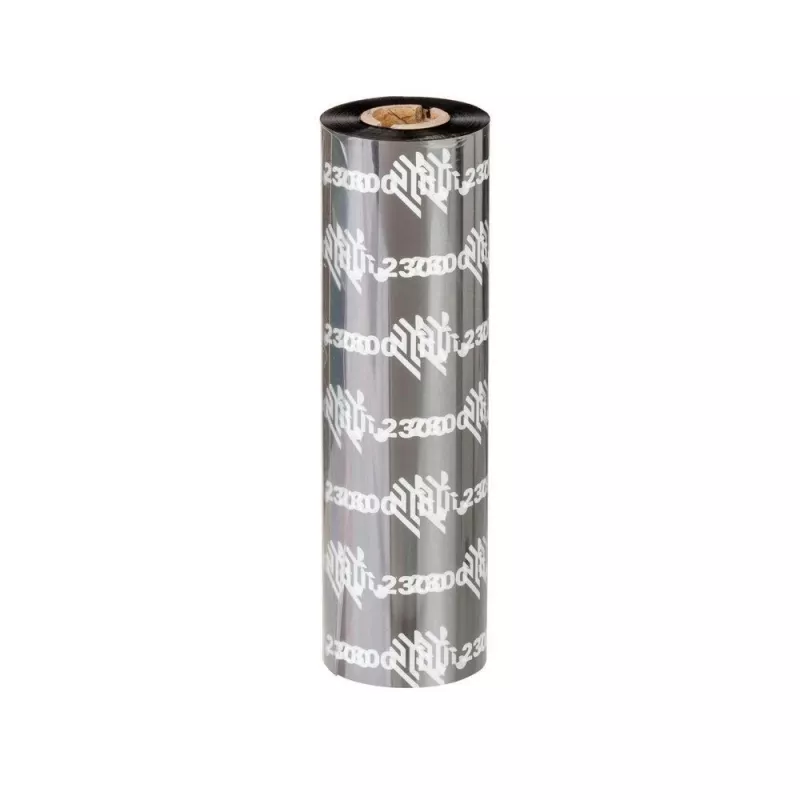
Ribbon Zebra 2300 Wax for ZD420c ZD420c-HC

Ribbon Zebra 2300 Wax for ZD420c ZD420c-HC
R1,279
The Zebra 2300 Wax printer ribbon is engineered for use with Zebra ZD420c and ZD420c-HC desktop thermal transfer printers. With a printable width of 110 mm and a roll length of 100 m, this wax formulation is intended for general-purpose labeling and barcode printing where clear, sharp text and graph... Read More
Stock 72 Code 1209245 Brand ZEBRA Model 02300CT11007 Warranty 2 Years

Shipping & Returns

Estimated delivery Wednesday, October 7
You will be kept updated through our detailed tracking system
Payment options
EFTPayFastBank CardSnapScanZapperGoogle PayApple PayMobicredMoreTymePay on Arrival

The Zebra 2300 Wax printer ribbon is engineered for use with Zebra ZD420c and ZD420c-HC desktop thermal transfer printers. With a printable width of 110 mm and a roll length of 100 m, this wax formulation is intended for general-purpose labeling and barcode printing where clear, sharp text and graphics are required. The ribbon is designed to run smoothly in compatible Zebra printers, producing consistent results on a variety of common label materials.

Advantages

This wax ribbon provides reliable print quality for text and standard barcodes, delivering excellent edge definition and legibility. Its 110 mm width and 100 m length offer a balance between run-time and media changes, reducing the frequency of replacements in moderate-volume environments. The ribbon formulation is tuned for compatibility with ZD420c and ZD420c-HC mechanisms to minimise smudging and ensure consistent print darkness across the roll.

Suitable for

  • Address and shipping labels
  • Product identification and inventory labels
  • Retail price tags and shelf labels
  • Barcodes for scanning systems
  • Office and light industrial labeling tasks

Key specifications

  • Ribbon type: Wax (thermal transfer)
  • Compatible printers: Zebra ZD420c, ZD420c-HC
  • Printable width: 110 mm
  • Roll length: 100 m
  • Core: standard printer ribbon core size for desktop Zebra models
  • Print characteristics: designed for high contrast on standard label stocks

How to use

Install the ribbon in the printer following the ZD420c or ZD420c-HC user guide: power off the printer if recommended, open the printer cover, place the ribbon on the supply hub and thread it across to the take-up hub, ensuring the inked side faces the media. Close the cover, run a test print, and adjust darkness or speed settings if necessary to achieve the required print quality. Replace the ribbon when print density decreases or after the full 100 m length has been consumed.

Recommendations

Store the ribbon in a cool, dry place away from direct sunlight and high humidity. Use with compatible label materials recommended for thermal transfer printing to achieve optimal adhesion and scannability. For durable outdoor or long-life applications, consider selecting a resin or wax-resin formulation instead of a pure wax ribbon.
Key Highlights
  • Address and shipping labels
  • Product identification and inventory labels
  • Retail price tags and shelf labels
  • Barcodes for scanning systems
  • Office and light industrial labeling tasks
  • Ribbon type: Wax (thermal transfer)
  • Compatible printers: Zebra ZD420c, ZD420c-HC
  • Printable width: 110 mm
  • Roll length: 100 m
  • Core: standard printer ribbon core size for desktop Zebra models
  • Print characteristics: designed for high contrast on standard label stocks
Specifications
Brand compatibility
Zebra
Compatibility
ZD420c, ZD420c-HC
Ribbon length
100 m
Width
110 mm

Leaflet

Open Leaflet
Price history over the last 6 months
Ribbon Zebra 2300 Wax for ZD420c ZD420c-HC
Current
R1,279
Lowest
R1,174
Highest
R1,668
Change 24H
+R85   +7%
Week
+R97   +8%
Month
+R88   +7%

Popular products in this category

WhatsApp
Hi, I’m DistriNode’s AI assistant. I can help you find products, compare options, create quote PDFs, or open support requests.