Account Contact
Your Cart
Pay the courier with no extra fees.
Need help? DistriNode AI can handle any task on our site.

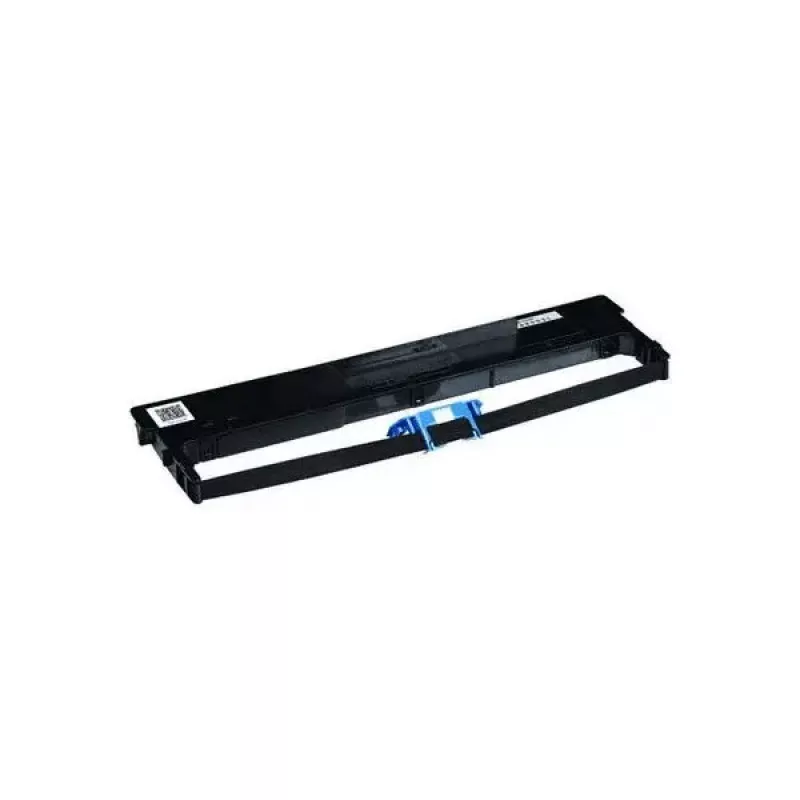
Printer ribbon Tally Dascom 099003L, black, for Dascom 2600/2601 Plus, 1 pc

Printer ribbon Tally Dascom 099003L, black, for Dascom 2600/2601 Plus, 1 pc
R568
Ink ribbon Tally Dascom 099003L in black is a replacement ribbon designed for use in compatible dot-matrix printers, including models from the Dascom 2600 Plus and 2601 Plus series. Supplied as a single cartridge, this ribbon restores clear, high-contrast monochrome output for impact printing tasks ... Read More
Stock 40 Code 2575191 Brand TALLY Model 099003L Warranty 2 Years

Shipping & Returns

Estimated delivery Thursday, October 1
You will be kept updated through our detailed tracking system
Payment options
EFTPayFastBank CardSnapScanZapperGoogle PayApple PayMobicredMoreTymePay on Arrival

Ink ribbon Tally Dascom 099003L in black is a replacement ribbon designed for use in compatible dot-matrix printers, including models from the Dascom 2600 Plus and 2601 Plus series. Supplied as a single cartridge, this ribbon restores clear, high-contrast monochrome output for impact printing tasks in office and business environments.

Advantages

This black ink ribbon delivers consistent print density across multi-line documents and forms, helping maintain legible characters and sharp text. The cartridge format enables straightforward installation and replacement, reducing downtime. The ribbon is suitable for high-volume use and offers stable performance typical of impact ribbon consumables, providing reliable results for continuous or intermittent printing needs.

Suitable for

  • Replacing worn ribbons in Dascom 2600 Plus and 2601 Plus dot-matrix printers
  • Printing multi-part forms, invoices, and receipts where impact printing is required
  • Office and back-office environments needing durable monochrome output

Key specifications

  • Color: black
  • Format: single cartridge (1 pc)
  • Compatible printer type: dot-matrix/impact
  • Intended use: monochrome text and form printing

How to use

Turn the printer off and open the ribbon compartment according to the printer's service instructions. Remove the used ribbon cartridge by releasing the retaining clips or levers, and insert the replacement ribbon ensuring proper alignment with the printhead and feed path. Advance the ribbon slightly if necessary to remove slack, then close the compartment and power the printer on. Perform a test print to confirm correct installation and print quality.

Recommendations

Store unused ribbons in a cool, dry place away from direct sunlight to preserve ink quality. Replace the ribbon when print density noticeably fades or when characters become weak to maintain legibility on multi-part forms. Use this ribbon with compatible Dascom models to ensure mechanical fit and reliable impact printing.

Key Highlights
  • Replacing worn ribbons in Dascom 2600 Plus and 2601 Plus dot-matrix printers
  • Printing multi-part forms, invoices, and receipts where impact printing is required
  • Office and back-office environments needing durable monochrome output
  • Color: black
  • Format: single cartridge (1 pc)
  • Compatible printer type: dot-matrix/impact
  • Intended use: monochrome text and form printing
Specifications
Compatibility
Dascom 2601 Plus, Dascom 2600 Plus
Product colour
Black
Quantity per pack
1 pc(s)
Price history over the last 6 months
Printer ribbon Tally Dascom 099003L, black, for Dascom 2600/2601 Plus, 1 pc
Current
R568
Lowest
R518
Highest
R651
Change 24H
+R43   +8%
Week
+R49   +9%
Month
+R47   +9%

Popular products in this category

WhatsApp
Hi, I’m DistriNode’s AI assistant. I can help you find products, compare options, create quote PDFs, or open support requests.