Account Contact
Your Cart
Pay the courier with no extra fees.
Need help? DistriNode AI can handle any task on our site.

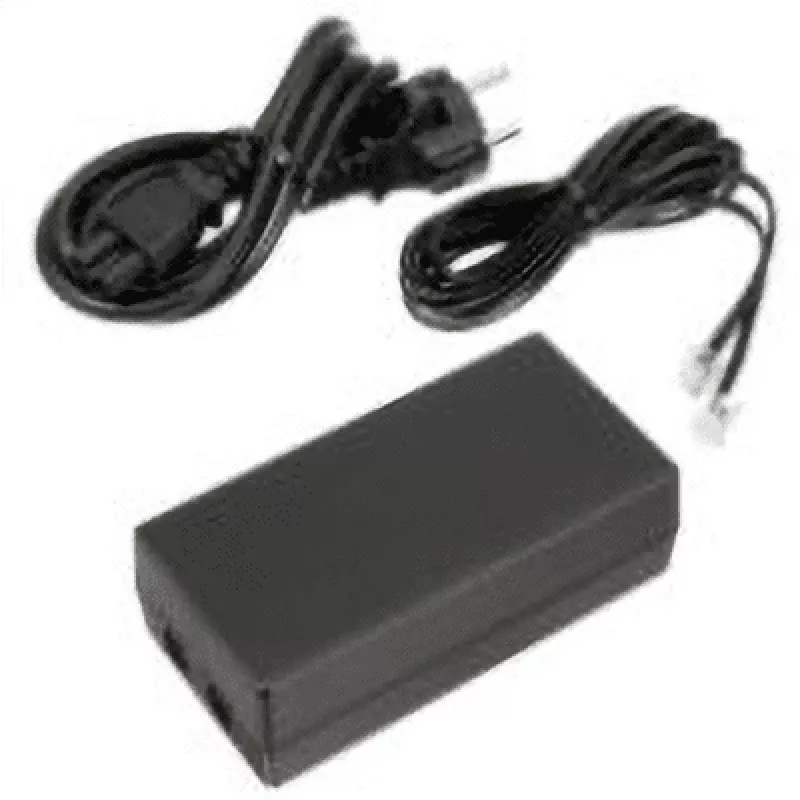
Power Supply Unify optiPoint 410 420 L30250-F600-C141

Power Supply Unify optiPoint 410 420 L30250-F600-C141
R635
The Unify optiPoint 410/420 Power Supply (L30250-F600-C141) delivers stable electrical power for Unify optiPoint series desk phones. Designed for reliable operation and compact installation, the unit supports continuous use and is intended as a dedicated accessory to maintain phone functionality in ... Read More
Stock 4 Code 1226125 Brand UNIFY Model L30250-F600-C141 Warranty 2 Years

Shipping & Returns

Estimated delivery Thursday, October 1
You will be kept updated through our detailed tracking system
Payment options
EFTPayFastBank CardSnapScanZapperGoogle PayApple PayMobicredMoreTymePay on Arrival

The Unify optiPoint 410/420 Power Supply (L30250-F600-C141) delivers stable electrical power for Unify optiPoint series desk phones. Designed for reliable operation and compact installation, the unit supports continuous use and is intended as a dedicated accessory to maintain phone functionality in office environments.

Advantages

This power supply offers stable voltage output and compatibility with Unify optiPoint 410 and 420 models, enabling straightforward plug-and-play connection. Its compact form factor simplifies placement near workstations and reduces cable clutter. Built to industry standards, the unit promotes long-term, uninterrupted operation of communication devices.

Suitable for

  • Powering Unify optiPoint 410 desk phones
  • Powering Unify optiPoint 420 desk phones
  • Office telephony installations and replacements

Key specifications

  • Brand: Unify
  • Manufacturer part number (MPN): L30250-F600-C141
  • EAN: 4050026000092
  • Compatibility: Unify optiPoint 410 / 420 series
  • Product type: External power supply for desk phones

How to use

Connect the power supply to a mains outlet using the provided cable, then attach the output connector to the power input on the Unify optiPoint 410 or 420 phone. Verify the phone powers on and functions normally. If replacing an existing unit, disconnect mains power before removing the old supply and connect the new unit following the same steps.

Recommendations

Use the power supply indoors in a dry, ventilated environment; avoid exposure to moisture and extreme temperatures. Ensure the unit is connected to a properly rated mains outlet and inspect cables periodically for damage. Replace the power supply if it shows signs of wear or causes intermittent phone operation.
Key Highlights
  • Powering Unify optiPoint 410 desk phones
  • Powering Unify optiPoint 420 desk phones
  • Office telephony installations and replacements
  • Brand: Unify
  • Manufacturer part number (MPN): L30250-F600-C141
  • EAN: 4050026000092
  • Compatibility: Unify optiPoint 410 / 420 series
  • Product type: External power supply for desk phones
Specifications
Harmonized System (HS) code
84733020
Price history over the last 6 months
Power Supply Unify optiPoint 410 420 L30250-F600-C141
Current
R635
Lowest
R578
Highest
R655
Change 24H
+R50   +9%
Week
+R55   +10%
Month
+R54   +9%

Popular products in this category

WhatsApp
Hi, I’m DistriNode’s AI assistant. I can help you find products, compare options, create quote PDFs, or open support requests.