Account Contact
Your Cart
Pay the courier with no extra fees.
Need help? DistriNode AI can handle any task on our site.

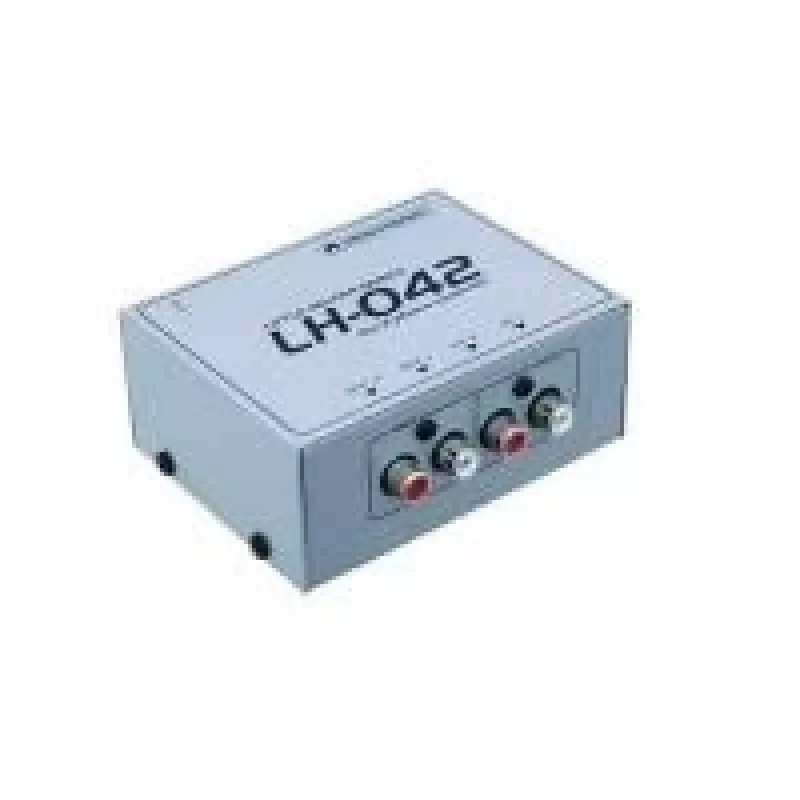
Phono Line Converter Omnitronic LH-042 with RCA Output and 24V Power Supply

Phono Line Converter Omnitronic LH-042 with RCA Output and 24V Power Supply
R1,101
Omnitronic LH-042 is a phono-to-line converter that converts RIAA phono signals from turntables to a fixed line-level output suitable for connection to amplifiers, mixers or recording devices. The unit provides stereo RCA output connectors and operates from a supplied 24V external power supply. The ... Read More
Stock 43 Code 2209698 Brand OMNITRONIC Model 10355042 Warranty 2 Years

Shipping & Returns

Estimated delivery Tuesday, October 6
You will be kept updated through our detailed tracking system
Payment options
EFTPayFastBank CardSnapScanZapperGoogle PayApple PayMobicredMoreTymePay on Arrival

Omnitronic LH-042 is a phono-to-line converter that converts RIAA phono signals from turntables to a fixed line-level output suitable for connection to amplifiers, mixers or recording devices. The unit provides stereo RCA output connectors and operates from a supplied 24V external power supply. The compact chassis and straightforward connectivity make the LH-042 a practical solution for DJs, home audio systems and recording setups that require a dedicated phono preamplifier with RCA outputs.

Advantages

The LH-042 offers a clean phono preamplification stage with RIAA equalization, ensuring accurate frequency response and improved signal level for downstream equipment. With standard RCA outputs the unit integrates easily with consumer and professional audio equipment. The external 24V power supply provides stable operation while keeping the main unit compact and easy to place near playback equipment.

Suitable for

Key specifications

How to use

Place the LH-042 near your turntable and connect the turntable’s left and right RCA outputs to the unit’s phono input jacks. Connect the unit’s RCA line outputs to the amplifier, mixer or recorder’s line-level inputs using quality RCA cables. Plug the supplied 24V power supply into the LH-042 and then into a mains outlet; power the unit on following the manufacturer’s sequence if applicable. Adjust input levels on the downstream device rather than on the converter, keeping the converter's output at a fixed line level. Verify correct channel routing and check for proper grounding to minimize hum or noise.

Recommendations

For best performance, ensure the turntable is properly grounded and the cartridge is aligned and set to the manufacturer’s recommended tracking force. Use well-shielded RCA cables for both input and output runs and avoid running audio cables parallel to mains cabling to reduce interference. If the system exhibits hum, confirm ground connections and try a ground-lift option on the downstream equipment if available.

Key Highlights
  • Connecting turntables to stereo receivers or integrated amplifiers via RCA
  • Integrating vinyl sources into DJ mixers or club setups that require line-level inputs
  • Recording vinyl to audio interfaces or standalone recorders through RCA inputs
  • Home audio setups where a separate phono preamp is preferred over a built-in option
  • Function: Phono (MM/MC detection as applicable) to line-level conversion with RIAA equalization
  • Outputs: Stereo RCA line outputs
  • Power: External 24V DC supply (included)
  • Chassis: Compact housing suitable for desktop or rack-adjacent placement
  • Connectivity: Stereo phono inputs (RCA) and stereo line outputs (RCA)
  • Intended use: Compatibility with amplifiers, mixers and recording devices requiring line-level signals
Price history over the last 6 months
Phono Line Converter Omnitronic LH-042 with RCA Output and 24V Power Supply
Current
R1,101
Lowest
R1,086
Highest
R1,101
Change 24H
+R13   +1%
Week
—   
Month
—   

Popular products in this category

WhatsApp
Hi, I’m DistriNode’s AI assistant. I can help you find products, compare options, create quote PDFs, or open support requests.