Account Contact
Your Cart
Pay the courier with no extra fees.
Need help? DistriNode AI can handle any task on our site.

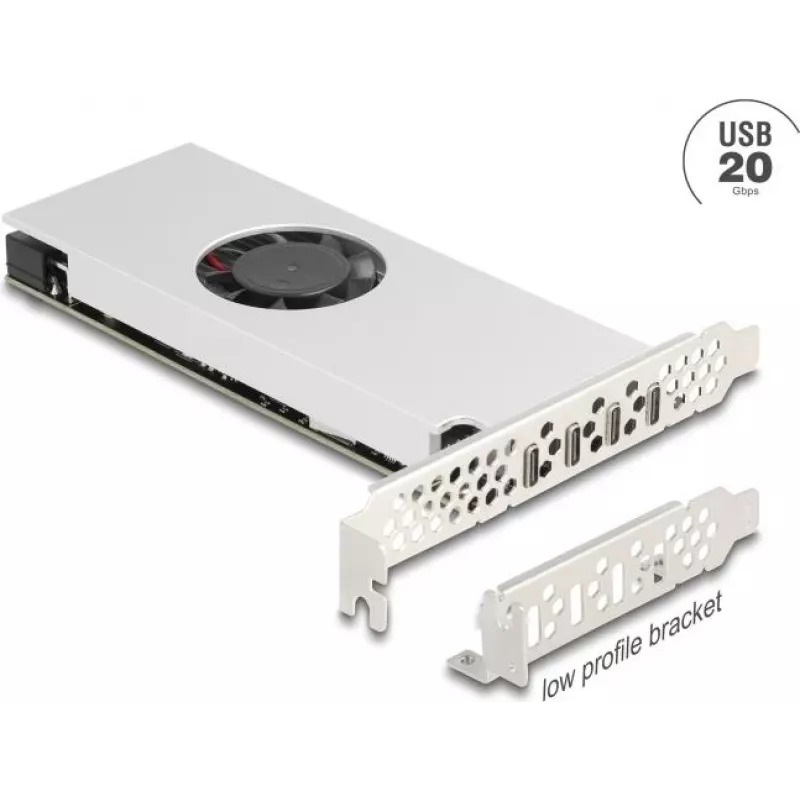
PCI Express x16 card DELOCK 4× USB 20 Gbps Type-C quad channel

PCI Express x16 card DELOCK 4× USB 20 Gbps Type-C quad channel
R8,553
DELOCK PCI Express x16 card provides four USB Type-C ports with quad-channel support delivering up to 20 Gbps per port. Designed to install into a standard PCIe x16 slot, the card expands a workstation or desktop PC with multiple high-bandwidth USB 3.2 Gen2x2 connections suitable for external NVMe e... Read More
Stock 1 Code 2188655 Brand DELOCK Model 90806 Warranty 2 Years

Shipping & Returns

Estimated delivery Tuesday, October 6
You will be kept updated through our detailed tracking system
Payment options
EFTPayFastBank CardSnapScanZapperGoogle PayApple PayMobicredMoreTymePay on Arrival

DELOCK PCI Express x16 card provides four USB Type-C ports with quad-channel support delivering up to 20 Gbps per port. Designed to install into a standard PCIe x16 slot, the card expands a workstation or desktop PC with multiple high-bandwidth USB 3.2 Gen2x2 connections suitable for external NVMe enclosures, fast data migration, and peripherals that require increased throughput.

Advantages

The card offers four independent USB Type-C interfaces, each capable of up to 20 Gbps, enabling concurrent high-speed transfers without rerouting existing ports. Integration into a PCIe x16 slot ensures stable PCIe bandwidth and compatibility with many motherboards. The compact bracketed design allows easy installation into standard PC chassis while keeping cable management straightforward. Native Type-C connectors provide reversible plug orientation and broad device compatibility.

Suitable for

Key specifications

How to use

Power down the PC and open the case according to the system manual. Insert the PCI Express x16 card into an available PCIe x16 slot and secure the bracket to the chassis. Connect any required internal power cables or enable onboard power settings if specified by the motherboard documentation. Reassemble the case and power on the system. Install any necessary drivers provided by the operating system or the card manufacturer to enable full USB 3.2 Gen2x2 functionality. After installation, attach USB Type-C devices or enclosures to the ports and verify transfer rates using suitable software or device diagnostics.

Recommendations

Use shielded, high-quality USB Type-C cables rated for USB 3.2 Gen2x2 to achieve the advertised 20 Gbps throughput; avoid using older or uncertified cables that may limit speed. Ensure the selected PCIe x16 slot provides the required lane configuration and is not shared with other devices that could reduce available bandwidth. Keep system drivers and firmware up to date to maintain compatibility and performance with NVMe enclosures and other high-bandwidth peripherals.
Key Highlights
  • Connecting external NVMe enclosures for high-speed storage access
  • Large file transfers between workstations, servers, and backup systems
  • High-bandwidth peripherals such as audio interfaces, capture cards, and docking stations
  • System upgrades that require additional USB 3.2 Gen2x2 ports
  • Interface to host: PCI Express x16 slot
  • Downstream ports: 4 × USB Type-C
  • Maximum per-port data rate: up to 20 Gbps (USB 3.2 Gen2x2)
  • Supported mode: quad-channel configuration with independent high-speed lanes
  • Physical form factor: low-profile bracket compatible with standard desktop cases
Price history over the last 6 months
PCI Express x16 card DELOCK 4× USB 20 Gbps Type-C quad channel
Current
R8,553
Lowest
R8,473
Highest
R8,564
Change 24H
+R0   +0%
Week
+R79   +1%
Month
—   

Popular products in this category

WhatsApp
Hi, I’m DistriNode’s AI assistant. I can help you find products, compare options, create quote PDFs, or open support requests.