Account Contact
Your Cart
Pay the courier with no extra fees.
Need help? DistriNode AI can handle any task on our site.

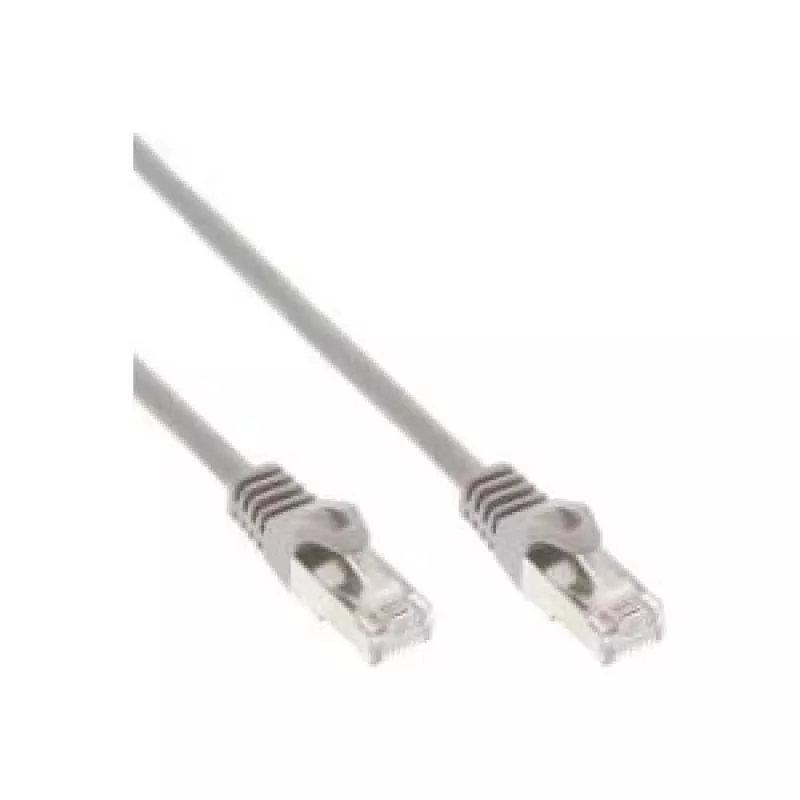
Patch Cable InLine Cat.5e SF/UTP (S-FTP) RJ-45–RJ-45, 40 m, grey

Patch Cable InLine Cat.5e SF/UTP (S-FTP) RJ-45–RJ-45, 40 m, grey
R603
InLine Cat.5e SF/UTP (S-FTP) patch cable, 40 m, with RJ‑45 connectors on both ends. The cable features paired conductors with overall and individual foil shielding to reduce electromagnetic interference and maintain stable data transmission up to Cat5e performance. Designed for structured Ethernet i... Read More
Stock 47 Code 2526843 Brand INLINE Model 72540 Warranty 2 Years

Shipping & Returns

Estimated delivery Tuesday, October 6
You will be kept updated through our detailed tracking system
Payment options
EFTPayFastBank CardSnapScanZapperGoogle PayApple PayMobicredMoreTymePay on Arrival

InLine Cat.5e SF/UTP (S-FTP) patch cable, 40 m, with RJ‑45 connectors on both ends. The cable features paired conductors with overall and individual foil shielding to reduce electromagnetic interference and maintain stable data transmission up to Cat5e performance. Designed for structured Ethernet installations where a shielded connection is required.

Advantages

The SF/UTP (S‑FTP) construction provides both overall and pair-level shielding, improving protection against external electromagnetic noise and crosstalk compared with unshielded cables. A 40 m length allows flexible routing between network components without intermediate patch points. Standard RJ‑45 terminations ensure compatibility with common switches, routers, sockets and patch panels that support Cat5e.

Suitable for

When it may not be suitable

This Cat5e cable does not support higher standards such as Cat6 or Cat6a performance levels and therefore is not suitable where higher bandwidth or future-proofing for multi-gigabit links is required. Also, shielded cables require proper grounding in the network installation; without correct grounding the shielding may be ineffective or introduce other issues.

Key specifications

How to use

Connect one RJ‑45 plug to the network device (switch, router or network card) and the other end to the corresponding port on the switch, patch panel or wall socket. Ensure that shielded ports or grounding points are used when connecting to shielded network equipment. Avoid sharp bends and maintain recommended bend radius to preserve cable performance.

What to consider before purchase

Recommendations

Use this shielded Cat5e patch cable for 1 Gbit/s Ethernet links in environments with potential electromagnetic interference, and ensure correct grounding of shielded components for optimal performance.
Key Highlights
  • Gigabit Ethernet connections up to 1 Gbit/s at frequencies up to 125 MHz
  • Wiring between switches, routers, patch panels and wall sockets in offices and homes
  • Installations that require shielded cabling to reduce interference from nearby equipment
  • Category: Cat5e (SF/UTP, S‑FTP)
  • Connectors: RJ‑45 — RJ‑45
  • Length: 40 m
  • Maximum data rate: 1 Gbit/s
  • Maximum frequency: 125 MHz
  • Construction: shielded pairs with overall shield
  • Colour: grey
  • Check that your network equipment and patch panels support shielded cabling and provide a proper grounding point
  • Confirm that Cat5e performance (1 Gbit/s, 125 MHz) meets your current and near-future bandwidth needs
  • Measure routing distance and allow extra length for cable runs and slack
Specifications
AWG wire size
26
Cable length
40 m
Cable shielding
SF/UTP (S-FTP)
Cable standard
Cat5e
Connector 1
RJ-45
Connector 1 gender
Male
Connector 2
RJ-45
Connector 2 gender
Male
Jacket material
Polyvinyl chloride (PVC)
Product colour
Grey
Price history over the last 6 months
Patch Cable InLine Cat.5e SF/UTP (S-FTP) RJ-45–RJ-45, 40 m, grey
Current
R603
Lowest
R485
Highest
R629
Change 24H
+R90   +17%
Week
+R95   +19%
Month
+R82   +16%

Popular products in this category

WhatsApp
Hi, I’m DistriNode’s AI assistant. I can help you find products, compare options, create quote PDFs, or open support requests.