Account Contact
Your Cart
Pay the courier with no extra fees.
Need help? DistriNode AI can handle any task on our site.

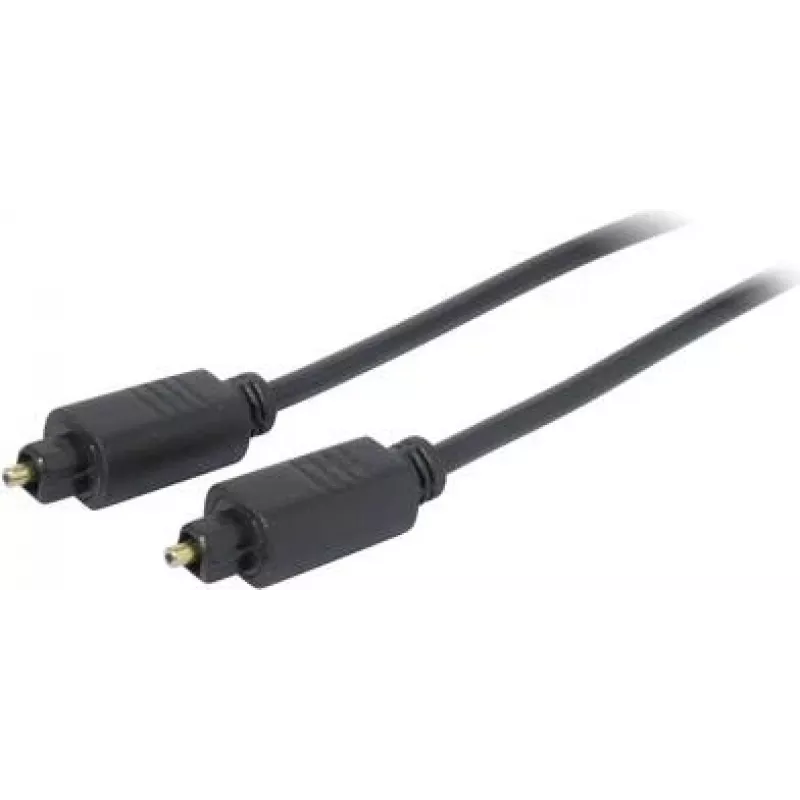
Optical Cable ShiverPeaks 69004-2.0 Toslink 2.0 m, 4.0 mm optical fiber

Optical Cable ShiverPeaks 69004-2.0 Toslink 2.0 m, 4.0 mm optical fiber
R325
ShiverPeaks 69004-2.0 Toslink optical cable is a 2.0 m digital audio link with a 4.0 mm optical fiber designed to transmit multichannel and stereo audio signals between TVs, soundbars, AV receivers and other consumer audio equipment. The cable uses optical transmission to provide galvanic isolation ... Read More
Stock 266 Code 2350529 Brand SHIVERPEAKS Model 69004-2.0 Warranty 2 Years

Shipping & Returns

Estimated delivery Tuesday, October 6
You will be kept updated through our detailed tracking system
Payment options
EFTPayFastBank CardSnapScanZapperGoogle PayApple PayMobicredMoreTymePay on Arrival

ShiverPeaks 69004-2.0 Toslink optical cable is a 2.0 m digital audio link with a 4.0 mm optical fiber designed to transmit multichannel and stereo audio signals between TVs, soundbars, AV receivers and other consumer audio equipment. The cable uses optical transmission to provide galvanic isolation and to resist electromagnetic and radio-frequency interference, making it suitable for home theatre installations and clean digital connections in living rooms and media rooms.

Advantages

The Toslink connector and 4.0 mm optical fiber ensure a stable digital audio path without ground loops. At 2.0 m length the cable balances reach and signal integrity for typical home setups. Optical transmission eliminates susceptibility to electromagnetic interference from nearby devices and wiring. The connector-to-connector design allows plug-and-play installation with standard Toslink ports on TVs, soundbars, audio receivers and set-top boxes.

Suitable for (tasks / use cases)

  • Connecting a TV to a soundbar or home theatre system
  • Linking an AV receiver to a CD player, set-top box or media streamer
  • Replacing a damaged or low-quality optical audio cable
  • Setting up a clean digital audio path in living rooms and media rooms

Key specifications

  • Cable type: Toslink optical digital audio cable
  • Length: 2.0 m
  • Core diameter: 4.0 mm optical fiber
  • Connectors: standard Toslink plug-to-plug configuration
  • Signal: digital audio (optical, immune to EMI/RFI)

How to use

Locate the optical (Toslink) output on the audio source and the optical input on the destination device. Remove any protective caps from the Toslink connectors, align the keyed plug with the device socket and insert gently until the connector seats. Use the 2.0 m length to route the cable without tight bends; avoid kinking the fiber. When disconnecting, pull the connector body rather than tugging on the cable jacket to protect the fiber and connector.

Recommendations

Keep the cable free from sharp bends and heavy compression to maintain optical performance. If adapters or converters are required (for non-Toslink ports), verify compatibility for digital optical signals. For best results in multi-device systems, connect or disconnect devices with power off to prevent transient noise or switching artifacts.

Key Highlights
  • Connecting a TV to a soundbar or home theatre system
  • Linking an AV receiver to a CD player, set-top box or media streamer
  • Replacing a damaged or low-quality optical audio cable
  • Setting up a clean digital audio path in living rooms and media rooms
  • Cable type: Toslink optical digital audio cable
  • Length: 2.0 m
  • Core diameter: 4.0 mm optical fiber
  • Connectors: standard Toslink plug-to-plug configuration
  • Signal: digital audio (optical, immune to EMI/RFI)
Price history over the last 6 months
Optical Cable ShiverPeaks 69004-2.0 Toslink 2.0 m, 4.0 mm optical fiber
Current
R325
Lowest
R315
Highest
R325
Change 24H
+R10   +3%
Week
—   
Month
—   

Popular products in this category

WhatsApp
Hi, I’m DistriNode’s AI assistant. I can help you find products, compare options, create quote PDFs, or open support requests.