Account Contact
Your Cart
Pay on delivery – no extra fees
Need help? Ask our AI

Numeric Keypad Keychron Q0+ Barebone Q0L-B3 — Aluminum Frame, Hot-Swappable, Blue

Numeric Keypad Keychron Q0+ Barebone Q0L-B3 — Aluminum Frame, Hot-Swappable, Blue
R2,981
The Keychron Q0+ Barebone Numeric Keypad Q0L-B3 is a standalone numeric keypad designed for efficient numeric data entry and expanded shortcut control. It features an aluminum frame with a blue finish and a compact layout that complements both full-size and compact keyboards. As a barebone unit, the... Read More
Stock Out Of StockNo Stock Code 123044 Brand KEYCHRON Model Q0L-B3 Warranty 2 Years

Shipping & Returns

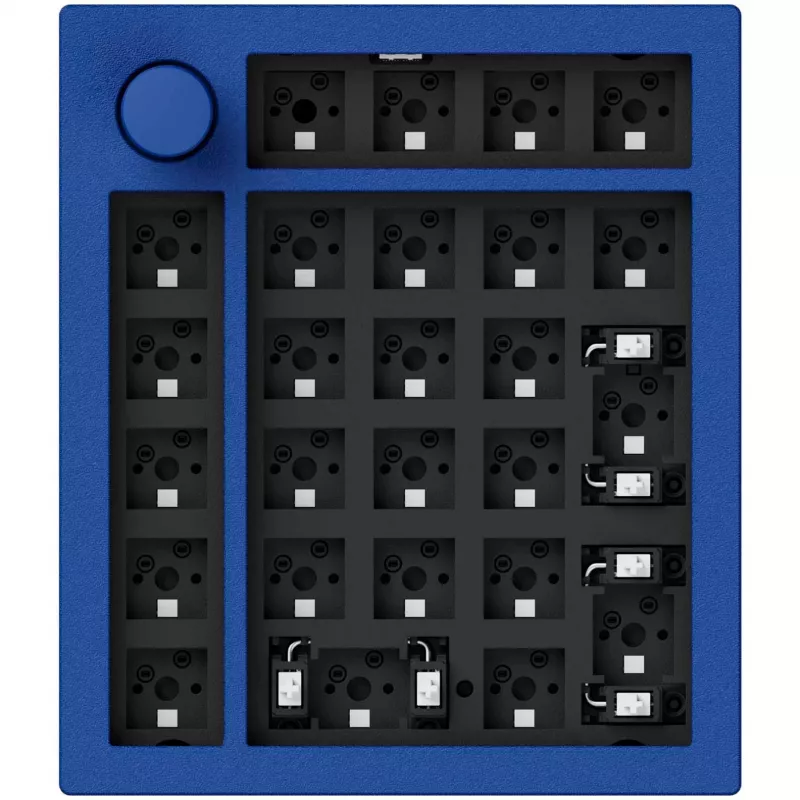
The Keychron Q0+ Barebone Numeric Keypad Q0L-B3 is a standalone numeric keypad designed for efficient numeric data entry and expanded shortcut control. It features an aluminum frame with a blue finish and a compact layout that complements both full-size and compact keyboards. As a barebone unit, the keypad arrives without preinstalled switches, offering a hot-swappable PCB that lets users install or replace mechanical switches without soldering. This design supports rapid customization of typing feel and sound while maintaining a solid, durable housing suitable for desktop use.

Advantages

The aluminum frame provides enhanced stability and a premium feel compared with plastic housings, while the barebone, hot-swappable design enables users to select switches that match their tactile or linear preferences. The compact standalone form factor frees up space on the main keyboard and allows placement flexibility. The blue color scheme integrates with a range of setups and provides a consistent visual match for themed systems. The keypad is optimized for numeric workflows and programmable shortcuts, supporting efficient data entry and quick access to frequently used commands.

Suitable for

  • Accounting and bookkeeping tasks that require fast, accurate numeric input
  • Spreadsheet work and data entry with frequent number entry
  • Designated shortcut control for productivity software and macros
  • Users building custom keyboard layouts or testing different mechanical switches
  • Desktop setups requiring a dedicated numeric keypad separate from main keyboard

Key specifications

  • Form factor: Standalone numeric keypad with compact layout
  • Frame material: Aluminum construction for rigidity and weight
  • Color: Blue finish
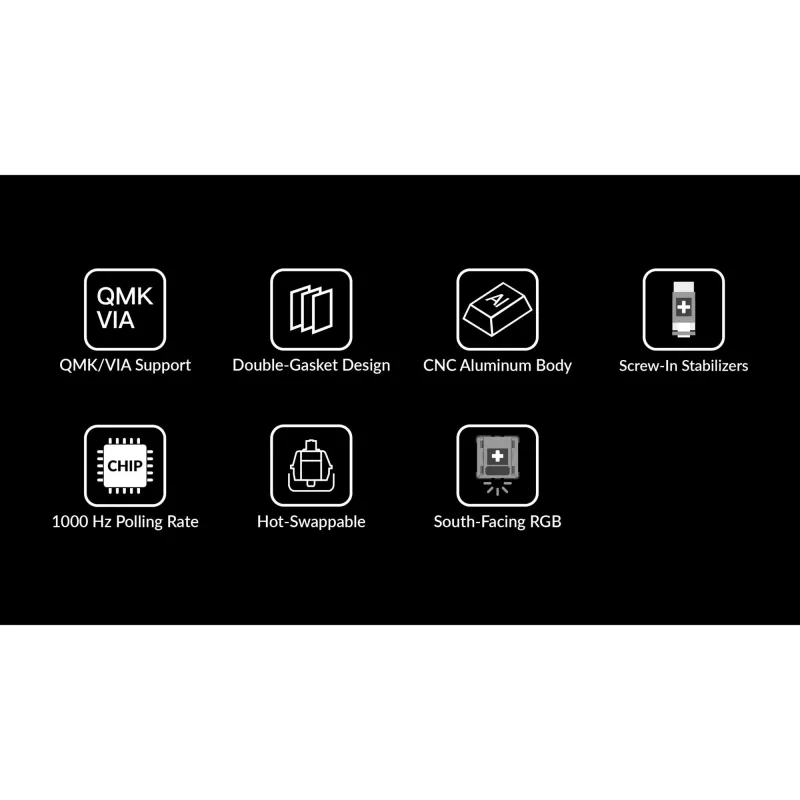
  • Switch compatibility: Hot-swappable PCB supporting mechanical switches (no soldering required)
  • Keycaps: Compatible with standard keycap profiles for numeric clusters (keycaps not preinstalled in barebone units)
  • Connectivity: Compatible with desktop setups (refer to manufacturer resources for supported interfaces and cable types)

How to use

Install compatible mechanical switches into the hot-swappable sockets according to the switch orientation, then fit keycaps that match the layout. Connect the keypad to your computer using the supported interface and configure any available key mappings or macros through your operating system or Keychron configuration tools. Place the keypad in a position that suits your workflow—either to the right of your main keyboard for traditional numeric entry or elsewhere for dedicated shortcut control. Regularly check switch seating and keycap alignment to ensure consistent performance.

Recommendations

For best results, choose mechanical switches that match your preferred actuation and noise level: tactile switches for feedback during data entry, linear switches for smooth, quiet keystrokes, or clicky switches if audible feedback is desired. Use keycap sets compatible with numeric clusters and verify connectivity options before purchase to ensure seamless integration with your desktop environment.

Key Highlights
  • Accounting and bookkeeping tasks that require fast, accurate numeric input
  • Spreadsheet work and data entry with frequent number entry
  • Designated shortcut control for productivity software and macros
  • Users building custom keyboard layouts or testing different mechanical switches
  • Desktop setups requiring a dedicated numeric keypad separate from main keyboard
  • Form factor: Standalone numeric keypad with compact layout
  • Frame material: Aluminum construction for rigidity and weight
  • Color: Blue finish
  • Switch compatibility: Hot-swappable PCB supporting mechanical switches (no soldering required)
  • Keycaps: Compatible with standard keycap profiles for numeric clusters (keycaps not preinstalled in barebone units)
  • Connectivity: Compatible with desktop setups (refer to manufacturer resources for supported interfaces and cable types)
Price history is not available yet
We are still collecting enough daily price data for this product.

Popular products in this category

WhatsApp
Hi, I’m DistriNode’s AI assistant. I can help you find products, compare options, create quote PDFs, or open support requests.