Account Contact
Your Cart
Pay the courier with no extra fees.
Need help? DistriNode AI can handle any task on our site.

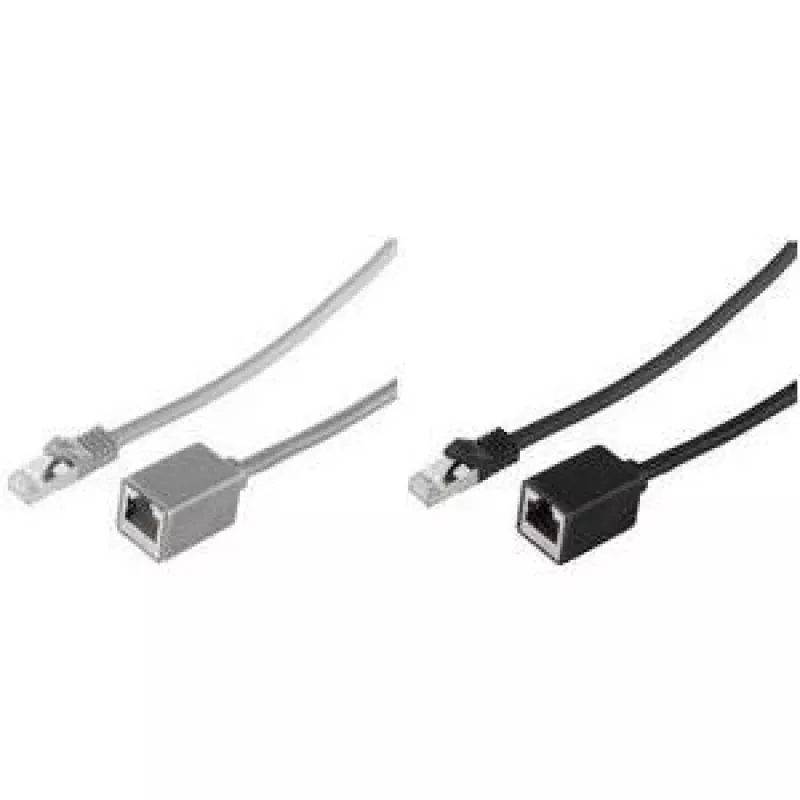
networking cable ShiverPeaks BS08-62030 Grey 2 m Cat7 S/FTP

networking cable ShiverPeaks BS08-62030 Grey 2 m Cat7 S/FTP
R366
The ShiverPeaks BS08-62030 is a 2 m Cat7 S/FTP networking cable with gold‑plated RJ-45 connectors. Its shielded foil over each twisted pair plus an overall braided shield (S/FTP) reduces electromagnetic interference and supports reliable high-speed data transmission up to 10 Gbps. The grey jacket pr... Read More
Stock 4 Code 1506980 Brand SHIVERPEAKS Model BS08-62030 Warranty 2 Years

Shipping & Returns

Estimated delivery Tuesday, October 6
You will be kept updated through our detailed tracking system
Payment options
EFTPayFastBank CardSnapScanZapperGoogle PayApple PayMobicredMoreTymePay on Arrival

The ShiverPeaks BS08-62030 is a 2 m Cat7 S/FTP networking cable with gold‑plated RJ-45 connectors. Its shielded foil over each twisted pair plus an overall braided shield (S/FTP) reduces electromagnetic interference and supports reliable high-speed data transmission up to 10 Gbps. The grey jacket provides a neutral appearance suitable for home or office installations.

Advantages

Shielded S/FTP construction offers improved protection against crosstalk and external noise compared with unshielded cables. Gold-plated contacts ensure stable connector performance and lower risk of corrosion. The 2 m length balances reach and minimal signal degradation for typical desk- or rack-level connections. Cat7 specification enables higher frequency performance for demanding network tasks.

Suitable for

  • Wired LAN connections between PC, router, modem and switch
  • High-bandwidth activities such as gaming and 4K/8K streaming
  • Office networks and home network wiring where interference resistance is required

Key specifications

  • Brand: ShiverPeaks
  • Model / MPN: BS08-62030
  • EAN: 4017538074188
  • Length: 2 m
  • Standard: Cat7
  • Shielding: S/FTP (overall braid + individual foil around pairs)
  • Connectors: RJ-45 to RJ-45
  • Contacts plating: Gold
  • Color: Grey

How to use

Plug one RJ-45 connector into your network device (PC, switch or router) and the other connector into the corresponding port on the other device. Ensure connectors are fully inserted until they click. Route the cable to avoid sharp bends and sources of strong electromagnetic interference. For best performance, keep the cable length within its specified 2 m and avoid excessive tension on the connectors.

Recommendations

Use the cable for short to medium point‑to‑point connections where high data rates and shielding are needed. For installations requiring longer runs, select an appropriate length rated for Cat7 or consider structured cabling best practices to maintain signal integrity.
Key Highlights
  • Wired LAN connections between PC, router, modem and switch
  • High-bandwidth activities such as gaming and 4K/8K streaming
  • Office networks and home network wiring where interference resistance is required
  • Brand: ShiverPeaks
  • Model / MPN: BS08-62030
  • EAN: 4017538074188
  • Length: 2 m
  • Standard: Cat7
  • Shielding: S/FTP (overall braid + individual foil around pairs)
  • Connectors: RJ-45 to RJ-45
  • Contacts plating: Gold
  • Color: Grey
Specifications
AWG wire size
26/7
Cable length
2 m
Cable shape
Round
Cable shielding
S/FTP (S-STP)
Cable standard
Cat7
Conductor material
Copper
Connector 1
RJ-45
Connector 1 gender
Male
Connector 2
RJ-45
Connector 2 gender
Female
Connector contacts plating
Gold
Frequency
500 MHz
Jacket material
Low smoke zero halogen (LSZH)
Product colour
Grey
Quantity per pack
1 pc(s)
Snagless cable boot
No
Price history over the last 6 months
networking cable ShiverPeaks BS08-62030 Grey 2 m Cat7 S/FTP
Current
R366
Lowest
R356
Highest
R672
Change 24H
+R10   +3%
Week
-R294   -45%
Month
-R296   -45%

Popular products in this category

WhatsApp
Hi, I’m DistriNode’s AI assistant. I can help you find products, compare options, create quote PDFs, or open support requests.