Account Contact
Your Cart
Pay the courier with no extra fees.
Need help? DistriNode AI can handle any task on our site.

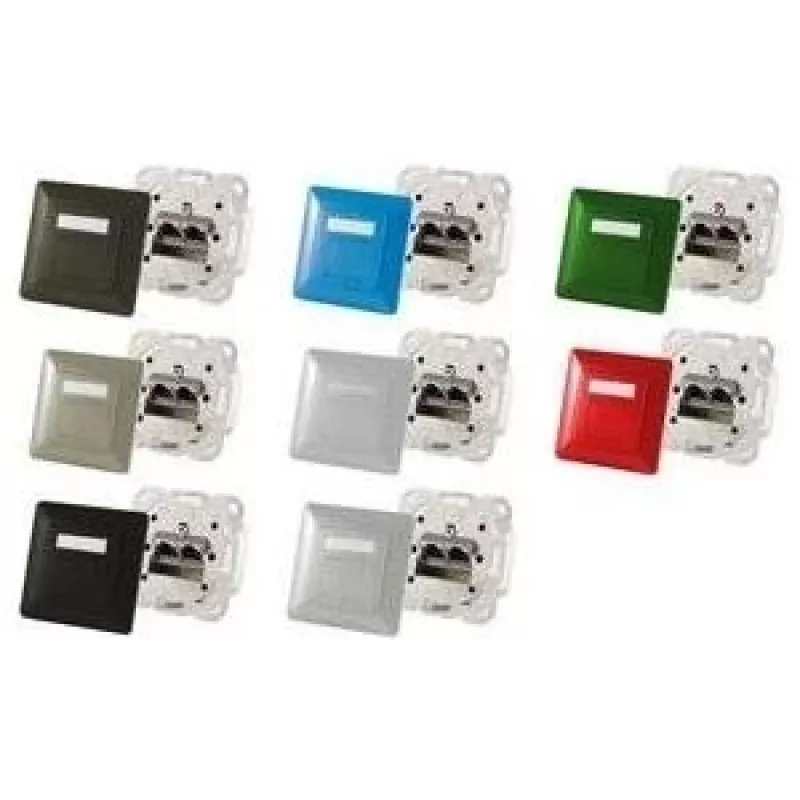
Network socket outlet ShiverPeaks BS74280-R — 2× RJ-45, Cat6a, red

Network socket outlet ShiverPeaks BS74280-R — 2× RJ-45, Cat6a, red
R483
The ShiverPeaks BS74280-R is a flush-mount network socket outlet that provides two RJ-45 ports with Cat6a wiring. Encased in a red finish, this single-piece faceplate delivers a compact and discreet in-wall connection point for structured cabling installations. It is intended for environments that r... Read More
Stock 55 Code 1516232 Brand SHIVERPEAKS Model BS74280-R Warranty 2 Years

Shipping & Returns

Estimated delivery Tuesday, October 6
You will be kept updated through our detailed tracking system
Payment options
EFTPayFastBank CardSnapScanZapperGoogle PayApple PayMobicredMoreTymePay on Arrival

The ShiverPeaks BS74280-R is a flush-mount network socket outlet that provides two RJ-45 ports with Cat6a wiring. Encased in a red finish, this single-piece faceplate delivers a compact and discreet in-wall connection point for structured cabling installations. It is intended for environments that require reliable wired Ethernet connectivity with support for higher bandwidths and shielding practices associated with Cat6a performance.

Advantages

This dual-port wall outlet reduces cable clutter and centralizes Ethernet terminations at a single location, supporting up to Cat6a data rates for applications that demand increased throughput. The red finish improves visual identification in multi-outlet installations and simplifies cable management. The unit’s flush-mount design offers a clean appearance and compatibility with standard wall-box fittings for residential, commercial or server room deployments.

Suitable for

  • Wired Ethernet connections in offices and meeting rooms
  • Server rooms, network cabinets and patch panel terminations
  • Residential installations requiring gigabit or 10G-ready wiring
  • Environments where port identification by color is helpful

Key specifications

  • Connector type: 2 × RJ-45 ports
  • Cabling standard: Wired for Cat6a performance
  • Mounting style: Flush / in-wall faceplate
  • Finish color: Red
  • Quantity: Single faceplate with two ports

How to use

Install the outlet into a compatible single-gang wall box following local electrical and low-voltage installation regulations. Terminate incoming Cat6a-rated twisted-pair cable onto the rear contacts of the RJ-45 modules according to the chosen wiring scheme (T568A or T568B). After termination, secure the module and attach the faceplate, then test each port with a cable tester to verify continuity, pair integrity and performance up to Cat6a standards before final commissioning.

Recommendations

For optimal Cat6a performance, use Cat6a-rated cable and maintain proper cable management with limited untwisting at terminations. Keep power and high-interference sources separated from data cabling and verify connections with a qualified cable tester supporting Cat6a-level tests.

Key Highlights
  • Wired Ethernet connections in offices and meeting rooms
  • Server rooms, network cabinets and patch panel terminations
  • Residential installations requiring gigabit or 10G-ready wiring
  • Environments where port identification by color is helpful
  • Connector type: 2 × RJ-45 ports
  • Cabling standard: Wired for Cat6a performance
  • Mounting style: Flush / in-wall faceplate
  • Finish color: Red
  • Quantity: Single faceplate with two ports
Specifications
Frame
Yes
Networking cable category
6a
Number of products included
1 pc(s)
Product colour
Red
Socket type
2 x RJ-45
Sockets quantity
2
Price history over the last 6 months
Network socket outlet ShiverPeaks BS74280-R — 2× RJ-45, Cat6a, red
Current
R483
Lowest
R472
Highest
R1,064
Change 24H
+R9   +2%
Week
-R530   -52%
Month
-R530   -52%

Popular products in this category

WhatsApp
Hi, I’m DistriNode’s AI assistant. I can help you find products, compare options, create quote PDFs, or open support requests.