Account Contact
Your Cart
Pay the courier with no extra fees.
Need help? DistriNode AI can handle any task on our site.

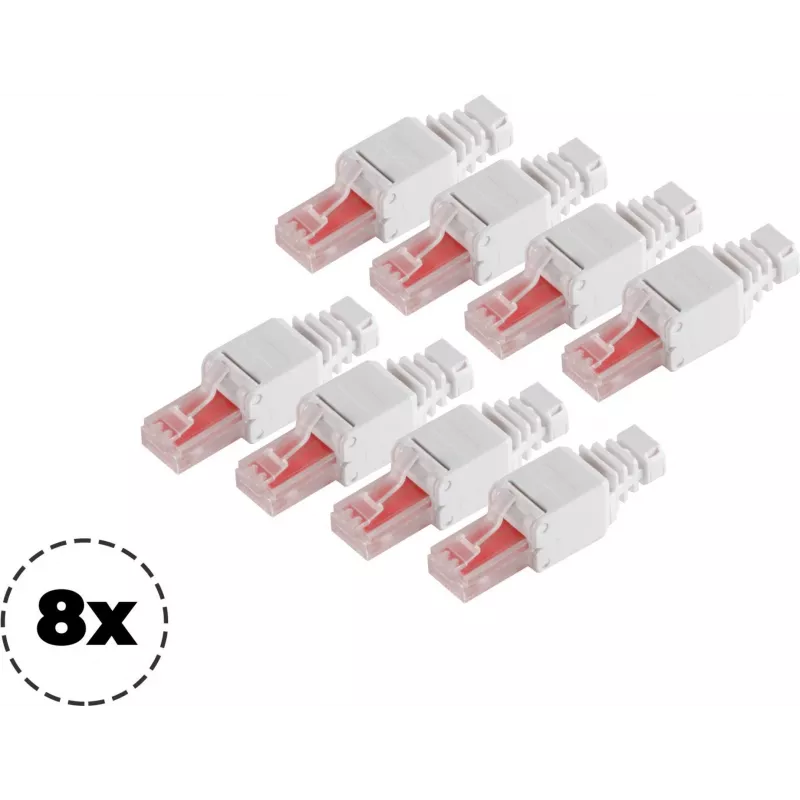
Network plug ShiverPeaks 75011-8 Cat.6 tool-less RJ45 connector, 8P8C

Network plug ShiverPeaks 75011-8 Cat.6 tool-less RJ45 connector, 8P8C
R593
The ShiverPeaks 75011-8 Cat.6 tool-less RJ45 connector is a compact solution for fast 8P8C network terminations on Cat.6 cables. Designed for quick, solder-free and screw-free assembly, this unshielded plug supports straightforward field terminations and small-scale installations. The connector incl... Read More
Stock 51 Code 2352835 Brand SHIVERPEAKS Model 75011-8 Warranty 2 Years

Shipping & Returns

Estimated delivery Tuesday, October 6
You will be kept updated through our detailed tracking system
Payment options
EFTPayFastBank CardSnapScanZapperGoogle PayApple PayMobicredMoreTymePay on Arrival

The ShiverPeaks 75011-8 Cat.6 tool-less RJ45 connector is a compact solution for fast 8P8C network terminations on Cat.6 cables. Designed for quick, solder-free and screw-free assembly, this unshielded plug supports straightforward field terminations and small-scale installations. The connector includes an integrated strain relief to protect the cable jacket and conductors during and after assembly.

Advantages

This tool-less Cat.6 RJ45 connector simplifies cable termination with no special tools required, reducing time on site and enabling reliable contacts for data transmission. Its design accommodates typical Cat.6 cable diameters and conductor layouts, while the built-in strain relief improves mechanical stability. The compact body and clear assembly process make it suitable for quick repairs, patch cable manufacturing and extension work without crimping equipment.

Suitable for

  • On-site network cable repairs and replacements
  • Creating Cat.6 patch cables and short links
  • Small office or home network installations
  • Temporary or rapid deployments requiring quick RJ45 terminations

Key specifications

  • Connector type: 8P8C unshielded RJ45 tool-less plug
  • Cable category compatibility: Category 6 (Cat.6)
  • Assembly method: tool-less, solder-free, screw-free termination
  • Mechanical features: integrated strain relief / bend protection
  • Typical use: patch cords, on-site terminations, repairs

How to use

Strip the outer jacket of the Cat.6 cable to the length recommended by the connector manufacturer, arrange the individual conductors according to the target wiring standard (T568A or T568B), insert the conductors fully into the connector until they reach the contact positions, then secure the connector body to engage the contacts and strain relief. Verify each conductor is seated correctly and test the terminated cable with an appropriate network tester to confirm continuity and correct pair mapping.

Recommendations

Use the connector with Cat.6 stranded or solid cable types within the supported diameter range and avoid excessive cable twisting when seating conductors. After termination, perform a basic continuity and pair-split test; for critical installations consider additional certification with a Cat.6 tester to ensure performance requirements are met.

Key Highlights
  • On-site network cable repairs and replacements
  • Creating Cat.6 patch cables and short links
  • Small office or home network installations
  • Temporary or rapid deployments requiring quick RJ45 terminations
  • Connector type: 8P8C unshielded RJ45 tool-less plug
  • Cable category compatibility: Category 6 (Cat.6)
  • Assembly method: tool-less, solder-free, screw-free termination
  • Mechanical features: integrated strain relief / bend protection
  • Typical use: patch cords, on-site terminations, repairs
Price history over the last 6 months
Network plug ShiverPeaks 75011-8 Cat.6 tool-less RJ45 connector, 8P8C
Current
R593
Lowest
R582
Highest
R593
Change 24H
+R9   +2%
Week
—   
Month
—   

Popular products in this category

WhatsApp
Hi, I’m DistriNode’s AI assistant. I can help you find products, compare options, create quote PDFs, or open support requests.