

Account Contact
Your Cart
Pay the courier with no extra fees.
Need help? DistriNode AI can handle any task on our site.

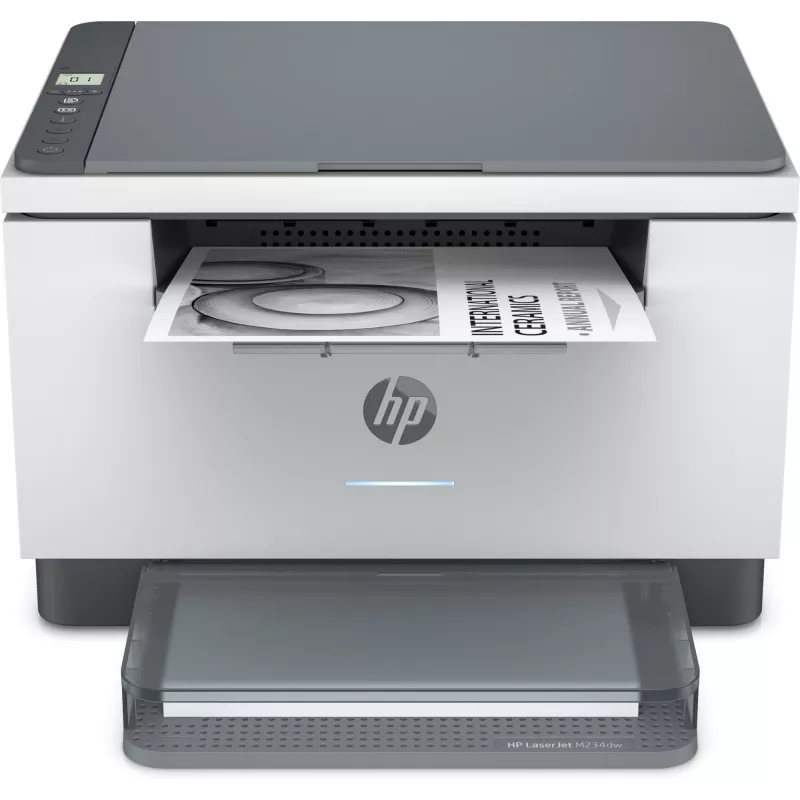
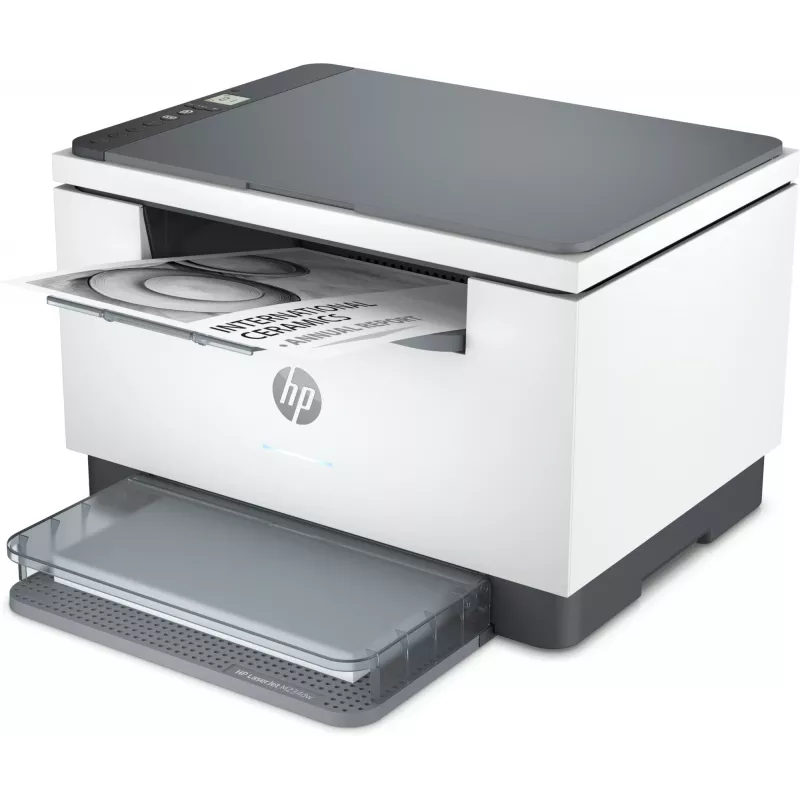
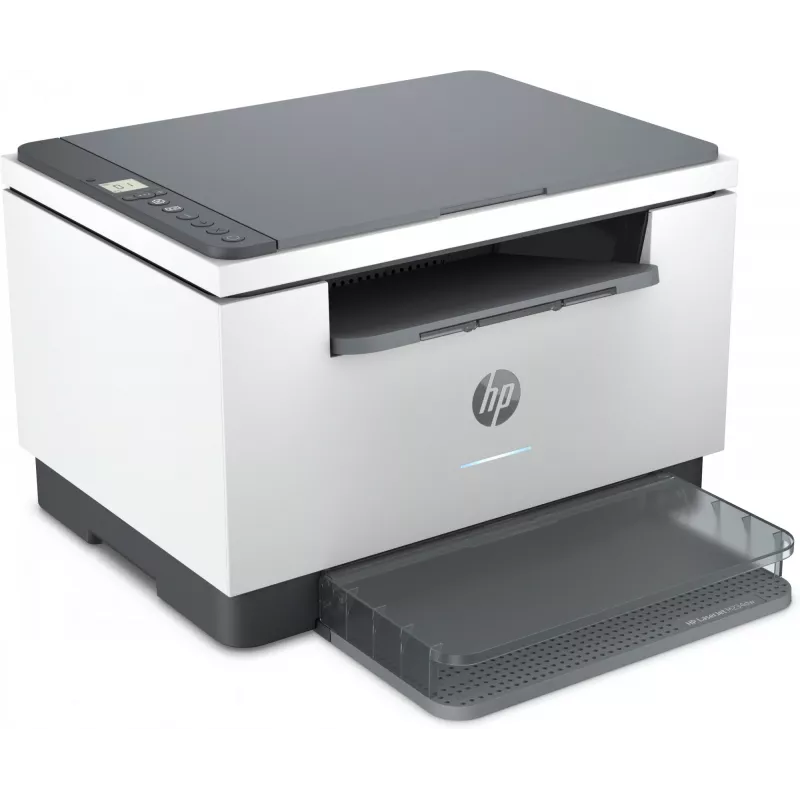
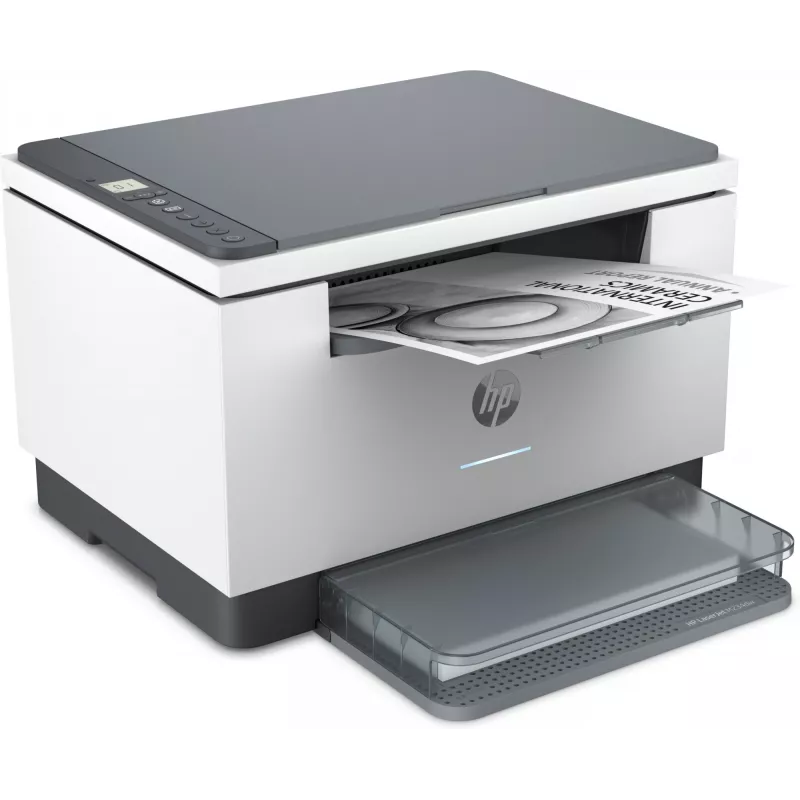
Multifunction Laser Printer HP LaserJet MFP M234dw — Mono, A4, 29 ppm, Duplex, Wi‑Fi, Ethernet

Multifunction Laser Printer HP LaserJet MFP M234dw — Mono, A4, 29 ppm, Duplex, Wi‑Fi, Ethernet
R4,733
Super versatile. Super compact – with reliable wireless. A high-productivity MFP with the fastest two-sided printing in its class[2] and the time-saving HP Smart app.[6,7] Count on peace of mind from more reliable connections,[1] and a worry-free experience with simplified setup.Dynamic security ena... Read More
Stock 164 Code 27112 Brand HP Model 6GW99F#B19 Warranty 2 Years

Shipping & Returns

Estimated delivery Tuesday, September 29
You will be kept updated through our detailed tracking system
Payment options
EFTPayFastBank CardSnapScanZapperGoogle PayApple PayMobicredMoreTymePay on Arrival
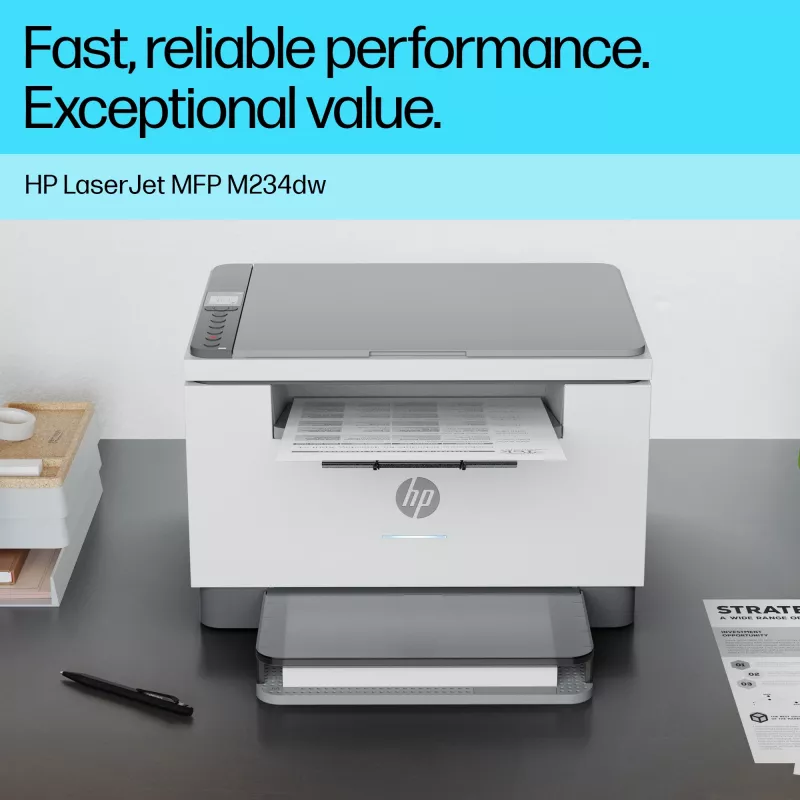
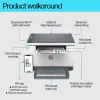
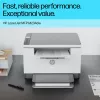
Super versatile. Super compact – with reliable wireless. A high-productivity MFP with the fastest two-sided printing in its class[2] and the time-saving HP Smart app.[6,7] Count on peace of mind from more reliable connections,[1] and a worry-free experience with simplified setup.

Dynamic security enabled printer Certain HP printers are intended to work only with cartridges that have a new or reused HP chip or electronic circuitry. These printers use dynamic security measures to block cartridges using a non-HP chip or electronic circuitry. Periodic firmware updates will maintain the effectiveness of these measures and block cartridges that previously worked. Reused HP chips and electronic circuitry enable the use of reused, remanufactured, and refilled cartridges.

Work fast. Work smart.

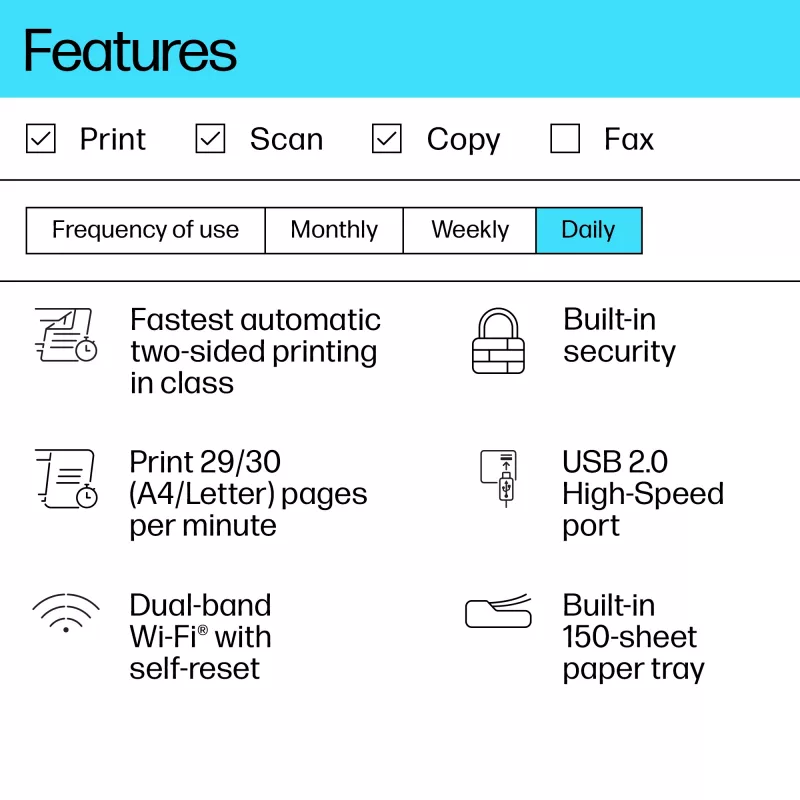
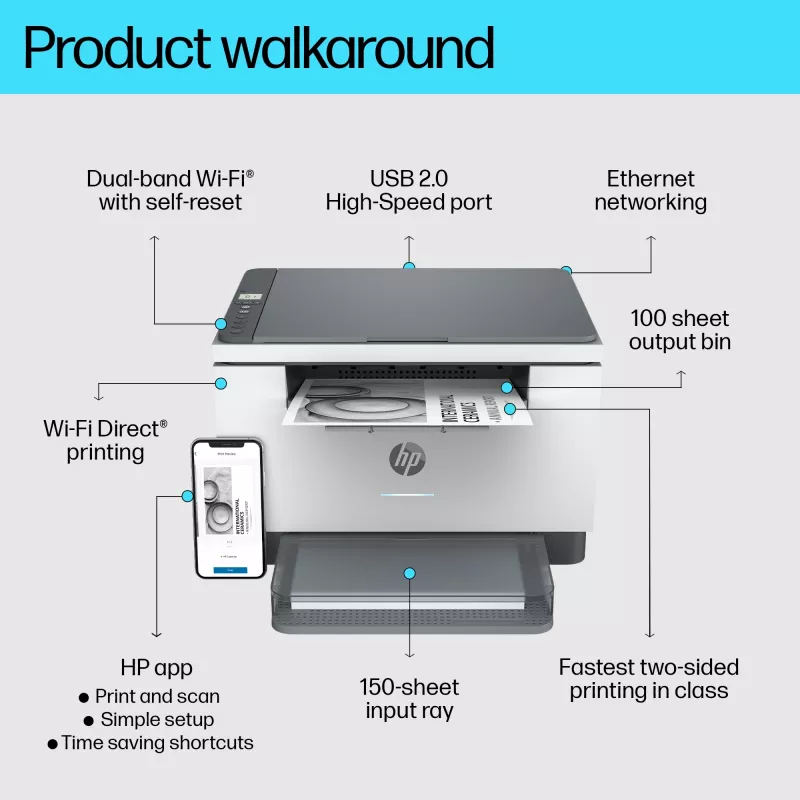
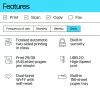
Speed through multipage documents with the fastest in-class two-sided printing speed.[2]You can fit this LaserJet almost anywhere – it’s that small and compact. Get projects done quickly with a printer that fits almost anywhere.Get better range and faster, more reliable connections using dual-band Wi-Fi™ with self-reset.[1]Easily share resources – access and print with wireless and Ethernet networking.[4]Connect your smartphone or tablet directly to your printer – and easily print without accessing a network.[5]

Stay productive from anywhere

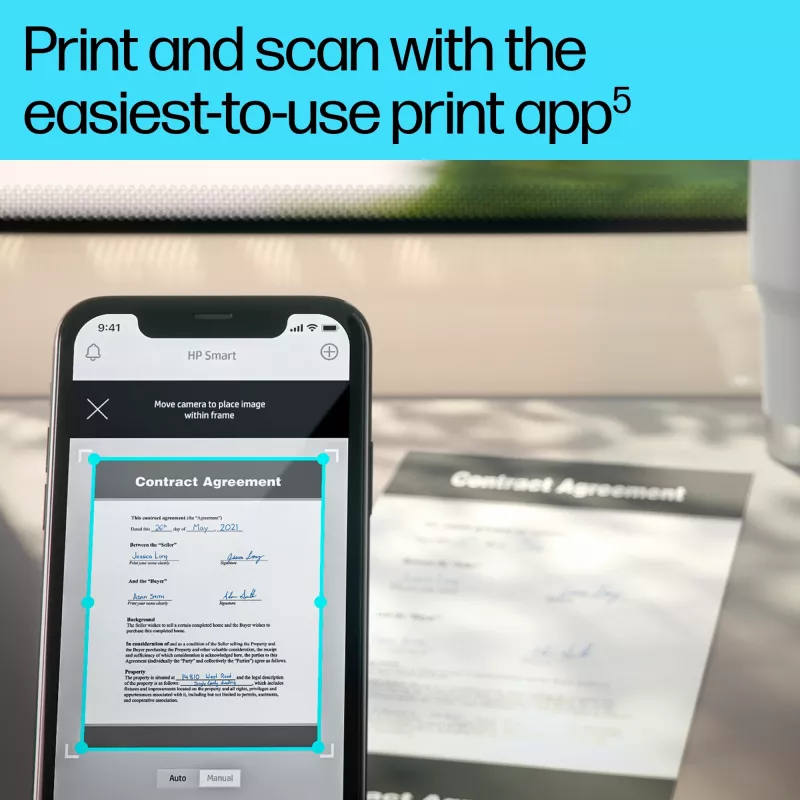
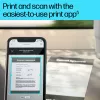
Get high-quality scanning, and share to Dropbox, Google Drive, email, or the cloud – from virtually anywhere – with HP Smart app.[6]Quickly access and print documents and images on your smartphone, from Dropbox and Google Drive, using HP Smart app.[6]With HP Smart app, you can stay connected to your printer from virtually anywhere.[6] Get notifications when printing, scanning, or copying from your smartphone.[6]

Easy to set up, easy to use

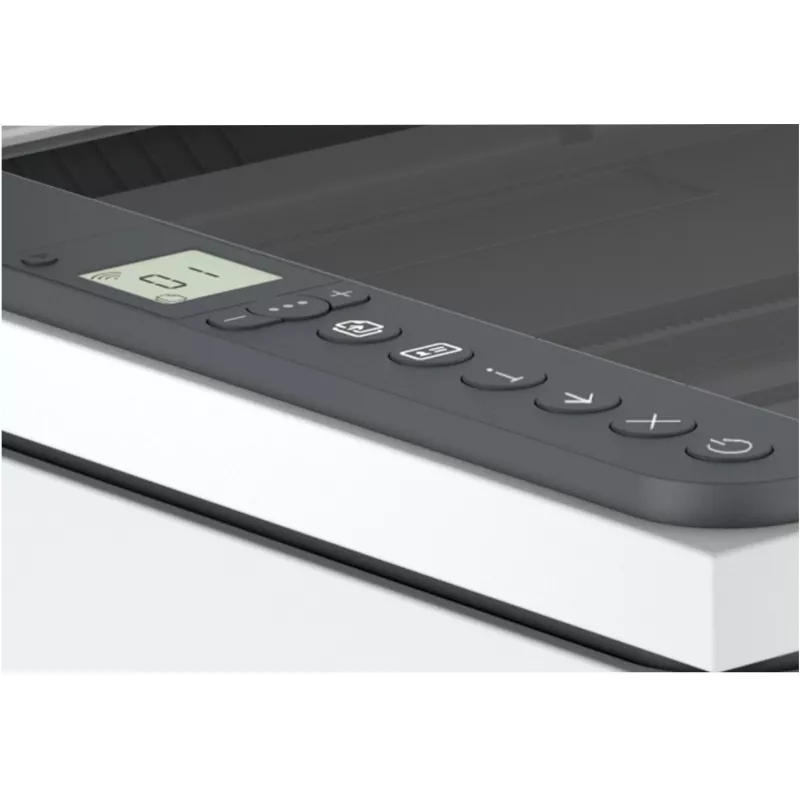
Get started fast with easy setup that guides you, step by step. Simply download the HP Smart app, connect to a network, and share your printer across all your devices.[6]Easily manage tasks with smart-guided buttons for an intuitive experience – buttons appear only when needed.

Help make a positive impact on the environment

This HP LaserJet meets ecolabel requirements, including ENERGY STAR® and BLUE ANGEL.Help save energy with a LaserJet that uses up to 20% less energy than previous model.Help save energy with HP Auto-On/Auto-Off Technology – intelligence that can turn your printer on when you need it and off when you don’t.[8]HP FSC®-certified paper is sustainably sourced from responsibly managed, renewable forest sources, which helps stop deforestation and protect wildlife.

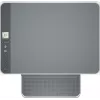
Small size. Big performance.

A LaserJet so compact it can fit almost anywhere.

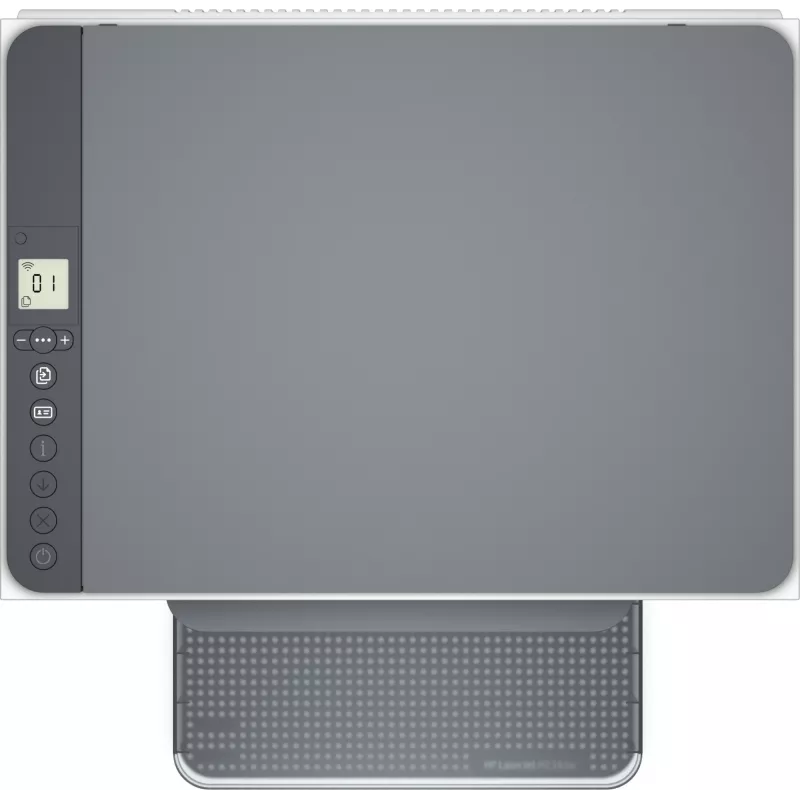
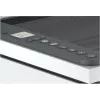
Smart-guided buttons and lighting

Easily manage tasks with smart-guided buttons and lighting for an intuitive experience – buttons appear only when needed.

Ready to help protect business

Get security essentials to help maintain privacy and control, including basic encryption and password protection.

Fastest in-class two-sided printing speed

Speed through multipage documents with the fastest in-class two-sided printing speed.[2] [2]
Fastest in-class two-sided printing speed

Your reliable connection

Get better range and faster, more reliable connections using dual-band Wi-Fi™ with self-reset.[1] [1]

Seamless setup

Get started fast with simple setup that guides you through each step, with HP Smart app.[6] [6]

Amazing scanning, now on your smartphone

Get high-quality scanning, and share to Dropbox, Google Drive, email, or the cloud – from virtually anywhere.[6] [6]

Printing just got more productive

Quickly access and print documents and images on your smartphone, from Dropbox and Google Drive.[6] [6]
Printing just got more productive

Printing just got more productive

[6]

On when you need it, off when you don’t

Help save energy with HP Auto-On/Auto-Off Technology – intelligence that can turn your printer on when you need it and off when you don’t.[8]

How to use

Place the printer on a stable surface near a power outlet and your network connection. Install the toner cartridge and paper following the quick-start guide, then run the guided setup using the control panel or the HP Smart app to connect to Wi‑Fi or Ethernet. Use the HP Smart app or the printer driver from HP to send print jobs, initiate scans and make copies. For duplex printing, select two-sided/duplex in the print dialog; scanning can be performed in colour and saved to a connected device or cloud service via the app.

Recommendations

Use genuine or HP‑approved cartridges with new or reused HP chips to ensure full compatibility. Keep firmware updated as prompted to maintain security features and device performance. Place the printer in a well-ventilated area and follow HP’s maintenance instructions for reliable operation under moderate to high monthly workloads.

Key Highlights
  • Scan to email; Scan to PDF
  • Print, copy, scan
  • Print speed up to 29 ppm (black)
  • Up to 600 x 600 dpi
  • Home & office Laser Mono printing
  • 600 x 600 DPI
  • Printing colours: Black
  • A4 29 ppm
  • Mono copying Colour scanning
  • Mopria Print Service, Apple AirPrint
  • Direct printing
  • USB port Wi-Fi Ethernet LAN Bluetooth
  • Internal memory: 64 MB Built-in processor 500 MHz
  • 7.6 kg
Specifications
AC input frequency
50/60 Hz
AC input voltage
220 - 240 V
Acoustic power emissions (ready)
26 dB
Acoustic pressure emissions bystander (ready)
16 dB
All-In-One-multitasking
Yes
Auto fit function
Yes
Bluetooth
Yes
Box contents
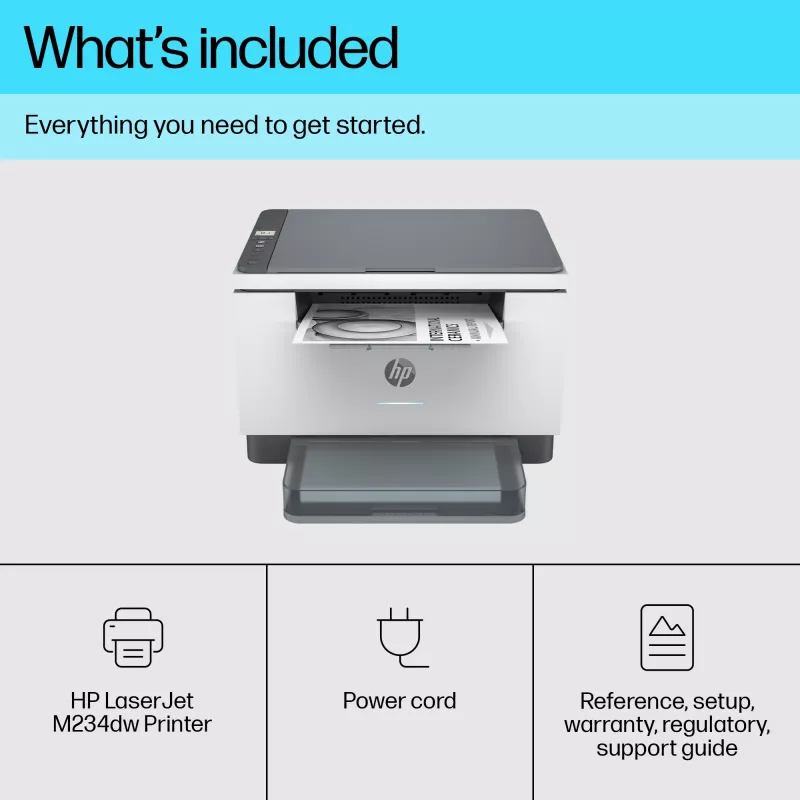
HP LaserJet MFP M234dw Printer; HP Black LaserJet Toner Cartridge (700 pages); Dust cover; Reference guide; Setup poster; Warranty guide and flyer in some countries; Power cord
Built-in display
Yes
Built-in processor
Yes
Bundled software
No CD inbox (expect Indonesia and China Gov); Downloadable Software from hp.com or 123.hp.com; #CD include HP Software Installer, Uninstaller, printer driver and other essential tools
Cables included
AC
Cabling technology
10/100Base-T(X)
Carbon emissions, end-of-life (kg of CO2e)
19
Carbon emissions, logistics (kg of CO2e)
4
Carbon emissions, manufacturing (kg of CO2e)
76
Card reader integrated
No
Cartridge(s) included
Yes
Certification
CISPR32:2012 & CISPR32:2015 /EN55032:2012 & EN55032:2015+AC:2016 - Class B; EN 61000-3-2:2014; EN 61000-3-3:2013; EN 55035:2017; FCC Title 47 CFR, Part 15 Class B/ICES-003, Issue 6.
Compatible operating systems
Windows 11; Windows 10; Windows 8; Windows 8.1; macOS 10.14 Mojave; macOS 10.15 Catalina; macOS 11 Big Sur; macOS 12 Monterey; macOS 15 Sequoia; Linux
Compliance certificates
GS mark, CCC, EAC, BIS, Federal Communications Commission (FCC), CE, BSMI
Control type
Buttons
Copier resize
25 - 400%
Copy speed (black, normal quality, A4)
29 cpm
Copying
Mono copying
Country of origin
China, Vietnam
Custom media length
152.4 - 356 mm
Custom media sizes
101.6 x 152.4 to 216 x 356 mm
Custom media width
101.6 - 216 mm
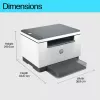
Depth
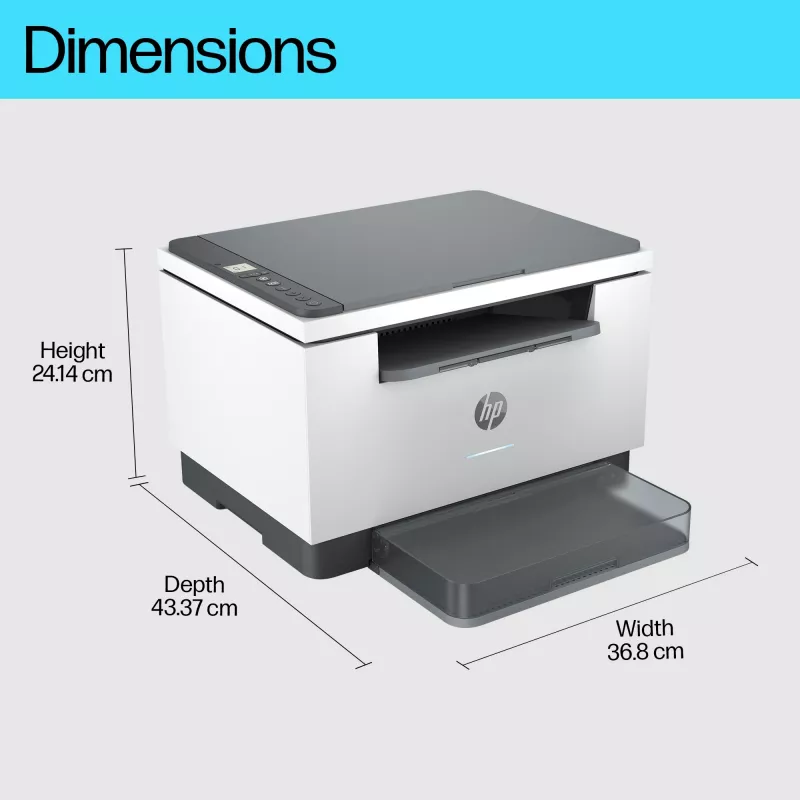
298.6 mm
Direct printing
Yes
Display
LCD
Display diagonal
3.23 cm (1.27")
Document formats supported
PDF
Doesn't contain
Mercury
Duplex copying
Yes
Duplex functions
Print
Duplex printing
Yes
Duplex printing mode
Auto
Duplex scanning
No
Electromagnetic compatibility
CISPR32:2012 & CISPR32:2015 /EN55032:2012 & EN55032:2015+AC:2016 - Class B; EN 61000-3-2:2014; EN 61000-3-3:2013; EN 55035:2017; FCC Title 47 CFR, Part 15 Class B/ICES-003, Issue 6.
Envelope feeder
No
Ethernet LAN
Yes
Ethernet LAN data rates
10,100 Mbit/s
Faxing
No
General Product Safety Regulation (GPSR) URL
https://support.hp.com/gb-en/product/details/hp-laserjet-mfp-m232-m237-printer-series/model/30836604?sku=6GW99F ; https://h10032.www1.hp.com/ctg/Manual/c06759742.pdf ; https://h10032.www1.hp.com/ctg/Manual/c06759742.pdf
Greyscale levels
256
Harmonized System (HS) code
8443310000
Height
241.9 mm
HP Auto-On/Auto-Off
Yes
HP Dynamic security
Yes
HP GTIN (EAN/UPC)
194850664182, 194850664199, 194850664205
HP GTIN (EAN/UPC) with options
(ABY) 194850664182; (B19) 194850664199; (BAZ) 194850664205
HP Security tools
Secure Boot, Secure Firmware Integrity, Runtime Code Integrity, password protected EWS, secure browsing via SSL/TLS 1.0, TLS 1.1, TLS 1.2; TLS 1.0/1.1 disabled by default; Update to OpenSSL version 1.1.1; Enable/disable Network ports; SNMPv1, SNMPv2, and SNMPv3, community password change; Secure defaults, Encrypted data at rest, Active FW update, Admin password by default, Cipher & TLS selection; Account lockout; Secure Wi-Fi setup
HP segment
Home office
Image formats supported
BMP, JPEG, JPG, Raw, TIFF
Included cartridge capacity (black)
700 pages
Input colour depth
24 bit
Internal memory
64 MB
ISO A-series sizes (A0...A9)
A4, A5, A6
JIS B-series sizes (B0...B9)
B5
Layers per pallet
6 pc(s)
Mac operating systems supported
Mac OS X 10.14 Mojave, Mac OS X 10.15 Catalina, Mac OS X 10.15.3 Catalina, Mac OS X 11.0 Big Sur, Mac OS X 12.0 Monterey, MacOS
Market positioning
Home & office
Master (outer) cases per pallet layer
8 pc(s)
Maximum copy resolution
600 x 600 DPI
Maximum duty cycle
20000 pages per month
Maximum input capacity
150 sheets
Maximum internal memory
64 MB
Maximum ISO A-series paper size
A4
Maximum number of copies
99 copies
Maximum number of input trays
1
Maximum output capacity
100 sheets
Maximum print size
216 x 354 mm
Maximum resolution
600 x 600 DPI
Maximum scan area
216 x 297 mm
Mobile printing technologies
Mopria Print Service, Apple AirPrint
Non-ISO print media sizes
Executive, Legal, Letter
Number of print cartridges
1
Number of users
5 user(s)
Operating relative humidity (H-H)
10 - 80%
Operating temperature (T-T)
15 - 32.5 °C
Optical scanning resolution
600 x 1200 DPI
Other operating systems supported
Linux
Package depth
298 mm
Package height
388 mm
Package weight
9.6 kg
Package width
497 mm
Page description languages
PCLmS, PWG, URF
Pallet dimensions (W x D x H)
1200 x 1000 x 2474 mm
Pallet dimensions (W x D x H) (imperial)
1199.9 x 1000 x 2474 mm (47.2 x 39.4 x 97.4")
Pallet gross weight
483.5 kg
Pallet weight (imperial)
482.5 kg (1063.7 lbs)
Paper tray 1 input capacity
150 sheets
Paper tray media types
Plain paper, Envelopes, Card stock, Labels, Rough paper, Postcard
Paper tray media weight
60 - 163 g/m²
Photo paper sizes (imperial)
4x6"
Power consumption (off)
0.04 W
Power consumption (PowerSave)
0.6 W
Power consumption (printing)
453 W
Power consumption (ready)
3.3 W
Power consumption (sleep)
0.6 W
Print margin bottom (min)
6 mm
Print margin left (min)
5 mm
Print margin right (min)
5 mm
Print margin top (min)
6 mm
Print resolution black
600 x 600 DPI
Print speed (black, normal quality, A4/US Letter)
29 ppm
Print technology
Laser
Printing
Mono printing
Printing colours
Black
Processor frequency
500 MHz
Product colour
Grey
Products per pallet
48 pc(s)
Recommended duty cycle
200 - 2000 pages per month
Recommended humidity operating range
30 - 70%
Recommended operating temperature range (T-T)
17.5 - 25 °C
Recommended system requirements
Microsoft Windows 10; 8.1; 8; 2 GB available hard disk space; Internet connection; Microsoft Internet Explorer. Apple macOS v10.14 Mojave; macOS v10.15 Catalina; macOS v11 Big Sur; 2 GB HD; Internet required.
Replacement cartridges
HP 135A Black LaserJet Toner Cartridge, W1350A (~1100), HP 135X Black LaserJet Toner Cartridge, W1350X (~2400)
Scan drivers
TWAIN
Scan speed (black)
19 ppm
Scan speed (colour)
10 ppm
Scan to
TWAIN, Software
Scanner type
Flatbed scanner
Scanning
Colour scanning
Secure printing
Yes
Security algorithms
SNMPv3, SSL/TLS, SNMPv2, SNMP, TLS
Server operating systems supported
Windows Server 2008 R2 x64, Windows Server 2012 R2 x64, Windows Server 2016 x64
Sound power level (printing)
6.6 dB
Sound pressure level (printing)
51 dB
Storage relative humidity (H-H)
10 - 90%
Storage temperature (T-T)
-20 - 60 °C
Sustainability certificates
ENERGY STAR, Blue Angel, EPEAT Silver
Sustainability compliance
Yes
Sustainable technologies and materials
Mercury free
Time to first copy (black, normal)
10.3 s
Time to first page (black, normal)
7 s
Total carbon emissions, w/o use phase (kg of CO2e)
12
Total carbon footprint (kg of CO2e)
110
Total input capacity
150 sheets
Total number of input trays
1
Total output capacity
100 sheets
TWAIN version
2.1
Typical electricity consumption (TEC) number
0.255 kWh/Week
UNSPSC-code
43212110
USB 2.0 ports quantity
1
USB port
Yes
Warm-up time
45 s
Warranty card
Yes
Weight
7.6 kg
Wi-Fi
Yes
Wi-Fi Direct
Yes
Wi-Fi standards
Wi-Fi 4 (802.11n), 802.11g, 802.11b
Width
368 mm
Windows operating systems supported
Windows 8, Windows 8.1, Windows 10, Windows 11

Document

Open Document

Document

Open Document

Leaflet

Open Leaflet

Leaflet

Open Leaflet
Price history over the last 6 months
Multifunction Laser Printer HP LaserJet MFP M234dw — Mono, A4, 29 ppm, Duplex, Wi‑Fi, Ethernet
Current
R4,733
Lowest
R2,817
Highest
R4,733
Change 24H
—   
Week
—   
Month
—   
WhatsApp
Hi, I’m DistriNode’s AI assistant. I can help you find products, compare options, create quote PDFs, or open support requests.