Account Contact
Your Cart
Pay the courier with no extra fees.
Need help? DistriNode AI can handle any task on our site.

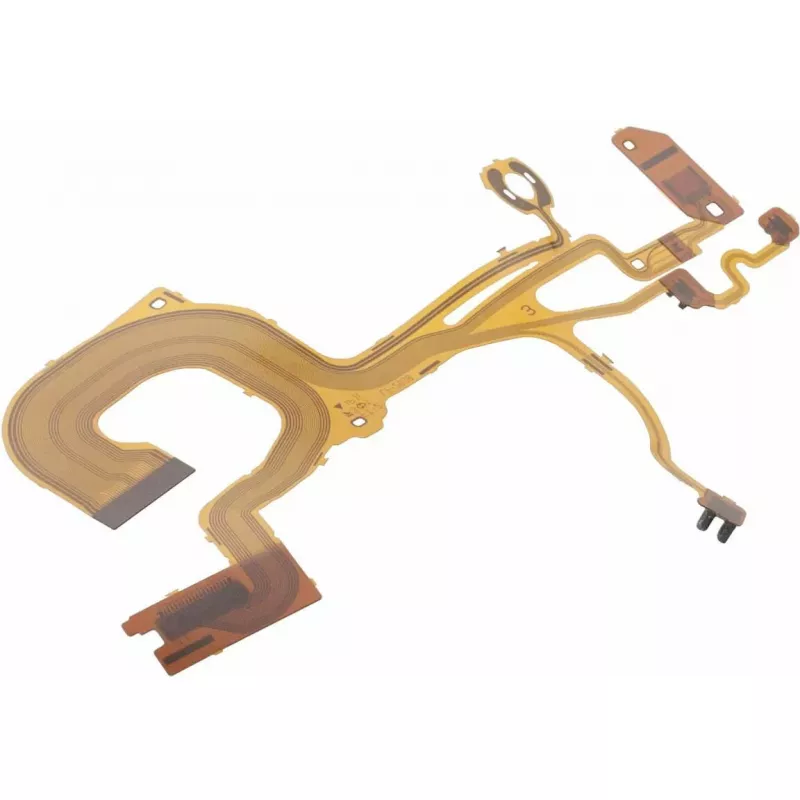
Mount Sony Worm Block A-2038 (MPN A1940670A) — mounting block for Sony equipment

Mount Sony Worm Block A-2038 (MPN A1940670A) — mounting block for Sony equipment
R1,538
Sony Worm Block A-2038 is a mounting block designed to provide a stable mechanical interface for compatible Sony equipment. Intended for use as either an original or replacement part, the block simplifies alignment and secures components during installation, maintenance, or integration. The componen... Read More
Stock 1 Code 2573680 Brand Sony Model A1940670A Warranty 2 Years

Shipping & Returns

Estimated delivery Tuesday, October 6
You will be kept updated through our detailed tracking system
Payment options
EFTPayFastBank CardSnapScanZapperGoogle PayApple PayMobicredMoreTymePay on Arrival

Sony Worm Block A-2038 is a mounting block designed to provide a stable mechanical interface for compatible Sony equipment. Intended for use as either an original or replacement part, the block simplifies alignment and secures components during installation, maintenance, or integration. The component is engineered to fit mounting points on selected Sony assemblies and contribute to consistent mechanical positioning in service environments.

Advantages

The mounting block offers precise mechanical support and repeatable alignment to help maintain component position under operating conditions. Its construction is intended to withstand routine handling during installation and service, reducing the risk of misalignment. As a purpose-built part for Sony equipment, the block supports compatibility with matching assemblies and streamlines component replacement or repair workflows.

Suitable for

  • Replacing a worn or damaged mounting block in compatible Sony gear
  • Providing a stable mounting interface during equipment assembly
  • Securing components during routine maintenance or servicing
  • Use in installations where precise mechanical alignment is required

Key specifications

  • Function: mechanical mounting and alignment block
  • Compatibility: designed for use with compatible Sony assemblies
  • Intended use: replacement part or original-equipment mounting
  • Application environment: installation and service settings

How to use

Install the Sony Worm Block A-2038 by aligning it with the designated mounting points on the compatible Sony assembly and securing it with appropriate fasteners or clips as required by the equipment service manual. Ensure mating surfaces are clean and free of debris before installation to preserve alignment accuracy. Follow the manufacturer's torque and fastening recommendations when reattaching adjacent components to avoid deformation or stress on the block.

Recommendations

Use the mounting block as specified in the equipment service documentation and inspect it during routine maintenance for signs of wear or damage. Replace the block if alignment cannot be maintained or if physical defects are observed. Store spare blocks in a dry, dust-free environment to preserve fit and function.

Key Highlights
  • Replacing a worn or damaged mounting block in compatible Sony gear
  • Providing a stable mounting interface during equipment assembly
  • Securing components during routine maintenance or servicing
  • Use in installations where precise mechanical alignment is required
  • Function: mechanical mounting and alignment block
  • Compatibility: designed for use with compatible Sony assemblies
  • Intended use: replacement part or original-equipment mounting
  • Application environment: installation and service settings
Price history over the last 6 months
Mount Sony Worm Block A-2038 (MPN A1940670A) — mounting block for Sony equipment
Current
R1,538
Lowest
R914
Highest
R1,558
Change 24H
+R14   +1%
Week
+R30   +2%
Month
+R25   +2%

Popular products in this category

WhatsApp
Hi, I’m DistriNode’s AI assistant. I can help you find products, compare options, create quote PDFs, or open support requests.