Account Contact
Your Cart
Pay on delivery – no extra fees
Need help? Ask our AI

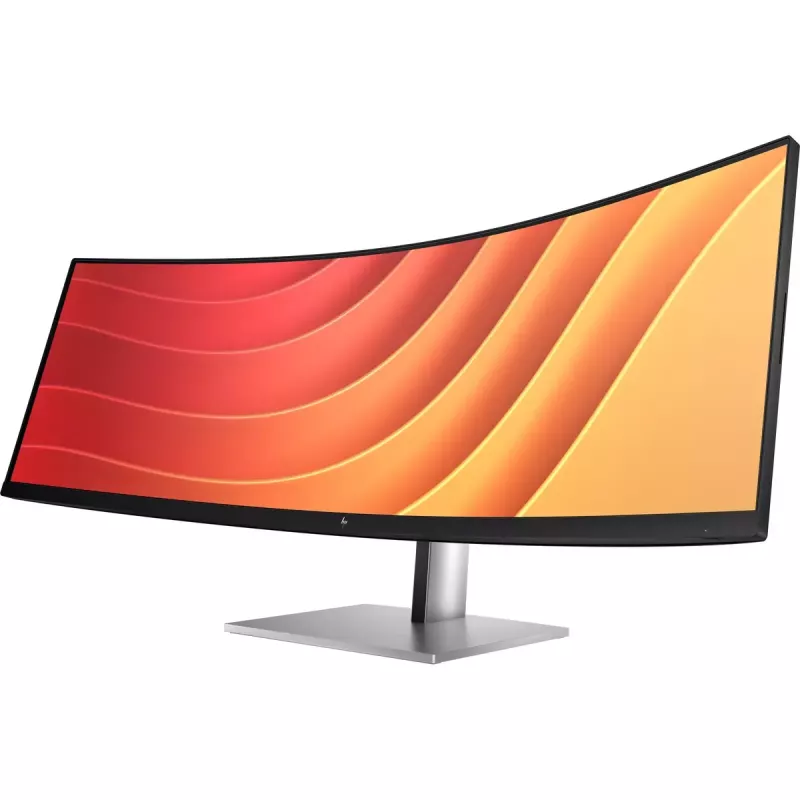
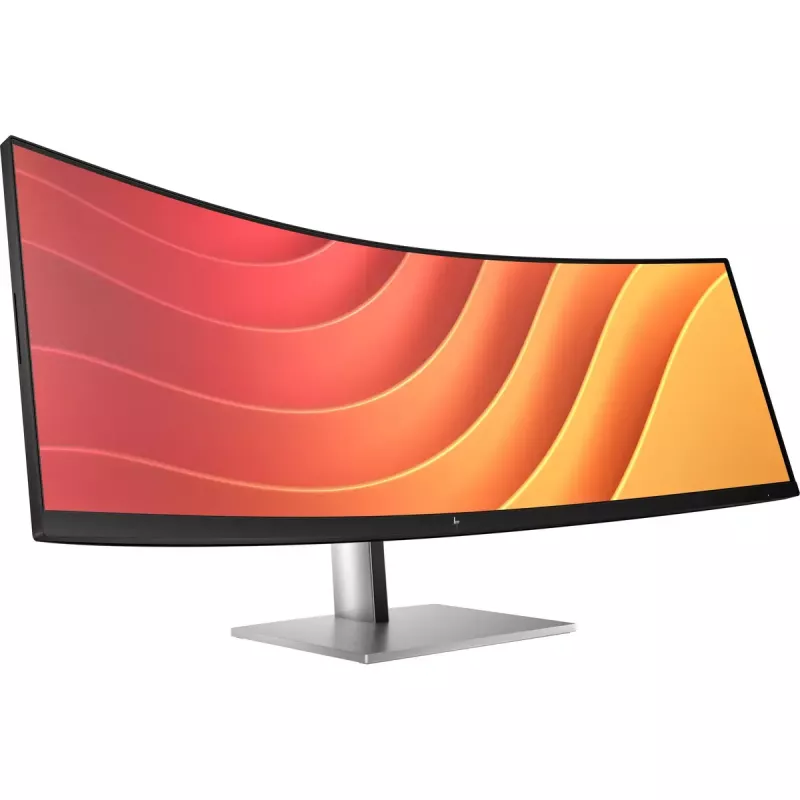
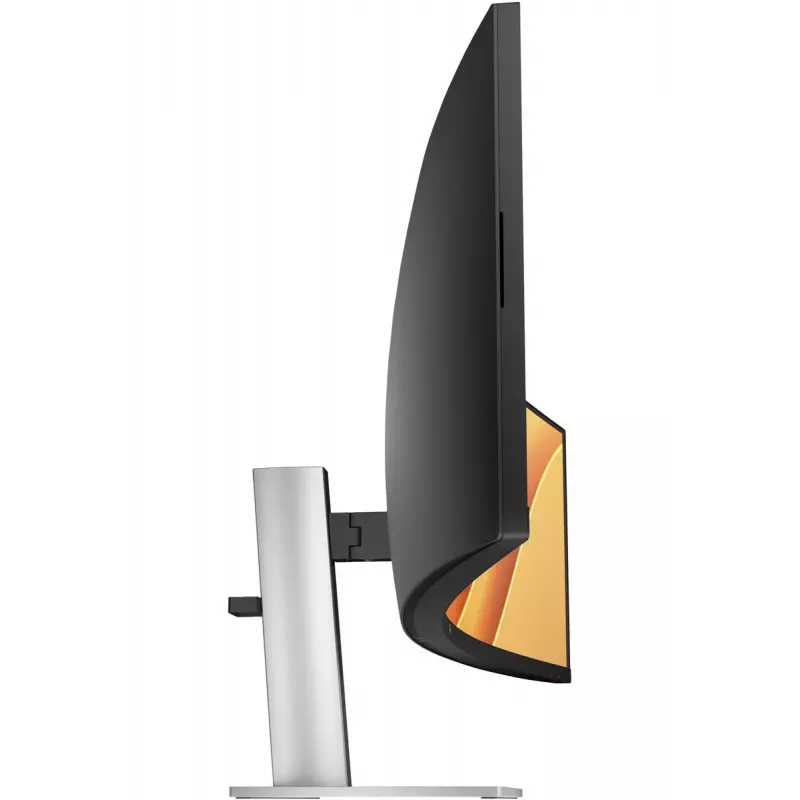
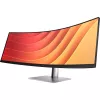
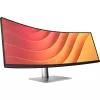
Monitor HP E45c G5 44.5 inch DQHD LCD 5120 x 1440

Monitor HP E45c G5 44.5 inch DQHD LCD 5120 x 1440
R49,976
Crafted to CaptivateUniquely designed to deliver incredible immersion and expansive flexibility, the HP E45c G5 DQHD Curved Monitor augments what’s possible, so there's nothing between you and your best. Stylishly crafted with your comfort and the planet in mind, this ultrawide display is a powerhou... Read More
Stock Out Of StockNo Stock Code 2406917 Brand HP Model 6N4C1E9#ABB Warranty 2 Years

Shipping & Returns

Crafted to Captivate
Uniquely designed to deliver incredible immersion and expansive flexibility, the HP E45c G5 DQHD Curved Monitor augments what’s possible, so there's nothing between you and your best. Stylishly crafted with your comfort and the planet in mind, this ultrawide display is a powerhouse of productivity.

A View Beyond Imagination

Replace two QHD monitors with this one massive, 44.5" diagonal, dual QHD curved monitor, but keep the benefits of two distinct displays. With Virtual Dual Display, split the monitor into two, so you can screen share a presentation that everyone can see on one screen and interact with your audience or content on the other[1]. Plus, you can connect 2 different computers and simultaneously view and work between them with HP Device Bridge 2.0[2].

Simple, Powerful Connections

When you’re working from home one day and the office the next, free yourself, your desk and your laptop from a mess of cables by simply connecting one USB-C® cable that connects your display and all your accessories—from webcam to keyboard—all while charging your laptop up to 100W. When you need to connect two devices, the two USB-C® ports distribute power with one port up to 65W power to each PC or 100W power to one PC and 30W power to a tablet or phone.

Comfort that Works for You

When doing your best relies on feeling your best, physical and viewing comfort is key. Easily find all-day comfort with 3-way adjustability optimized by the step-by-step Ergonomic Setup Guide[3]. See comfortably from day to night with the ambient light sensor that automatically adapts display brightness to fit your surroundings, and enjoy added comfort with HP Eye Ease, enhanced with a 165Hz refresh rate[4].

Ambient Light Sensor

Automatically adjusts your screen's brightness to the lighting of your environment for comfortable viewing.

Dual QHD Resolution

Get lost in the pixel density of two QHD screens for stunning definition.

Ultrawide, Ultra Productivity

Boost your productivity with this super ultrawide, 44.5-inch diagonal display with a 32:9 aspect ratio.

3-way Adjustability

3-way adjustability for the perfect viewing angle.

Picture By Picture

Display two computers on one monitor with Picture By Picture (PBP).

USB-C® Connectivity

Simply connect your entire setup via one USB-C® cable and charge one computer up to 100W.

HP Display Center

Customize your display with easy, intuitive HP Display Center software.

Single Power On

Instantly turn on your display and laptop.

Effortless Joypad OSD Button

It's never been easier to configure your displays settings right from the monitor. Simply navigate the on-screen menu with the joypad OSD button to adjust brightness, contrast, and color.

Ergonomic Setup Guide

Achieve all-day comfort when you apply the best practices from the Ergonomic Setup Guide. [3]

Enhanced Viewing featuring HP Eye Ease

Experience enhanced viewing with comfort and screen performance. HP Eye Ease, an always-on, low-blue light filter, helps keep your eyes comfortable throughout the day by reducing blue light without impacting color--now enhanced with a 165Hz refresh rate. [4]

Virtual Dual Display

Create two virtual unique workspaces that act like two distinct displays. [1]

HP Device Bridge 2.0

Control two devices: copy, paste, drag and drop files or data between them. [2]

99% sRGB Color Space

Ideal color reproduction with minimal effort. [4]

KVM Switch

Through just your display, boost your productivity when multi-tasking between two different computers with just your keyboard and mouse via the seamless KVM switch. [10]

More Ports. More Flexibility.

More ports means more capabilities. With an HDMI, DisplayPort™ 1.4, two USB-C® ports plus 4 additional USB-A ports, you can connect or charge multiple devices like a headset and webcam. [11]

Dependable Internet Connectivity

High speed internet connection and remote IT manageability. [12]

HP Display Manager

HP Display Manager makes remote management of the monitor easy. Simplify deployment, asset tracking, and remotely control your monitor settings, like turning the power off. [12]

How to use

Place the monitor on a stable desk or mount it using a VESA-compatible arm or bracket. Adjust the height to align the centre of the screen with your eye level to reduce neck strain. Connect your computer to the monitor using a supported video cable and configure the display resolution to 5120 x 1440 in your operating system display settings for optimal image clarity. Use the built-in USB hub to connect peripherals and the integrated speakers for basic audio output.

Recommendations

For the best visual experience, set the OS display resolution to 5120 x 1440 and ensure graphic drivers are up to date. Position the curved display so its centre is directly in front of you and use the height adjustment to maintain a neutral head position. When using the USB hub and speakers, verify cable connections and volume settings in the system control panel.

Key Highlights
  • Multitasking and productivity workflows (wide horizontal workspace)
  • Content creation and editing that benefits from a wide timeline or multiple windows
  • Financial trading and data analysis with large spreadsheets
  • Office and home workstations requiring ergonomic height adjustment and VESA mounting
  • Display diagonal: 44.5"
  • Resolution: 5120 x 1440 (DQHD)
  • Aspect ratio: 32:9
  • Panel type: VA (LCD)
  • Pixel pitch: 0.21 x 0.21 mm
  • Typical contrast ratio: 3000:1
  • Typical brightness: 400 cd/m²
  • Viewing angles: 178° horizontal / vertical
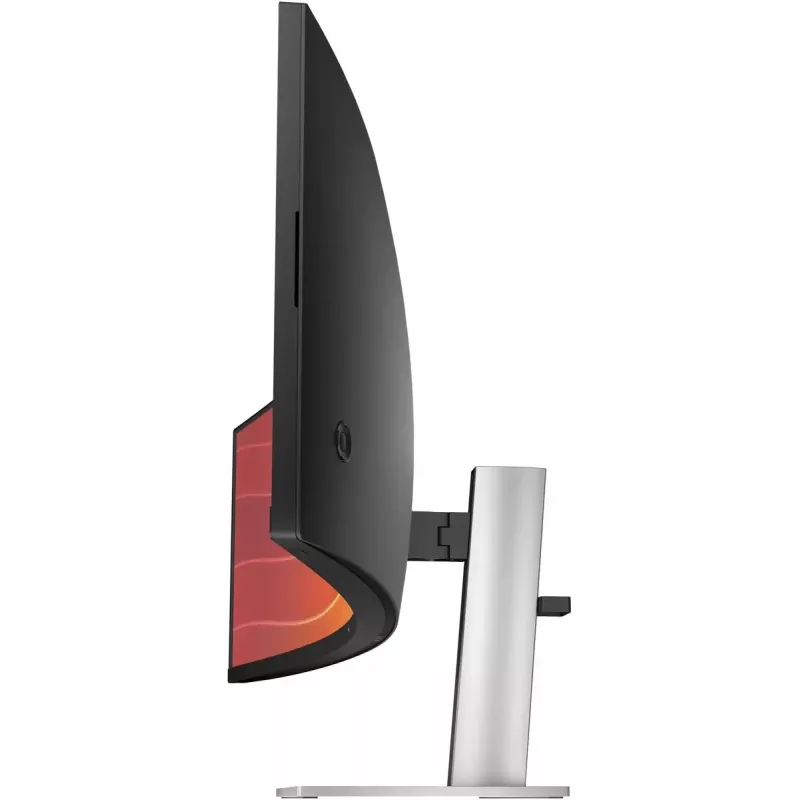
  • Screen shape: Curved
  • Built-in USB hub: Yes
  • Built-in speakers: Yes
  • VESA mounting: Yes
  • Colour: Black, Silver
Specifications
AC input frequency
50/60 Hz
AC input voltage
100 - 240 V
Adjustable height (max)
15 cm
AMD FreeSync
Yes
Anti-glare screen
Yes
Aspect ratio
32:9
Backlight type
Edge LED
Built-in camera
No
Built-in microphone
Yes
Built-in speaker(s)
Yes
Built-in USB hub
Yes
Bundled software
HP Display Center; HP Display Manager
Cable lock slot
Yes
Cables included
AC, USB Type-C to USB Type-C
Colour depth
8 bit
Colour gamut
99%
Colour gamut standard
sRGB
Compliance certificates
BIS, BSMI, CB, CCC, CE, CECP, CEL, EAC, Federal Communications Commission (FCC), KCC, Norma Oficial Mexicana (NOM), VCCI, WEEE, cTUVus
Contrast ratio (dynamic)
8000000:1
Contrast ratio (typical)
3000:1
Country of origin
China
Depth
148.1 mm
Depth (with stand)
307 mm
Depth (without stand)
148.1 mm
Detachable stand
Yes
Display brightness (typical)
400 cd/m²
Display diagonal
113 cm (44.5")
Display diagonal (metric)
113 cm
Display number of colours
16.7 million colours
Display resolution
5120 x 1440 pixels
Display surface
Matt
Display technology
LCD
DisplayPort version
1.4
DisplayPorts quantity
1
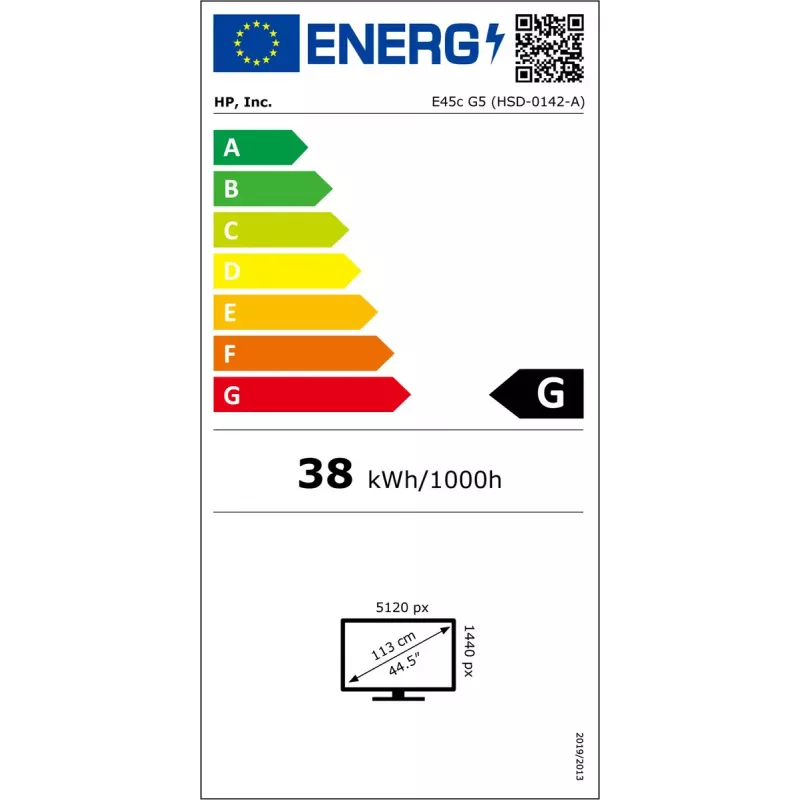
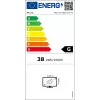
Energy efficiency class (HDR)
G
Energy efficiency class (SDR)
G
Energy efficiency scale
A to G
Ethernet LAN
Yes
Ethernet LAN (RJ-45) ports
1
Ethernet LAN data rates
10,100,1000 Mbit/s
Fast charging
Yes
Feet colour
Silver, Black
Flicker-free technology
Yes
Haze rate
25%
HD type
Dual QHD
HDCP
Yes
HDMI
Yes
HDMI ports quantity
1
HDMI version
2.1
Headphone out
No
Height
335.6 mm
Height (with stand)
521.8 mm
Height (without stand)
335.6 mm
Height adjustment
Yes
High Dynamic Range (HDR) supported
Yes
High Dynamic Range (HDR) technology
High Dynamic Range (HDR) 400
Horizontal scan range
30 - 250 kHz
HP segment
Business
Low Blue Light technology
Yes
Market positioning
Business
Maximum refresh rate
165 Hz
Native aspect ratio
32:9
Number of speakers
2
Number of upstream ports
2
Number of USB Type-C upstream ports quantity
2
NVIDIA G-SYNC
No
On Screen Display (OSD)
Yes
Operating relative humidity (H-H)
5 - 95%
Operating temperature (T-T)
5 - 35 °C
Package depth
280 mm
Package height
485 mm
Package type
Box
Package weight
22.5 kg
Package width
1267 mm
Panel mounting interface
100 x 100 mm
Panel type
VA
Pivot
Yes
Pixel density
120 ppi
Pixel pitch
0.21 x 0.21 mm
Power consumption (max)
275 W
Power consumption (off)
0.3 W
Power consumption (standby)
0.5 W
Power consumption (typical)
55 W
Power supply type
Internal
Product colour
Black, Silver
Quick start guide
Yes
Remotely operated
Yes
Response time
3 ms
Response time measurement type
GTG (Gray to Gray)
RMS rated power
6 W
Screen curvature rating
1500R
Screen shape
Curved
sRGB coverage (typical)
99%
Stand included
Yes
Storage relative humidity (H-H)
20 - 80%
Supplied AC adapter type
(ABB) 196786294099; (ABU) 196786294112, 196786294099, 196786294112
Supported graphics resolutions
1024 x 768 (XGA), 1280 x 1024 (SXGA), 1280 x 720 (HD 720), 1280 x 800, 1440 x 900 (WXGA+), 1600 x 900, 1680 x 1050 (WSXGA+), 1920 x 1080 (HD 1080), 1920 x 1200 (WUXGA), 2560 x 1440, 3440 x 1440, 5120 x 1440, 640 x 480 (VGA), 720 x 400, 800 x 600 (SVGA)
Surface hardness
3H
Sustainability certificates
ENERGY STAR
Sustainable technologies and materials
Outside box and corrugated cushions are 100% sustainably sourced and recyclable; Contains ocean-bound recycled plastic; 80% ITE-derived closed loop plastic; At least 15% recycled metal
Swivel angle range
-10 - 10°
Swivelling
Yes
Tilt adjustment
Yes
Tilt angle range
-5 - 20°
Touchscreen
No
UNSPSC-code
43211902
USB hub version
3.2 Gen 1 (3.1 Gen 1)
USB Power Delivery (USB PD)
Yes
USB Power Delivery up to
100 W
USB Type-A downstream ports quantity
4
USB Type-C downstream ports quantity
2
USB upstream port type
USB Type-C
Vertical scan range
48 - 165 Hz
VESA mounting
Yes
Viewable size diagonal
113 cm
Viewable size, horizontal
108.8 cm
Viewable size, vertical
30.6 cm
Viewing angle, horizontal
178°
Viewing angle, vertical
178°
Weight
14.6 kg
Weight (with stand)
14.6 kg
Width
1084.3 mm
Width (with stand)
1084.3 mm
Width (without stand)
1084.3 mm

Document

Open Document

Leaflet

Open Leaflet

PDF

Open PDF
Price history over the last 6 months
Monitor HP E45c G5 44.5 inch DQHD LCD 5120 x 1440
Current
R49,976
Lowest
R25,399
Highest
R50,042
Change 24H
+R17,786   +55%
Week
+R17,423   +54%
Month
+R24,559   +97%

Independent reviews by tech media

pcmag.comRead
9/10

Verdict: ...

Pros
  • Bright
  • Full sRGB color coverage
  • Two USB-C ports provide up to 100W USB power delivery
  • USB-A hub
  • 165Hz refresh rate
  • Unique software, including KVM functionality
  • Intuitive mini joystick controller
Cons
  • No webcam
Read the full review at pcmag.com →
monitornerds.comPaolo

Verdict: The HP E45c G5 is a unique and desirable choice for users who want something effective for productivity and gaming. It is designed like a true premium product and comes with a host of must-have features like USB-C and HDMI 2.1. It also gives you serious b...

Pros
  • Plenty of Viewing Space
  • Great for Gaming and Productivity
  • Plenty of Features
Cons
  • Expensive
  • VA Limitations
Read the full review at monitornerds.com →

Popular products in this category

WhatsApp
Hi, I’m DistriNode’s AI assistant. I can help you find products, compare options, create quote PDFs, or open support requests.