Account Contact
Your Cart
Pay the courier with no extra fees.
Need help? DistriNode AI can handle any task on our site.

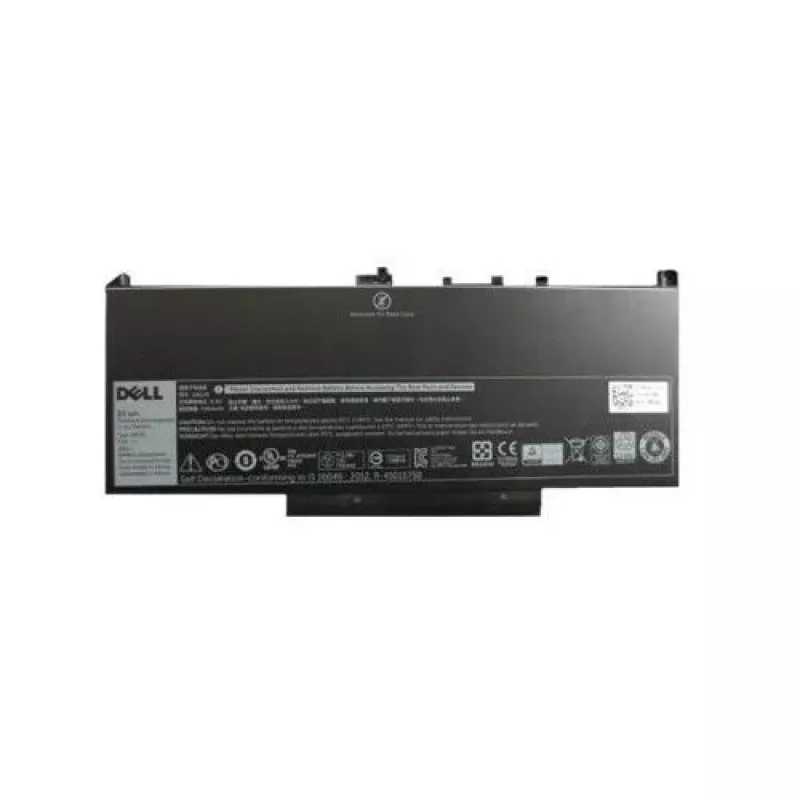
Battery DELL Latitude E7270 E7470 GG4FM

Battery DELL Latitude E7270 E7470 GG4FM
R2,037
The DELL Latitude E7270 E7470 GG4FM battery is a Lithium-Ion replacement battery designed specifically for use with Dell Latitude E7270 and E7470 laptops. It provides a capacity of 7080 mAh and is finished in black, offering a balance of runtime and portability for users who need dependable mobile p... Read More
Stock Out Of Stock Code 1223573 Brand MICROBATTERY Model GG4FM Warranty 2 Years

Shipping & Returns

Estimated delivery Tuesday, October 6
You will be kept updated through our detailed tracking system
Payment options
EFTPayFastBank CardSnapScanZapperGoogle PayApple PayMobicredMoreTymePay on Arrival

The DELL Latitude E7270 E7470 GG4FM battery is a Lithium-Ion replacement battery designed specifically for use with Dell Latitude E7270 and E7470 laptops. It provides a capacity of 7080 mAh and is finished in black, offering a balance of runtime and portability for users who need dependable mobile power. The battery is intended as a direct swap for worn or degraded original batteries and supports standard charging behavior and power management features of compatible Dell systems.

Advantages

This Lithium-Ion battery delivers extended operating time compared with worn cells, helping to reduce downtime between charges. Its 7080 mAh capacity provides longer runtime for productivity tasks, multimedia playback, and mobile use. The unit is lightweight at approximately 0.36 kg and uses the same physical form factor as the original Dell battery to allow straightforward installation without system modifications.

Key specifications

  • Battery technology: Lithium‑Ion (Li‑Ion)
  • Battery capacity: 7080 mAh
  • Weight: 0.36 kg
  • Colour: Black
  • Compatible with: Dell Latitude E7270, Dell Latitude E7470

How to use

Before installation, power off the laptop and disconnect any external power source. Remove the existing battery according to the laptop manufacturer’s service instructions, then align the replacement battery and secure it in place until it clicks. Reconnect external power and perform an initial full charge cycle to allow the system to calibrate remaining capacity. After installation, verify battery status using the operating system power management tools or Dell support utilities.

Recommendations

To maintain battery life and performance, avoid deep discharges whenever possible and store the battery partially charged if it will be unused for an extended period. Keep the battery and laptop vents clear of dust, use genuine or compatible chargers, and update system firmware and power management drivers to ensure proper charging behavior.

DELL Latitude E7270 E7470 GG4FM battery — designed to restore mobile runtime for compatible Dell notebooks with a practical combination of capacity, weight, and compatibility.

Key Highlights
  • Продолжительной работы в офисных приложениях и веб-сёрфинге
  • Мобильной работы и командировок
  • Просмотра медиа и презентаций вне сети питания
  • Замены изношенной или потерявшей ёмкость батареи
  • Battery technology: Lithium‑Ion (Li‑Ion)
  • Battery capacity: 7080 mAh
  • Weight: 0.36 kg
  • Colour: Black
  • Compatible with: Dell Latitude E7270, Dell Latitude E7470
Specifications
Battery capacity
55 Wh
Battery technology
Lithium-Ion (Li-Ion)
Battery voltage
7.6 V
Brand compatibility
Dell
Compatibility
Latitude E7270, E7470
Harmonized System (HS) code
84732990
Number of battery cells
4
Package depth
128 mm
Package height
45 mm
Package weight
360 g
Package width
296 mm
Product colour
Black
Quantity per pack
1 pc(s)
Type
Battery
Weight
0.36 kg

Leaflet

Open Leaflet
Price history over the last 6 months
Battery DELL Latitude E7270 E7470 GG4FM
Current
R2,037
Lowest
R1,964
Highest
R2,037
Change 24H
+R68   +3%
Week
—   
Month
—   

Popular products in this category

WhatsApp
Hi, I’m DistriNode’s AI assistant. I can help you find products, compare options, create quote PDFs, or open support requests.