Account Contact
Your Cart
Pay on delivery – no extra fees
Need help? Ask our AI

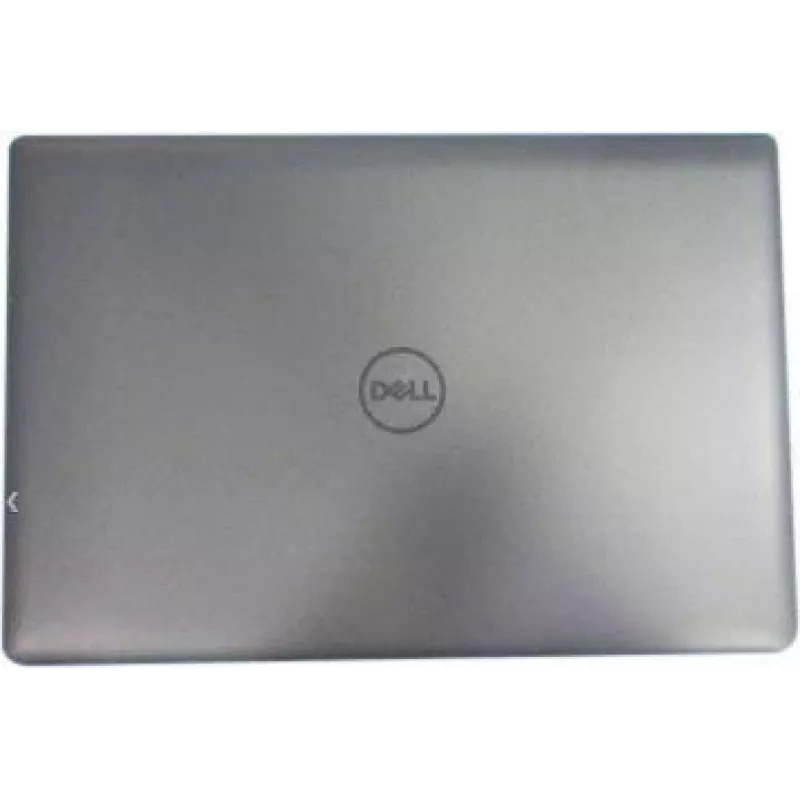
Laptop LCD back cover Dell VK0NY for display panel, rear lid replacement

Laptop LCD back cover Dell VK0NY for display panel, rear lid replacement
R1,322
Replacement LCD back cover compatible with Dell VK0NY functions as the rear lid for a laptop display panel. It protects internal screen components, provides mounting points for hinges and wireless antennae, and restores the external appearance and structural integrity of a damaged or scratched displ... Read More
Stock Out Of StockNo Stock Code 1531489 Brand DELL Model VK0NY Warranty 2 Years

Shipping & Returns

Replacement LCD back cover compatible with Dell VK0NY functions as the rear lid for a laptop display panel. It protects internal screen components, provides mounting points for hinges and wireless antennae, and restores the external appearance and structural integrity of a damaged or scratched display housing. The part is intended for use when the original rear cover is cracked, dented, or cosmetically worn.

Advantages

This replacement rear lid offers a precise fit designed to match the original display housing dimensions and mounting locations. It provides durable protection for fragile internal parts and renews the laptop’s look while maintaining proper hinge alignment. The cover allows reinstallation of existing display components without requiring modification, helping to simplify repairs and reduce downtime.

Suitable for

  • Repairing a cracked or broken laptop display housing
  • Replacing scratched or cosmetically damaged rear lid panels
  • Refurbishing used laptops to restore visual appearance
  • Maintaining hinge and antenna mounting integrity during screen replacement

Key specifications

  • Compatibility: rear cover designed for the specified Dell display panel model family
  • Function: protective rear lid for LCD display assembly
  • Material: rigid plastic or composite matching OEM strength and finish
  • Mounting: pre-formed hinge and antenna attachment points for direct replacement
  • Finish: exterior surface matching laptop aesthetic and texture

How to use

Power down the laptop, disconnect from any power source and remove the battery if removable. Carefully separate the display bezel and detach the screen assembly following the manufacturer’s service instructions to access the rear cover. Remove the damaged back cover by unscrewing and disconnecting any attached cables or antenna leads, then align the replacement cover and secure it using the original fasteners. Reconnect cables, reassemble the screen bezel and test display and wireless functions before returning the laptop to service.

Recommendations

Handle the display panel and flex cables with care to avoid damage. Use appropriate screwdrivers and keep track of small fasteners. If you are not experienced with laptop disassembly, consider using a service manual specific to your Dell model or seek professional repair assistance to ensure correct installation and preserve warranty conditions.

Key Highlights
  • Repairing a cracked or broken laptop display housing
  • Replacing scratched or cosmetically damaged rear lid panels
  • Refurbishing used laptops to restore visual appearance
  • Maintaining hinge and antenna mounting integrity during screen replacement
  • Compatibility: rear cover designed for the specified Dell display panel model family
  • Function: protective rear lid for LCD display assembly
  • Material: rigid plastic or composite matching OEM strength and finish
  • Mounting: pre-formed hinge and antenna attachment points for direct replacement
  • Finish: exterior surface matching laptop aesthetic and texture
Price history is not available yet
We are still collecting enough daily price data for this product.

Popular products in this category

WhatsApp
Hi, I’m DistriNode’s AI assistant. I can help you find products, compare options, create quote PDFs, or open support requests.