Account Contact
Your Cart
Pay on delivery – no extra fees
Need help? Ask our AI

Laptop Bottom Cover Dell Latitude 5540 G94MH — Replacement Lower Case

Laptop Bottom Cover Dell Latitude 5540 G94MH — Replacement Lower Case
R2,589
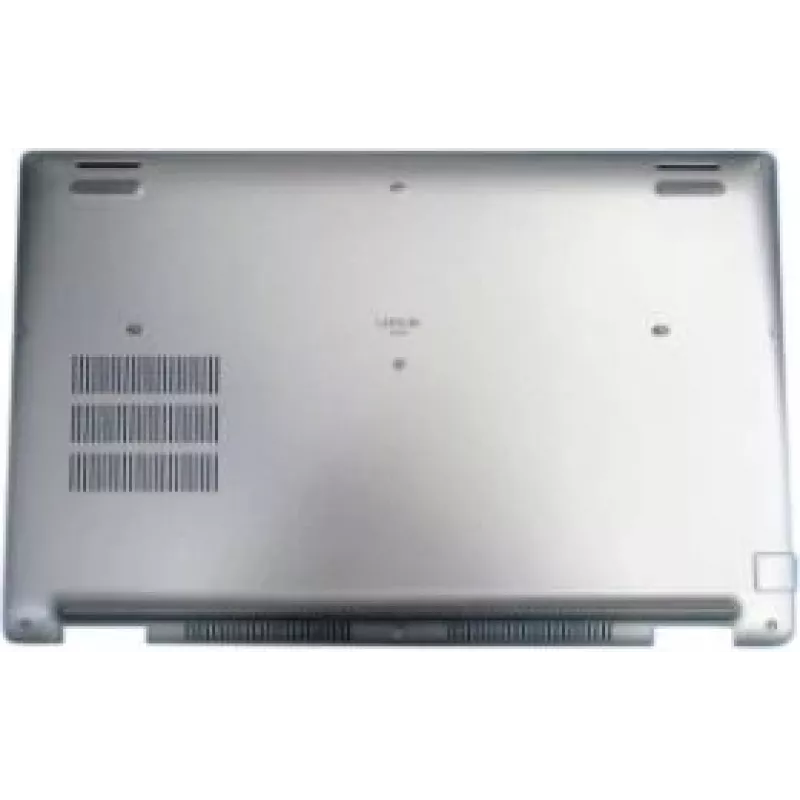
Replacement laptop bottom cover compatible with Dell Latitude 5540 (model reference G94MH). This lower case protects the underside of the notebook, secures internal components, provides mounting points for screws and ports, and supports ventilation openings. It is intended for repair or refurbishmen... Read More
Stock Out Of StockNo Stock Code 1525575 Brand DELL Model G94MH Warranty 2 Years

Shipping & Returns

Replacement laptop bottom cover compatible with Dell Latitude 5540 (model reference G94MH). This lower case protects the underside of the notebook, secures internal components, provides mounting points for screws and ports, and supports ventilation openings. It is intended for repair or refurbishment to restore structural integrity, protect internal parts from dust and mechanical damage, and ensure proper alignment of service access points.

Advantages

The replacement lower case is manufactured to match the original shape and mounting layout of the Dell Latitude 5540, enabling direct fitment without modification. It restores the original positioning of ports, vents and screw bosses, improving cooling airflow and mechanical support for internal components. Using a correct-fit bottom cover helps prevent dust ingress and reduces the risk of impact damage to the chassis and internal modules.

Suitable for

  • Repairing a damaged or cracked underside of a Dell Latitude 5540
  • Refurbishment projects to return the laptop to factory alignment
  • Replacing a warped or deformed lower case that impedes ventilation or access
  • Maintenance tasks requiring access to internal components (battery, SSD, RAM, cooling system)

Key specifications

  • Compatibility: Designed for Dell Latitude 5540 series
  • Material: durable plastic composite matching original chassis finish
  • Color: factory black finish (matches standard Latitude exterior)
  • Features: pre-cut openings for ports, vents and mounting points for screws
  • Dimensions and fit: conforms to the original lower chassis outline and mounting locations

How to use

Power off the laptop, disconnect all cables and remove the battery if it is user-removable. Place the laptop on a soft, static-free surface and remove the existing lower case by unscrewing the indicated screws and gently disengaging plastic clips. Align the replacement bottom cover with the chassis so that all ports and screw bosses match, press evenly to engage clips, and secure with the original screws. After installation, verify that all ports, vents and the battery compartment operate as intended and that the lid closes properly.

Recommendations

Use appropriate ESD precautions when handling internal components. Tighten screws evenly without over-torquing to avoid cracking plastic bosses. If any clips or screw posts are damaged, inspect for secondary damage to internal parts before powering on the device.

Key Highlights
  • Repairing a damaged or cracked underside of a Dell Latitude 5540
  • Refurbishment projects to return the laptop to factory alignment
  • Replacing a warped or deformed lower case that impedes ventilation or access
  • Maintenance tasks requiring access to internal components (battery, SSD, RAM, cooling system)
  • Compatibility: Designed for Dell Latitude 5540 series
  • Material: durable plastic composite matching original chassis finish
  • Color: factory black finish (matches standard Latitude exterior)
  • Features: pre-cut openings for ports, vents and mounting points for screws
  • Dimensions and fit: conforms to the original lower chassis outline and mounting locations
Price history is not available yet
We are still collecting enough daily price data for this product.

Popular products in this category

WhatsApp
Hi, I’m DistriNode’s AI assistant. I can help you find products, compare options, create quote PDFs, or open support requests.