Account Contact
Your Cart
Pay the courier with no extra fees.
Need help? DistriNode AI can handle any task on our site.

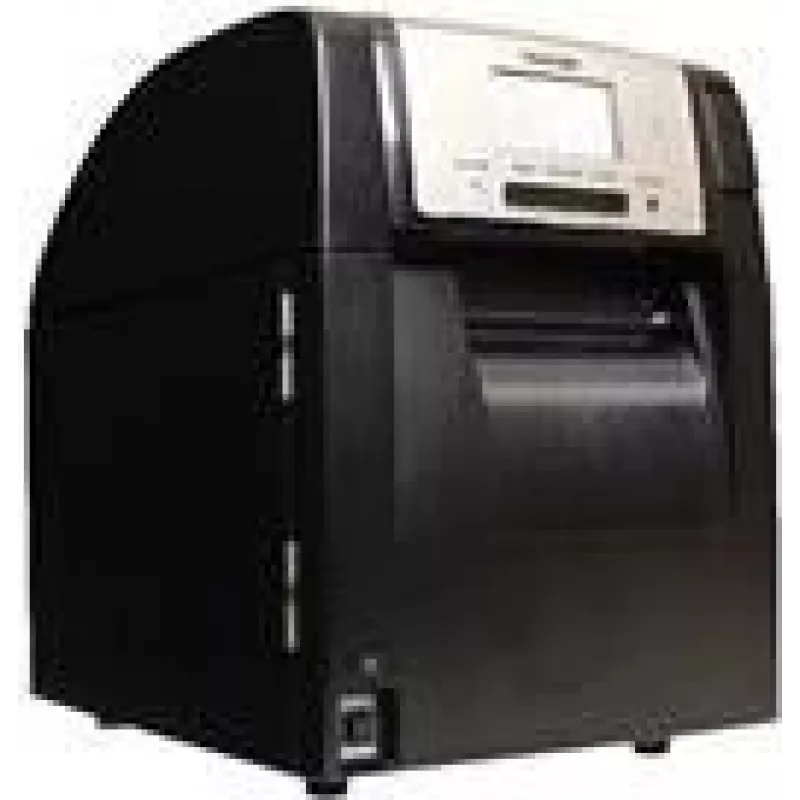
Label Printer Toshiba BA420T-GS12-QM-S 203 dpi Thermal Transfer / Direct Thermal

Label Printer Toshiba BA420T-GS12-QM-S 203 dpi Thermal Transfer / Direct Thermal
R20,261
Toshiba BA420T-GS12-QM-S is a professional label printer that delivers 203 dpi print resolution and supports both thermal transfer and direct thermal printing methods. Designed for medium- to high-volume labeling environments, it accommodates standard label rolls and produces clear text, barcodes an... Read More
Stock 5 Code 1458425 Brand TOSHIBA Model 18221168932 Warranty 2 Years

Shipping & Returns

Estimated delivery Friday, October 2
You will be kept updated through our detailed tracking system
Payment options
EFTPayFastBank CardSnapScanZapperGoogle PayApple PayMobicredMoreTymePay on Arrival

Toshiba BA420T-GS12-QM-S is a professional label printer that delivers 203 dpi print resolution and supports both thermal transfer and direct thermal printing methods. Designed for medium- to high-volume labeling environments, it accommodates standard label rolls and produces clear text, barcodes and simple graphics. The printer is built for continuous operation in retail, logistics, warehousing and manufacturing settings where consistent print quality and reliable feeding are required.

Advantages

The device combines two printing modes—thermal transfer for durable, long-lasting labels and direct thermal for short-term or non-durable labels—allowing flexibility across applications. With 203 dpi resolution it balances print clarity and speed for typical barcode and text needs. Its construction supports continuous operation and straightforward roll loading, reducing downtime during busy shifts. The printer integrates with common label formats and drivers used in business systems, enabling relatively simple deployment into existing workflows.

Suitable for

  • Printing shipping and logistics labels with barcodes and address blocks
  • Retail price tags, shelf labels and receipts
  • Warehouse inventory labels and bin identification
  • Product identification labels in light manufacturing environments

Key specifications

  • Print resolution: 203 dpi (dots per inch) for clear barcodes and text
  • Print method: Thermal transfer and direct thermal support
  • Media type: Roll-fed labels and continuous media compatible with standard widths
  • Media handling: Automatic feed and standard roll mounting for quick media changes
  • Suitable print width: Typical office/industrial label widths up to medium format (manufacturer's documentation specifies exact max width)
  • Connectivity: Standard interface options for integration with point-of-sale and enterprise systems (check specific model interfaces before purchase)

How to use

Install the printer on a stable, level surface near a suitable power outlet and the host device. Load media according to the roll-fed mechanism: open the cover, place the label roll on the spindle, feed the label leader under the print head and close the cover. Select the appropriate print mode—thermal transfer when using ribbon for durable labels or direct thermal for heat-sensitive media without ribbon. Configure print settings on the host system or via the printer driver to match label size, resolution (203 dpi) and print speed. Perform a test print and, if necessary, calibrate media sensing to ensure correct label alignment and barcode readability.

Recommendations

For durable, long-term labels use a compatible thermal transfer ribbon and appropriate label stock. When using direct thermal media, store printed labels away from heat and sunlight to prevent premature darkening. Regularly clean the print head and perform routine maintenance as recommended by the manufacturer to maintain print quality and reliable operation. Verify driver compatibility with your operating system and back up configuration settings for faster redeployment.

Key Highlights
  • Printing shipping and logistics labels with barcodes and address blocks
  • Retail price tags, shelf labels and receipts
  • Warehouse inventory labels and bin identification
  • Product identification labels in light manufacturing environments
  • Print resolution: 203 dpi (dots per inch) for clear barcodes and text
  • Print method: Thermal transfer and direct thermal support
  • Media type: Roll-fed labels and continuous media compatible with standard widths
  • Media handling: Automatic feed and standard roll mounting for quick media changes
  • Suitable print width: Typical office/industrial label widths up to medium format (manufacturer's documentation specifies exact max width)
  • Connectivity: Standard interface options for integration with point-of-sale and enterprise systems (check specific model interfaces before purchase)
Price history over the last 6 months
Label Printer Toshiba BA420T-GS12-QM-S 203 dpi Thermal Transfer / Direct Thermal
Current
R20,261
Lowest
R17,423
Highest
R20,652
Change 24H
+R2,633   +15%
Week
+R2,797   +16%
Month
+R2,664   +15%

Popular products in this category

WhatsApp
Hi, I’m DistriNode’s AI assistant. I can help you find products, compare options, create quote PDFs, or open support requests.