Account Contact
Your Cart
Pay the courier with no extra fees.
Need help? DistriNode AI can handle any task on our site.

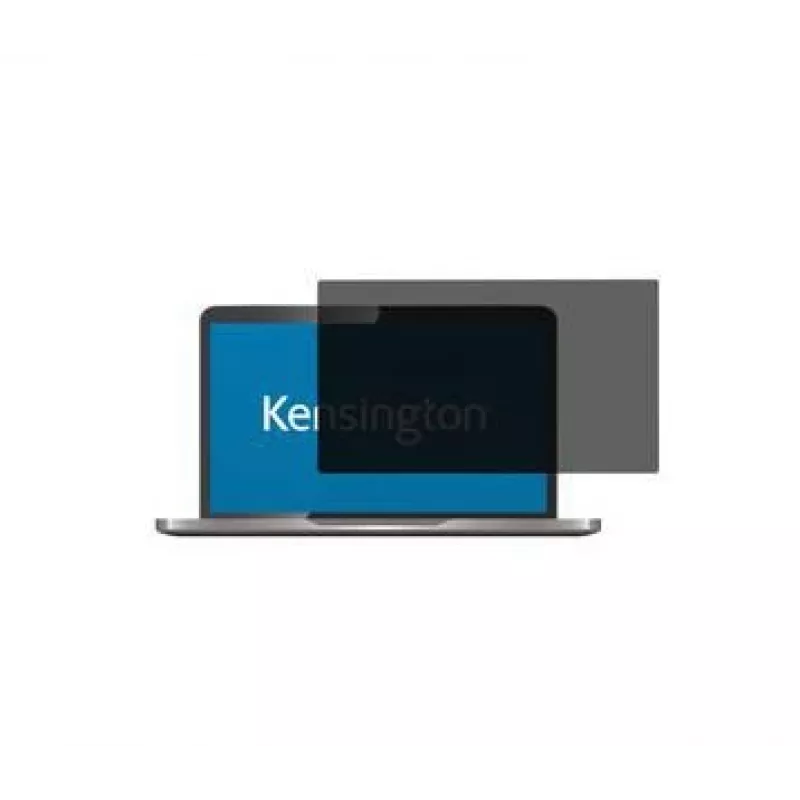
Kensington Privacy Screen Filter for HP Elitebook 840 G5

Kensington Privacy Screen Filter for HP Elitebook 840 G5
R1,626
Protect sensitive information on your HP EliteBook 840 G5 laptop with the Kensington Privacy Filter. This two-way removable filter limits the viewing angle to 30° so onlookers cannot see your screen, while offering blue light reduction, anti-glare and anti-fingerprint coatings and edge-to-edge align... Read More
Stock 4 Code 1200627 Brand KENSINGTON Model 627188 Warranty 2 Years

Shipping & Returns

Estimated delivery Tuesday, October 6
You will be kept updated through our detailed tracking system
Payment options
EFTPayFastBank CardSnapScanZapperGoogle PayApple PayMobicredMoreTymePay on Arrival

Protect sensitive information on your HP EliteBook 840 G5 laptop with the Kensington Privacy Filter. This two-way removable filter limits the viewing angle to 30° so onlookers cannot see your screen, while offering blue light reduction, anti-glare and anti-fingerprint coatings and edge-to-edge alignment for a precise fit. The lightweight design (about 30 g) is easy to install and remove, making it suitable for mobile professionals who need confidentiality in public spaces.

Advantages

The Kensington Privacy Filter provides two-way privacy protection by narrowing the visible angle to 30°. It reduces detrimental blue light by up to 42% to ease eye strain, features an anti-glare coating to reduce reflections and improve clarity, and an anti-fingerprint coating to keep the display clean. The filter aligns edge-to-edge for a precise fit and is removable for flexible use.

Suitable for

  • Laptop HP EliteBook 840 G5
  • Working in public places (transport, coffee shops, airports)
  • Business travel and mobile professionals
  • Protecting sensitive documents and personal data on-screen

Key specifications

  • Compatibility: HP EliteBook 840 G5 (Laptop)
  • Screen size: 15.6"
  • Privacy type: 2-way removable
  • Viewing angle limit: 30°
  • Blue light reduction: up to 42%
  • Coatings: anti-glare, anti-fingerprint
  • Weight: 0.03 kg
  • MPN: 627188
  • EAN: 4049793064291

How to use

Align the privacy filter with the laptop screen so the edges match the display. Attach the filter according to the included attachment method (removable tabs or adhesive, depending on the kit) and press gently to secure. To remove, lift the filter from a corner and peel away carefully. Clean the filter with a soft, lint-free cloth; avoid abrasive materials and harsh chemicals.

Recommendations

For best results, choose the filter size that exactly matches the HP EliteBook 840 G5 screen and follow the manufacturer’s installation instructions. If you experience reduced screen brightness after installation, increase display brightness as needed. Custom sizes are available on request; visit www.kensington.com/privacy-selector for options.
Key Highlights
  • Laptop HP EliteBook 840 G5
  • Working in public places (transport, coffee shops, airports)
  • Business travel and mobile professionals
  • Protecting sensitive documents and personal data on-screen
  • Compatibility: HP EliteBook 840 G5 (Laptop)
  • Screen size: 15.6"
  • Privacy type: 2-way removable
  • Viewing angle limit: 30°
  • Blue light reduction: up to 42%
  • Coatings: anti-glare, anti-fingerprint
  • Weight: 0.03 kg
  • MPN: 627188
  • EAN: 4049793064291
Specifications
Compatibility
EliteBook 840 G5
Depth
0.39 mm
Harmonized System (HS) code
85299097
Height
321.5 mm
Package depth
7 mm
Package height
360 mm
Package weight
210 g
Package width
265 mm
Suitable for
Laptop
Weight
30 g
Width
215.5 mm

Leaflet

Open Leaflet
Price history over the last 6 months
Kensington Privacy Screen Filter for HP Elitebook 840 G5
Current
R1,626
Lowest
R975
Highest
R1,630
Change 24H
+R37   +2%
Week
+R53   +3%
Month
+R47   +3%

Popular products in this category

WhatsApp
Hi, I’m DistriNode’s AI assistant. I can help you find products, compare options, create quote PDFs, or open support requests.