Account Contact
Your Cart
Pay on delivery – no extra fees
Need help? Ask our AI

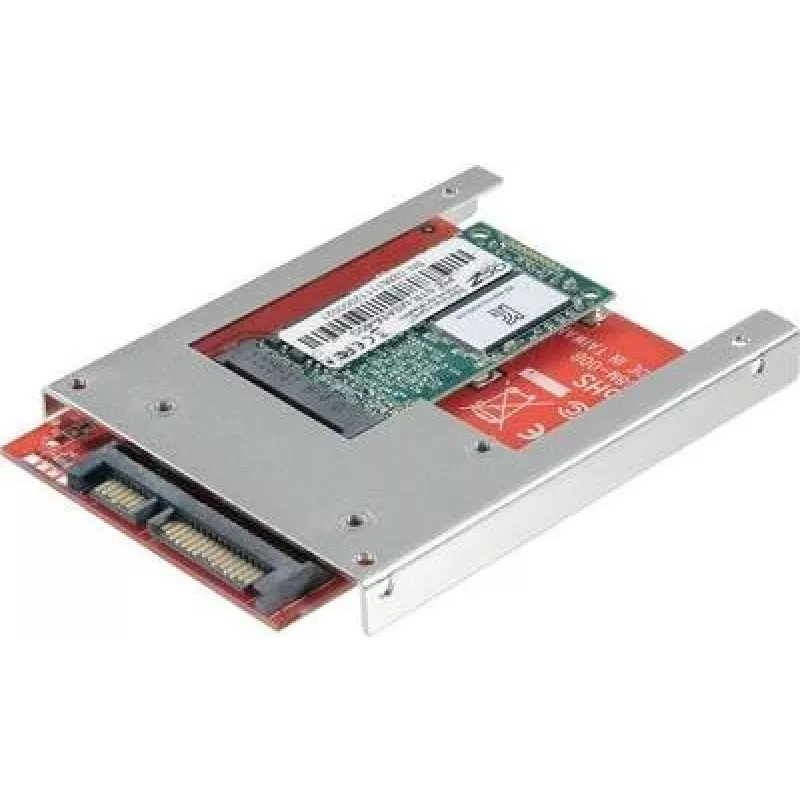
Interface converter Renkforce 986300 — SATA to mSATA adapter

Interface converter Renkforce 986300 — SATA to mSATA adapter
R580
Renkforce 986300 is an interface converter that adapts a standard SATA connection to an mSATA module. The adapter allows installation of mSATA solid-state drives into systems, enclosures or test setups that provide a standard SATA interface. It supports data transfer at the SATA host's native speed ... Read More
Stock Out Of StockNo Stock Code 2249848 Brand RENKFORCE Model 986300 Warranty 2 Years

Shipping & Returns

Renkforce 986300 is an interface converter that adapts a standard SATA connection to an mSATA module. The adapter allows installation of mSATA solid-state drives into systems, enclosures or test setups that provide a standard SATA interface. It supports data transfer at the SATA host's native speed and provides a compact solution for integrating mSATA storage into desktops, small form-factor PCs and external test environments without requiring native mSATA connectors.

Advantages

The converter offers a simple mechanical and electrical adaptation from SATA to mSATA, allowing reuse of available mSATA SSDs in devices with SATA ports. Its compact form factor makes it easy to mount inside cases or on test benches, and the passive design requires no additional power converters beyond the SATA power connector. Installation is straightforward and does not require special drivers on most modern operating systems because the adapter is transparent to the host SATA controller.

Suitable for

  • Upgrading storage in desktop PCs using mSATA SSDs
  • Integrating mSATA drives into small form-factor or legacy systems with only SATA ports
  • Testing and bench evaluation of mSATA modules
  • Temporary or permanent installation in external enclosures with SATA interfaces

Key specifications

  • Interface: SATA (host) to mSATA (device)
  • Supported device type: mSATA solid-state drives
  • Data transfer: up to the SATA host controller's supported speeds (SATA I/II/III dependent)
  • Power: powered via standard SATA power connector
  • Form factor: compact adapter designed for internal mounting

How to use

Mount the mSATA SSD onto the adapter following the module's slot orientation, secure it with the provided mounting screw if applicable, and connect the adapter to the system's SATA data and SATA power connectors. Ensure the host system is powered off during installation. After connecting, power on the system and verify the drive is detected in BIOS/UEFI or the operating system's disk management utility. No special drivers are typically required because the adapter does not change the drive's protocol handling.

Recommendations

Use the adapter in environments that match the thermal and mechanical requirements of the mSATA module; ensure adequate airflow and secure mounting to prevent movement. For best performance, connect to a SATA port that supports the highest available SATA revision on your motherboard. Handle the mSATA module and adapter with anti-static precautionary measures during installation.

Key Highlights
  • Upgrading storage in desktop PCs using mSATA SSDs
  • Integrating mSATA drives into small form-factor or legacy systems with only SATA ports
  • Testing and bench evaluation of mSATA modules
  • Temporary or permanent installation in external enclosures with SATA interfaces
  • Interface: SATA (host) to mSATA (device)
  • Supported device type: mSATA solid-state drives
  • Data transfer: up to the SATA host controller's supported speeds (SATA I/II/III dependent)
  • Power: powered via standard SATA power connector
  • Form factor: compact adapter designed for internal mounting
Price history is not available yet
We are still collecting enough daily price data for this product.

Popular products in this category

WhatsApp
Hi, I’m DistriNode’s AI assistant. I can help you find products, compare options, create quote PDFs, or open support requests.