Account Contact
Your Cart
Pay the courier with no extra fees.
Need help? DistriNode AI can handle any task on our site.

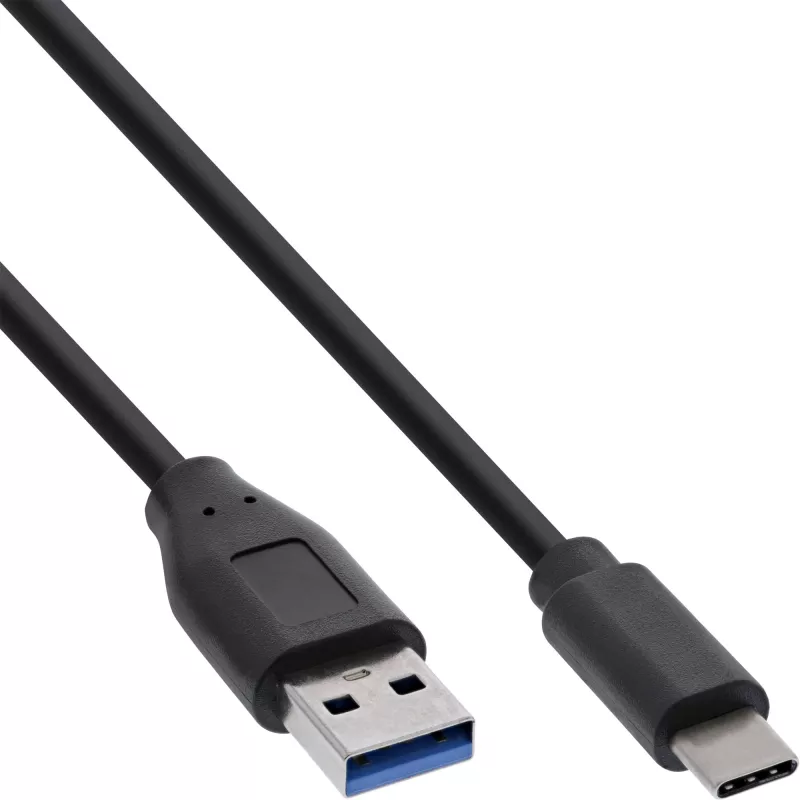
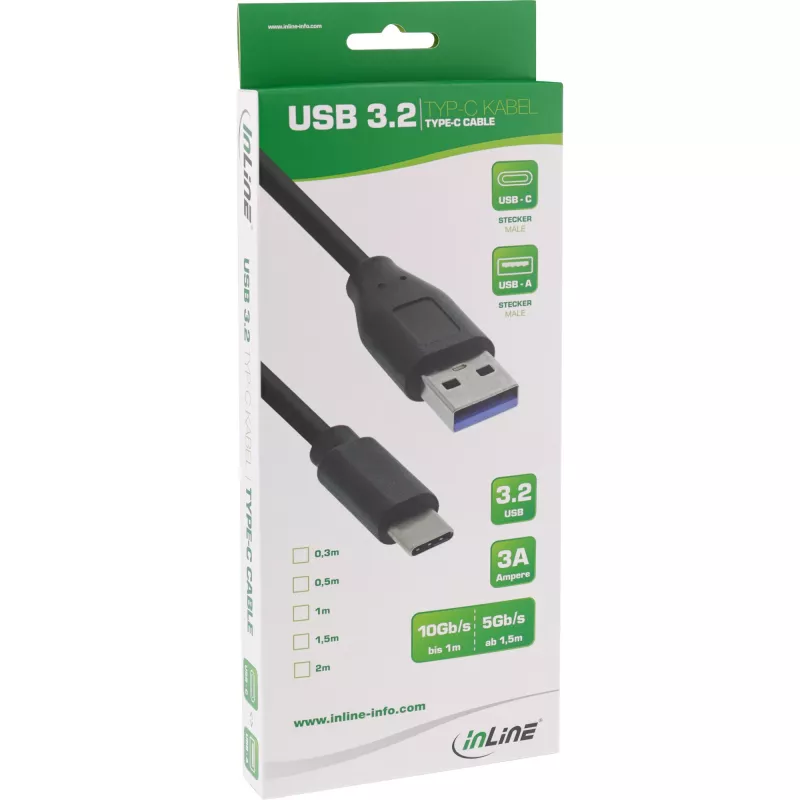
InLine USB 3.2 Gen.1x2 Cable, USB-C male / USB-A male, black, 0.5m

InLine USB 3.2 Gen.1x2 Cable, USB-C male / USB-A male, black, 0.5m
R169
The InLine® USB 3.2 cable with a USB-C male connector to a USB-A male connector provides a compact 0.5 m connection for reliable data transfer and charging. It supports the USB 3.2 Gen 2 (3.1 Gen 2) standard for transfer speeds up to 10 Gbit/s, offers charging capability up to 27 W and is finished i... Read More
Stock 1664 Code 312587 Brand INLINE Model 35716 Warranty 2 Years

Shipping & Returns

Estimated delivery Tuesday, October 6
You will be kept updated through our detailed tracking system
Payment options
EFTPayFastBank CardSnapScanZapperGoogle PayApple PayMobicredMoreTymePay on Arrival

The InLine® USB 3.2 cable with a USB-C male connector to a USB-A male connector provides a compact 0.5 m connection for reliable data transfer and charging. It supports the USB 3.2 Gen 2 (3.1 Gen 2) standard for transfer speeds up to 10 Gbit/s, offers charging capability up to 27 W and is finished in black with robust shielding for stable signal integrity.

Advantages

This USB-C to USB-A cable supports high-speed data transfers up to 10 Gb/s and power delivery up to 27 W. The cable is manufactured with durable connectors and optimized shielding to minimise interference and ensure reliable performance in everyday use.

Suitable for

  • Connecting USB-C devices (phones, tablets, external drives) to USB-A hosts (PCs, chargers)
  • High-speed file transfers between peripherals and computers
  • Charging devices that accept up to 27 W via USB-A

Key specifications

  • Connector 1: USB-C (male)
  • Connector 2: USB-A (male)
  • USB version: USB 3.2 Gen 2 (3.1 Gen 2)
  • Maximum data transfer rate: up to 10 Gbit/s
  • Cable length: 0.5 m
  • Product colour: Black

How to use

Insert the USB-C male connector into the USB-C port of your device and the USB-A male connector into a USB-A port on a computer or charger. For best performance, use ports that support USB 3.2 Gen 2 on both ends to achieve the maximum data transfer rate. Ensure connectors are fully seated to maintain stable data and power transmission.

Recommendations

For optimal data transfer speeds and charging, connect to USB 3.2 Gen 2-capable ports; avoid excessive bending near the connector ends and keep the cable away from strong electromagnetic sources to preserve shielding effectiveness.
Key Highlights
  • USB 3.2 Gen.1x2 cable
  • USB-C plug to USB-A plug
  • Data transfer rate: 10 Gb/s
  • Supports charging of mobile devices (USB Power Delivery) up to 3 A charging current, max. 27 W
  • High-quality cable with triple shielded twisted wire pairs
  • Color: Black
  • 0.5 m
  • USB C Straight Male
  • USB A Straight Male
  • USB 3.2 Gen 2 (3.1 Gen 2) 10000 Mbit/s
  • Black
  • 1 pc(s)
Specifications
Cable length
0.5 m
Compliance certificates
RoHS
Connector 1
USB C
Connector 1 form factor
Straight
Connector 1 gender
Male
Connector 2
USB A
Connector 2 form factor
Straight
Connector 2 gender
Male
Connector gender
Male/Male
Depth
500 mm
Dimensions (WxDxH)
15 x 500 x 9 mm
Height
9 mm
Maximum data transfer rate
10 Gbit/s
Output current (max)
3 A
Package depth
241 mm
Package height
23 mm
Package type
Box
Package volume
600 cm³
Package weight
45 g
Package width
107 mm
Product colour
Black
Quantity per pack
1 pc(s)
USB version
USB 3.2 Gen 2 (3.1 Gen 2)
Weight
20 g
Width
15 mm

Leaflet

Open Leaflet
Price history over the last 6 months
InLine USB 3.2 Gen.1x2 Cable, USB-C male / USB-A male, black, 0.5m
Current
R169
Lowest
R138
Highest
R177
Change 24H
+R30   +21%
Week
+R31   +22%
Month
+R28   +20%

Popular products in this category

WhatsApp
Hi, I’m DistriNode’s AI assistant. I can help you find products, compare options, create quote PDFs, or open support requests.