Account Contact
Your Cart
Pay the courier with no extra fees.
Need help? DistriNode AI can handle any task on our site.

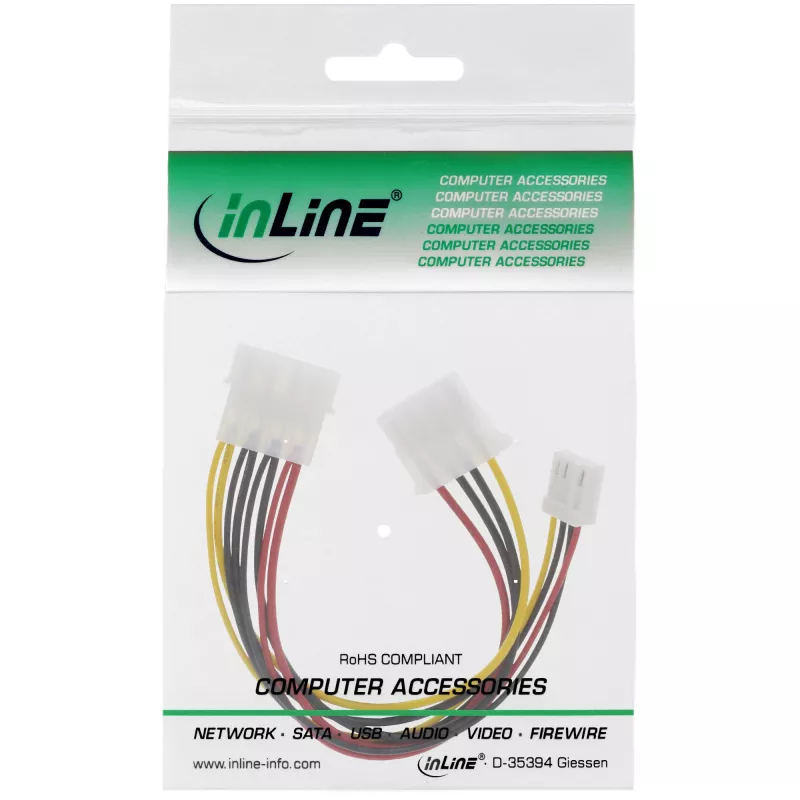
InLine Internal Power Y-Cable 1x 5.25 inch Molex / 1x 5.25 inch Molex + 1x 3.5 inch Floppy

InLine Internal Power Y-Cable 1x 5.25 inch Molex / 1x 5.25 inch Molex + 1x 3.5 inch Floppy
R113
This Y-shape internal power cable from InLine lets you power two devices from a single 5.25" ATX power-supply output. It combines one 5.25" (13.34 cm) Molex connector with an additional 5.25" Molex and a 3.5" floppy connector, enabling connection of hard drives, optical drives or legacy floppy devic... Read More
Stock 618 Code 1430073 Brand INLINE Model 29658 Warranty 2 Years

Shipping & Returns

Estimated delivery Thursday, October 8
You will be kept updated through our detailed tracking system
Payment options
EFTPayFastBank CardSnapScanZapperGoogle PayApple PayMobicredMoreTymePay on Arrival

This Y-shape internal power cable from InLine lets you power two devices from a single 5.25" ATX power-supply output. It combines one 5.25" (13.34 cm) Molex connector with an additional 5.25" Molex and a 3.5" floppy connector, enabling connection of hard drives, optical drives or legacy floppy devices while keeping cable runs short with its 0.2 m length.

Advantages

The cable supports simultaneous power delivery to two peripherals from one standard 5.25" Molex power outlet, reducing the number of free PSU connectors required. Its compact 0.2 m length helps with neat cable management inside compact or standard PC cases. Multicolour wiring allows easy visual identification of connectors.

Suitable for

  • Connecting an internal hard drive and an optical drive to one PSU Molex output
  • Powering legacy 3.5" floppy drives alongside other Molex-powered devices
  • Small form-factor builds or upgrades where PSU connectors are limited

Key specifications

  • Connectors: 1× 5.25" Molex input → 1× 5.25" Molex + 1× 3.5" floppy output
  • Cable length: 0.2 m
  • Manufacturer: InLine
  • MPN: 29658
  • EAN: 4043718003679
  • Colour: Multicolour

How to use

Shut down the PC and disconnect the power supply before installing. Plug the single 5.25" Molex input of the Y-cable into an available Molex power connector from the ATX power supply. Connect the 5.25" Molex and the 3.5" floppy outputs to the respective devices' power sockets, ensuring correct orientation to avoid misalignment. Reconnect power and start the system to verify devices receive power.

Recommendations

Do not exceed the power supply’s rated current on the Molex rail; avoid using the cable for devices that together draw more current than the PSU connector supports. Keep the cable away from moving parts and sharp edges to prevent insulation damage.
Key Highlights
  • Connecting an internal hard drive and an optical drive to one PSU Molex output
  • Powering legacy 3.5" floppy drives alongside other Molex-powered devices
  • Small form-factor builds or upgrades where PSU connectors are limited
  • Connectors: 1× 5.25" Molex input → 1× 5.25" Molex + 1× 3.5" floppy output
  • Cable length: 0.2 m
  • Manufacturer: InLine
  • MPN: 29658
  • EAN: 4043718003679
  • Colour: Multicolour
Specifications
Cable length
0.2 m
Connector 1 gender
Male
Connector 2
5.25"
Connector 2 gender
Female
Package depth
100 mm
Package height
9 mm
Package volume
100 cm³
Package weight
21 g
Package width
90 mm
Product colour
Multicolour
Weight
15 g

Leaflet

Open Leaflet

Document

Open Document
Price history over the last 6 months
InLine Internal Power Y-Cable 1x 5.25 inch Molex / 1x 5.25 inch Molex + 1x 3.5 inch Floppy
Current
R113
Lowest
R98
Highest
R144
Change 24H
+R14   +14%
Week
+R13   +14%
Month
-R26   -18%

Popular products in this category

WhatsApp
Hi, I’m DistriNode’s AI assistant. I can help you find products, compare options, create quote PDFs, or open support requests.