Account Contact
Your Cart
Pay on delivery – no extra fees
Need help? Ask our AI

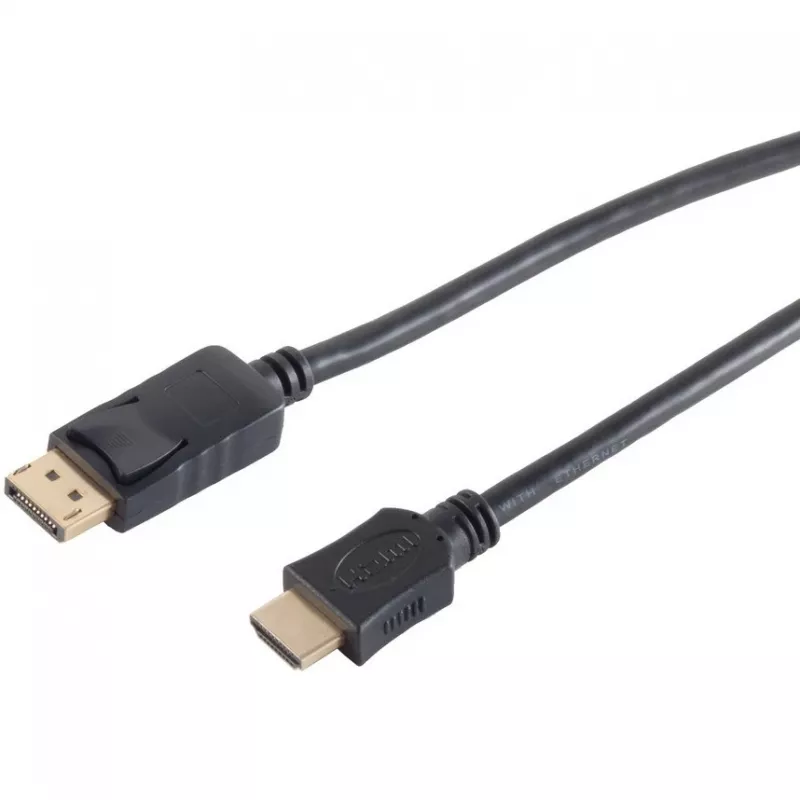
DisplayPort to HDMI cable, No name, 3 m, black

DisplayPort to HDMI cable, No name, 3 m, black
R51
This DisplayPort to HDMI cable from No name is a 3 m black wired adapter designed to transmit video and audio from a device with a DisplayPort output to a display with an HDMI input. The cable supports a direct DP→HDMI connection between computers or laptops and external monitors, TVs or projectors,... Read More
Stock Out Of StockNo Stock Code 120087 Brand INLINE Model 77493-2 Warranty 2 Years

Shipping & Returns

This DisplayPort to HDMI cable from No name is a 3 m black wired adapter designed to transmit video and audio from a device with a DisplayPort output to a display with an HDMI input. The cable supports a direct DP→HDMI connection between computers or laptops and external monitors, TVs or projectors, providing a straightforward solution for extending or mirroring desktop and multimedia output without additional adapters.

Advantages

The cable offers a single-cable solution that carries both video and audio signals, reducing clutter and simplifying setup. Its 3-meter length provides flexibility for placement of source devices and displays in home, office or presentation environments. A fixed wired connection removes the need for separate adapters or converters, and the straightforward plug-and-play design enables quick connection with minimal configuration.

Suitable for

  • Connecting desktops or laptops with DisplayPort outputs to HDMI monitors and TVs
  • Presentations using projectors with HDMI inputs
  • Home entertainment setups where a PC or media device is used as a source
  • Workstation dual-monitor or extended desktop configurations

Key specifications

  • Cable type: DisplayPort (source) to HDMI (display)
  • Length: 3 meters
  • Color: black
  • Signal carried: digital video and digital audio
  • Connector types: DisplayPort male to HDMI male

How to use

Connect the DisplayPort end to the source device and the HDMI end to the target display. Ensure both devices are powered on and set the display input to the correct HDMI port. Most operating systems will detect the external display automatically; adjust resolution and audio output settings in the system display or sound control panel if necessary. For presentation or multi-monitor setups, configure the display mode (duplicate, extend or single display) in the operating system display settings.

Recommendations

For reliable performance, use the cable with devices that provide DisplayPort output and HDMI input natively. Avoid bending the cable sharply near the connectors and keep the cable away from sources of strong electromagnetic interference. If you experience display issues, check connector seating, try a different HDMI input on the display, and verify display drivers are up to date.

Key Highlights
  • Connecting desktops or laptops with DisplayPort outputs to HDMI monitors and TVs
  • Presentations using projectors with HDMI inputs
  • Home entertainment setups where a PC or media device is used as a source
  • Workstation dual-monitor or extended desktop configurations
  • Cable type: DisplayPort (source) to HDMI (display)
  • Length: 3 meters
  • Color: black
  • Signal carried: digital video and digital audio
  • Connector types: DisplayPort male to HDMI male
Price history over the last 6 months
DisplayPort to HDMI cable, No name, 3 m, black
Current
R51
Lowest
R15
Highest
R251
Change 24H
+R36   +235%
Week
-R200   -80%
Month
—   

Popular products in this category

WhatsApp
Hi, I’m DistriNode’s AI assistant. I can help you find products, compare options, create quote PDFs, or open support requests.