Account Contact
Your Cart
Pay the courier with no extra fees.
Need help? DistriNode AI can handle any task on our site.

InLine cold device extension, C13 / C14, blue, 0.75m

InLine cold device extension, C13 / C14, blue, 0.75m
R224
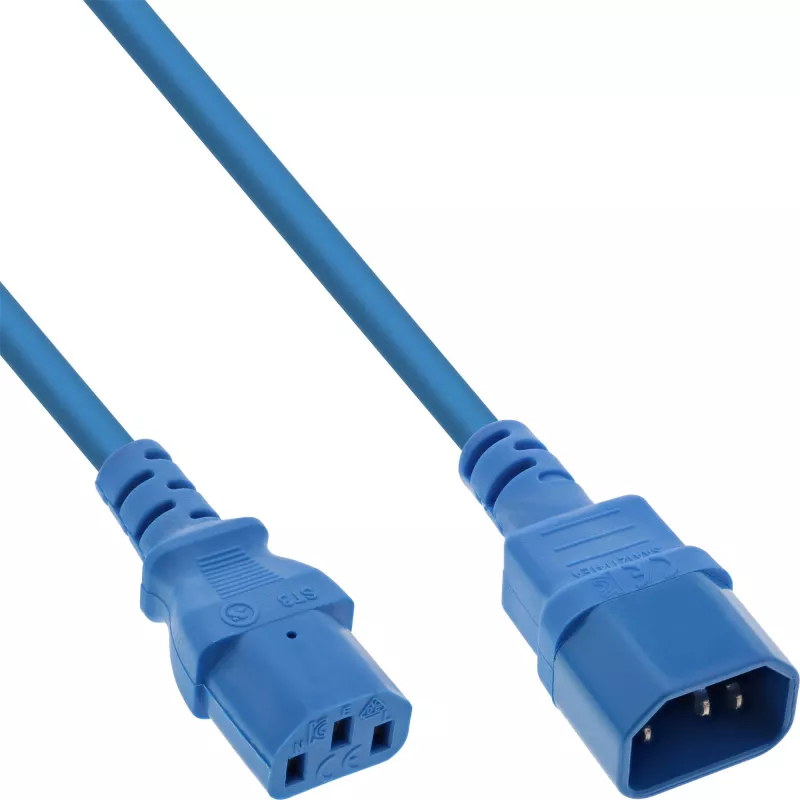
InLine cold device extension C13/C14 blue 0.75m is a power extension cable with a C13 coupler and a C14 coupler, designed to extend the 250 V mains connection for PCs, monitors, printers and other electronic devices. The 0.75 m H05VV-F cable provides a compact, flexible connection for equipment rack... Read More
Stock 764 Code 1427434 Brand INLINE Model 16507B Warranty 2 Years

Shipping & Returns

Estimated delivery Wednesday, October 7
You will be kept updated through our detailed tracking system
Payment options
EFTPayFastBank CardSnapScanZapperGoogle PayApple PayMobicredMoreTymePay on Arrival

InLine cold device extension C13/C14 blue 0.75m is a power extension cable with a C13 coupler and a C14 coupler, designed to extend the 250 V mains connection for PCs, monitors, printers and other electronic devices. The 0.75 m H05VV-F cable provides a compact, flexible connection for equipment racks, UPS units and PDUs, and the blue jacket makes it easy to identify among other power leads.

Advantages

The C13/C14 extension delivers a standardized IEC connection compatible with a wide range of computer and electronic equipment. Its H05VV-F construction meets common safety and durability expectations for indoor power cords, while the short 0.75 m length reduces cable clutter. The blue colour aids visual identification in multi-cable environments.

Suitable for (tasks / use cases)

  • Extending power cables for desktop PCs and workstations
  • Connecting monitors and printers where an extra length is needed
  • Linking equipment to uninterruptible power supplies (UPS)
  • Short extensions and reorganising power distribution within PDUs or racks

Key specifications

  • Cable length: 0.75 m
  • Connector 1: C13 coupler
  • Connector 2: C14 coupler
  • Rated voltage: 250 V
  • Cable type: H05VV-F
  • Colour: Blue

How to use

Insert the C14 plug end into the mains output of the power source (for example a UPS, PDU or computer power supply) and connect the C13 coupler to the device's power inlet. Ensure both connectors are fully seated and routed to avoid strain. Do not use the cable if the insulation is damaged or connectors are loose.

Recommendations

Use indoors only in dry environments and follow equipment manufacturer guidelines for rated voltage and current. Avoid running the cable under heavy furniture or through doorways where it could be pinched. Replace the cable if any wear or damage is visible.

Key Highlights
  • Extending power cables for desktop PCs and workstations
  • Connecting monitors and printers where an extra length is needed
  • Linking equipment to uninterruptible power supplies (UPS)
  • Short extensions and reorganising power distribution within PDUs or racks
  • Cable length: 0.75 m
  • Connector 1: C13 coupler
  • Connector 2: C14 coupler
  • Rated voltage: 250 V
  • Cable type: H05VV-F
  • Colour: Blue
Specifications
Cable length
0.75 m
Cable type
H05VV-F
Conductor cross section
0.75 mm²
Connector 1
C13 coupler
Connector 1 form factor
Straight
Connector 1 gender
Female
Connector 1 standard
IEC 60320
Connector 2
C14 coupler
Connector 2 form factor
Straight
Connector 2 gender
Male
Connector 2 standard
IEC 60320
Depth
750 mm
Dimensions (WxDxH)
30 x 750 x 20 mm
Height
20 mm
Input voltage
250 V
Jacket material
Polyvinyl chloride (PVC)
Number of conductors
3
Package depth
220 mm
Package height
30 mm
Package volume
400 cm³
Package weight
100 g
Package width
170 mm
Product colour
Blue
Weight
93 g
Width
30 mm

Leaflet

Open Leaflet
Price history over the last 6 months
InLine cold device extension, C13 / C14, blue, 0.75m
Current
R224
Lowest
R123
Highest
R239
Change 24H
+R47   +27%
Week
+R101   +83%
Month
+R48   +27%

Popular products in this category

WhatsApp
Hi, I’m DistriNode’s AI assistant. I can help you find products, compare options, create quote PDFs, or open support requests.