Account Contact
Your Cart
Pay the courier with no extra fees.
Need help? DistriNode AI can handle any task on our site.

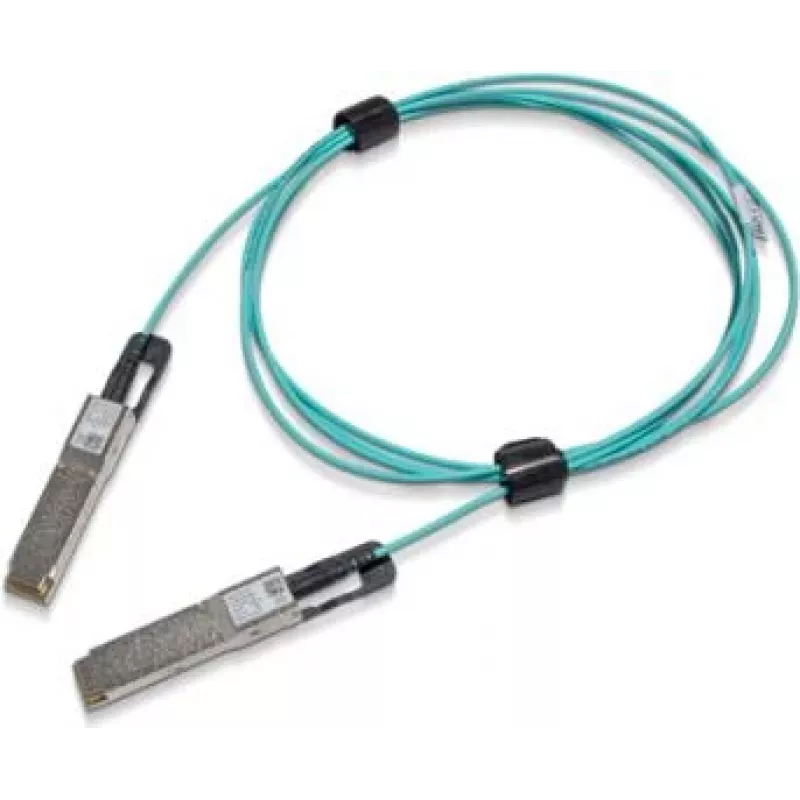
InfiniBand / fibre optic cable NVIDIA MFS1S00-H050V, QSFP56 to QSFP56, 50 m, blue

InfiniBand / fibre optic cable NVIDIA MFS1S00-H050V, QSFP56 to QSFP56, 50 m, blue
R47,207
NVIDIA MFS1S00-H050V is a 50 m InfiniBand / fibre optic cable with QSFP56 connectors on both ends, supplied in blue and intended for high-speed links between compatible network adapters and switches. The cable supports QSFP56 interfaces to provide a long-reach optical connection for data centre inte... Read More
Stock 2 Code 1728970 Brand NVIDIA Model 980-9I447-00H050 Warranty 2 Years

Shipping & Returns

Estimated delivery Thursday, October 8
You will be kept updated through our detailed tracking system
Payment options
EFTPayFastBank CardSnapScanZapperGoogle PayApple PayMobicredMoreTymePay on Arrival

NVIDIA MFS1S00-H050V is a 50 m InfiniBand / fibre optic cable with QSFP56 connectors on both ends, supplied in blue and intended for high-speed links between compatible network adapters and switches. The cable supports QSFP56 interfaces to provide a long-reach optical connection for data centre interconnects, cluster computing and storage network topologies that require low-latency, high-bandwidth links.

Advantages

This QSFP56 to QSFP56 fibre cable delivers a single-mode optical connection over 50 metres, enabling extended distance between QSFP56 ports without active conversion. The blue jacket makes cable identification straightforward within dense racks and cabling environments. The passive optical design reduces electromagnetic interference concerns and preserves signal integrity for InfiniBand traffic and other protocols supported by QSFP56 interfaces.

Suitable for

  • Data centre uplinks between switches and host adapters
  • High-performance computing clusters and node interconnects
  • Storage area networks and SAN backbones
  • Server-to-switch connections where QSFP56 ports are available

Key specifications

  • Connector type: QSFP56 to QSFP56
  • Cable length: 50 m
  • Cable type: fibre optic (single-mode compatible for long-reach links)
  • Jacket colour: blue

How to use

Confirm that both endpoints (network adapters or switches) have QSFP56 ports and that the devices support InfiniBand or the intended protocol over QSFP56. Route the 50 m cable to avoid tight bends and mechanical strain; maintain the minimum bend radius specified by the system or facility guidelines. Insert QSFP56 connectors firmly into each port until they latch, and verify link status through the device management interface. If necessary, follow the host or switch vendor instructions to enable or configure the port for the desired link speed and protocol.

Recommendations

Store and install the cable in a clean environment; avoid sharp bends, excessive tension and exposure to strong electromagnetic sources. For optimum performance, ensure QSFP56 transceivers and firmware on connected devices are compatible with long-reach fibre links and are updated per vendor guidance.

Key Highlights
  • Data centre uplinks between switches and host adapters
  • High-performance computing clusters and node interconnects
  • Storage area networks and SAN backbones
  • Server-to-switch connections where QSFP56 ports are available
  • Connector type: QSFP56 to QSFP56
  • Cable length: 50 m
  • Cable type: fibre optic (single-mode compatible for long-reach links)
  • Jacket colour: blue
Specifications
Cable length
50 m
Connector 1
QSFP56
Connector 1 gender
Male
Connector 2
QSFP56
Connector 2 gender
Male
Data transfer rate
200 Gbit/s
Product colour
Blue
Price history over the last 6 months
InfiniBand / fibre optic cable NVIDIA MFS1S00-H050V, QSFP56 to QSFP56, 50 m, blue
Current
R47,207
Lowest
R46,773
Highest
R50,251
Change 24H
+R30   +0%
Week
+R243   +1%
Month
-R265   -1%

Popular products in this category

WhatsApp
Hi, I’m DistriNode’s AI assistant. I can help you find products, compare options, create quote PDFs, or open support requests.