Account Contact
Your Cart
Pay the courier with no extra fees.
Need help? DistriNode AI can handle any task on our site.

IEC 169-2 Coaxial Cable 2m ShiverPeaks

IEC 169-2 Coaxial Cable 2m ShiverPeaks
R324
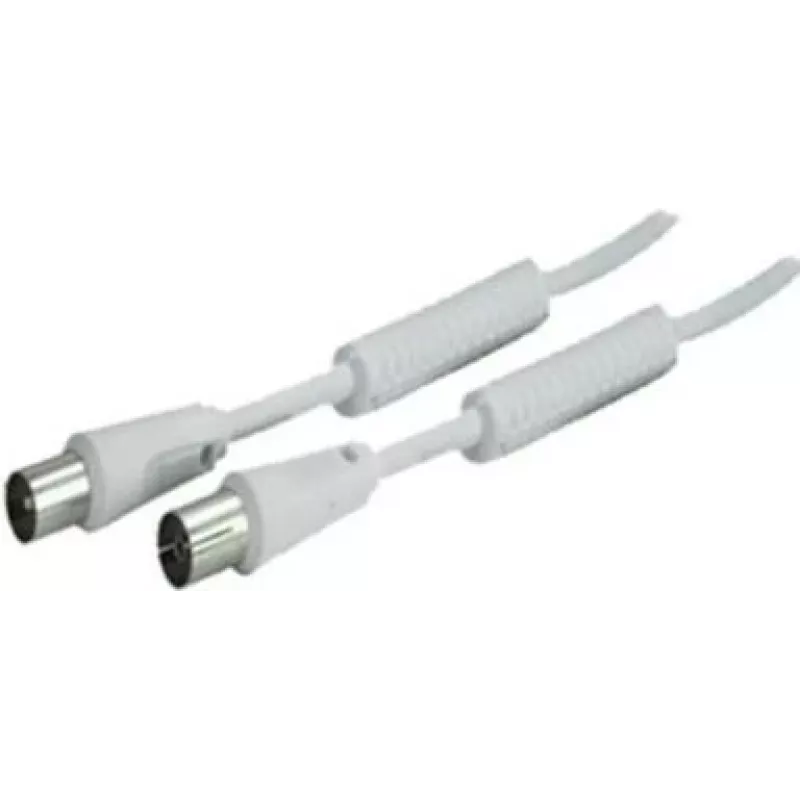
The ShiverPeaks IEC 169-2 Coaxial Cable 2m is a 2.0 metre transmission cable designed for connecting equipment that uses IEC 169-2 coaxial interfaces. The cable features molded, high-quality connectors and a shielded coaxial construction to support reliable signal transfer with minimal loss over its... Read More
Stock 523 Code 2177763 Brand SHIVERPEAKS Model BS80203-128 Warranty 2 Years

Shipping & Returns

Estimated delivery Tuesday, October 6
You will be kept updated through our detailed tracking system
Payment options
EFTPayFastBank CardSnapScanZapperGoogle PayApple PayMobicredMoreTymePay on Arrival

The ShiverPeaks IEC 169-2 Coaxial Cable 2m is a 2.0 metre transmission cable designed for connecting equipment that uses IEC 169-2 coaxial interfaces. The cable features molded, high-quality connectors and a shielded coaxial construction to support reliable signal transfer with minimal loss over its length. It is constructed to meet recognized industry standards for performance and consistency, making it suitable for audio and video equipment, broadcast devices and consumer electronics that require IEC 169-2 termination.

Advantages

This 2m IEC 169-2 coaxial cable provides dependable electrical contact via durable molded connectors and a continuous shield that reduces electromagnetic interference and signal degradation. The cable length balances reach and signal integrity for typical rack, studio and home setups. Its standard-compliant build ensures predictable impedance and compatibility with devices that use the IEC 169-2 interface.

Suitable for

  • Connecting professional audio equipment and mixers
  • Interfacing broadcast devices and studio hardware
  • Home audio/video components and set-top boxes with IEC 169-2 ports
  • Temporary or permanent cabling in AV racks and equipment bays

Key specifications

  • Cable type: IEC 169-2 coaxial
  • Length: 2.0 metres
  • Connector style: molded IEC 169-2 coaxial connectors
  • Construction: shielded coaxial conductor for reduced interference
  • Intended use: audio and video signal transmission

How to use

Connect one end of the cable to the IEC 169-2 socket on the source device and the other end to the corresponding IEC 169-2 input on the receiving device, ensuring connectors are fully seated to maintain solid contact. Route the cable to avoid tight bends, sharp edges and excessive tension; secure with cable ties or routing clips where appropriate. When disconnecting, grasp the connector housing rather than pulling the cable to avoid stressing the termination.

Recommendations

For optimal performance, keep the cable run as short as practical and avoid running parallel to mains power cables to minimize potential interference. Inspect connectors periodically for wear or damage, and replace the cable if shielding or connector integrity is compromised.

Key Highlights
  • Connecting professional audio equipment and mixers
  • Interfacing broadcast devices and studio hardware
  • Home audio/video components and set-top boxes with IEC 169-2 ports
  • Temporary or permanent cabling in AV racks and equipment bays
  • Cable type: IEC 169-2 coaxial
  • Length: 2.0 metres
  • Connector style: molded IEC 169-2 coaxial connectors
  • Construction: shielded coaxial conductor for reduced interference
  • Intended use: audio and video signal transmission
Specifications
Cable length
2 m
Connector 1
IEC 169-2
Connector 1 gender
Male
Connector 2
IEC 169-2
Connector 2 gender
Female
Connector contacts plating
Nickel
Product colour
White
Price history over the last 6 months
IEC 169-2 Coaxial Cable 2m ShiverPeaks
Current
R324
Lowest
R314
Highest
R657
Change 24H
+R10   +3%
Week
-R301   -48%
Month
-R302   -48%

Popular products in this category

WhatsApp
Hi, I’m DistriNode’s AI assistant. I can help you find products, compare options, create quote PDFs, or open support requests.