Account Contact
Your Cart
Pay the courier with no extra fees.
Need help? DistriNode AI can handle any task on our site.

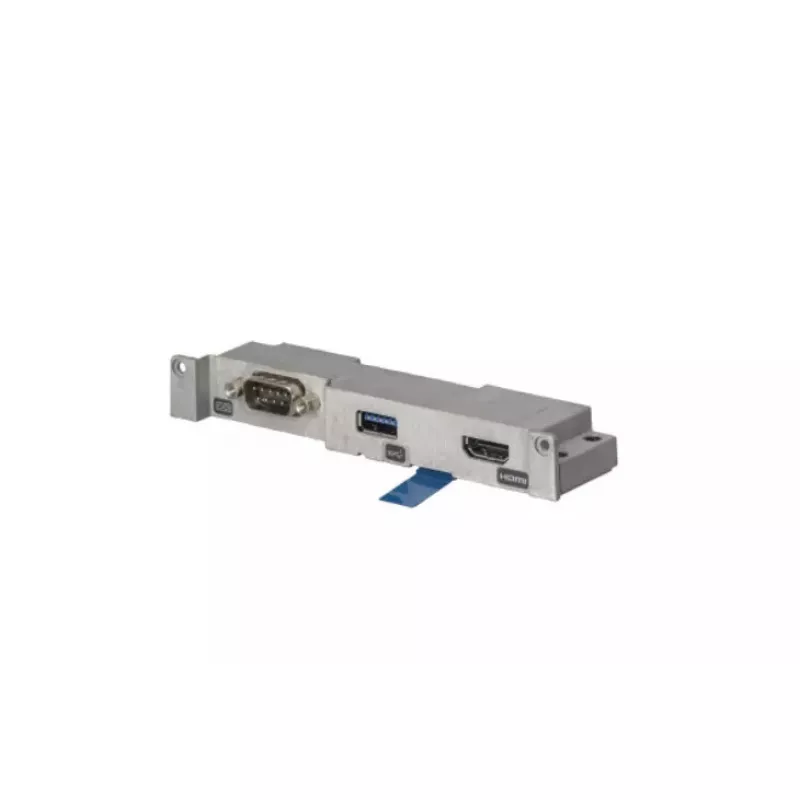
I/O board Panasonic FZ-VCN402U essential connectivity

I/O board Panasonic FZ-VCN402U essential connectivity
R4,653
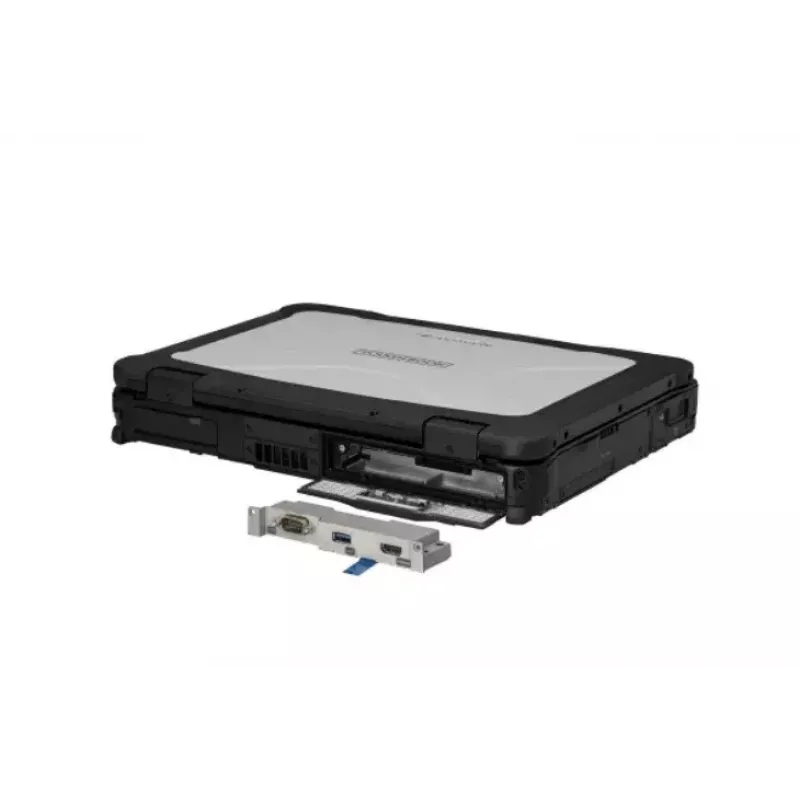
The Panasonic I/O board FZ-VCN402U is a replacement input/output module compatible with the TOUGHBOOK 40 rear expansion area. It restores essential connectivity functions for systems that require reliable serial and parallel interfaces and is intended as a service part to maintain device operation a... Read More
Stock 10 Code 1505457 Brand PANASONIC Model FZ-VCN402U Warranty 2 Years

Shipping & Returns

Estimated delivery Tuesday, October 6
You will be kept updated through our detailed tracking system
Payment options
EFTPayFastBank CardSnapScanZapperGoogle PayApple PayMobicredMoreTymePay on Arrival

The Panasonic I/O board FZ-VCN402U is a replacement input/output module compatible with the TOUGHBOOK 40 rear expansion area. It restores essential connectivity functions for systems that require reliable serial and parallel interfaces and is intended as a service part to maintain device operation across field, industrial, and mobile computing environments.

Advantages

This I/O board provides OEM-compatible input/output connectivity specific to the TOUGHBOOK 40 rear expansion area, ensuring proper fit and electrical compatibility. It helps recover lost or damaged ports without replacing the whole unit, preserving existing system configurations and reducing downtime. The board supports typical serial/parallel peripheral connections used in specialized and legacy equipment.

Suitable for

  • Repairing or servicing Panasonic TOUGHBOOK 40 devices
  • Restoring serial and parallel port functionality in field and industrial installations
  • Maintaining legacy peripherals and specialized hardware interfaces

Key specifications

  • Compatible location: TOUGHBOOK 40 rear expansion area
  • Function: input/output expansion board providing serial and parallel connectivity
  • Form factor: replacement board designed for OEM fitment in the rear expansion slot
  • Intended use: spare/service part to restore device I/O functionality

How to use

Power down the TOUGHBOOK 40, remove the rear expansion cover according to the service manual, and install the I/O board into the designated rear expansion slot. Secure the board and reattach any shielding or covers, then power on the device and verify connected peripherals operate as expected. Follow Panasonic service instructions for torque, grounding, and connector seating to ensure correct installation.

Recommendations

Use this board as a replacement part only for TOUGHBOOK 40 units; verify device model and rear expansion area compatibility before purchase. Handle the board with electrostatic discharge (ESD) precautions and perform installation in accordance with Panasonic maintenance procedures.
Key Highlights
  • Repairing or servicing Panasonic TOUGHBOOK 40 devices
  • Restoring serial and parallel port functionality in field and industrial installations
  • Maintaining legacy peripherals and specialized hardware interfaces
  • Compatible location: TOUGHBOOK 40 rear expansion area
  • Function: input/output expansion board providing serial and parallel connectivity
  • Form factor: replacement board designed for OEM fitment in the rear expansion slot
  • Intended use: spare/service part to restore device I/O functionality
Specifications
Brand compatibility
Panasonic
Compatibility
TOUGHBOOK 40
Depth
33 mm
Height
20.3 mm
Product colour
Silver
Quantity per pack
1 pc(s)
Type
I/O board
Weight
0.051 kg
Width
132.1 mm
Price history over the last 6 months
I/O board Panasonic FZ-VCN402U essential connectivity
Current
R4,653
Lowest
R4,650
Highest
R5,116
Change 24H
+R3   +0%
Week
—   
Month
—   

Popular products in this category

WhatsApp
Hi, I’m DistriNode’s AI assistant. I can help you find products, compare options, create quote PDFs, or open support requests.