Account Contact
Your Cart
Pay on delivery – no extra fees
Need help? Ask our AI

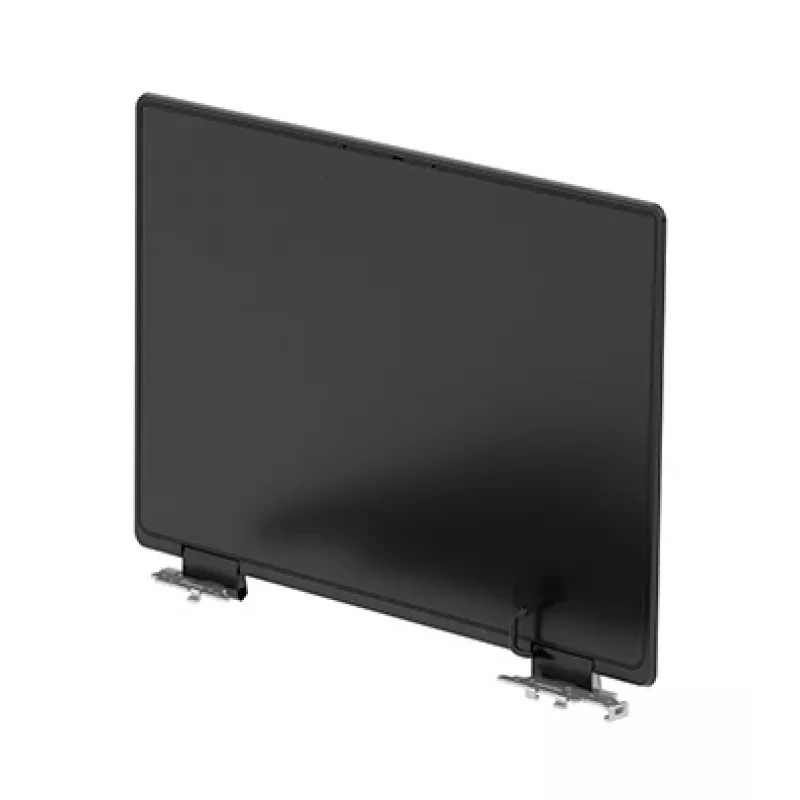
HP N00431-001 laptop spare part Display

HP N00431-001 laptop spare part Display
R9,768
The HP N00431-001 HD is a direct-replacement display panel compatible with certain HP laptop models. This HD screen provides clear visuals with standard high-definition resolution and is intended as a service part to restore or maintain the laptop’s display functionality. It is designed to match the... Read More
Stock Out Of StockNo Stock Code 2528429 Brand HP Model N00431-001 Warranty 2 Years

Shipping & Returns

The HP N00431-001 HD is a direct-replacement display panel compatible with certain HP laptop models. This HD screen provides clear visuals with standard high-definition resolution and is intended as a service part to restore or maintain the laptop’s display functionality. It is designed to match the original display’s form factor and basic optical characteristics for straightforward installation and consistent visual output.

Advantages

This display delivers readable text and clear images with HD-level detail while preserving the laptop’s original screen size and mounting points. It offers consistent color reproduction suitable for everyday use and balanced brightness for typical indoor environments. As an OEM-compatible component, it serves as a practical and reliable replacement to minimize downtime and extend the life of the laptop.

Suitable for

  • Repairing an HP laptop with a damaged or non-functioning screen
  • Replacing a cracked, flickering, or dead display panel
  • Maintaining fleet devices in corporate or educational settings
  • Refurbishing laptops for resale or reuse

Key specifications

  • Screen type: HD laptop display panel
  • Resolution class: High Definition (HD)
  • Compatibility: designed for select HP laptop models (form-factor matched)
  • Panel size: standard laptop diagonal matching original equipment
  • Connector interface: notebook display flex cable compatible with corresponding HP connectors
  • Surface finish: matte or semi-matte typical for laptop use

How to use

Power down the laptop, disconnect the battery and external power before beginning. Remove the bezel and any mounting brackets according to the laptop’s service manual, taking care with display cables and retaining clips. Detach the defective screen from its hinges and disconnect the display flex cable. Position the HP N00431-001 HD replacement panel, connect the flex cable securely, and test the display function before reassembling the bezel and brackets. Reconnect power and verify image quality and mounting stability.

Recommendations

Handle the replacement panel by its edges to avoid pressure on the active area. Use an anti-static wrist strap when working inside the laptop and follow manufacturer guidance for torque and screw order during reassembly. If unsure about compatibility or installation steps, consult a certified technician or refer to official service documentation.

Key Highlights
  • Repairing an HP laptop with a damaged or non-functioning screen
  • Replacing a cracked, flickering, or dead display panel
  • Maintaining fleet devices in corporate or educational settings
  • Refurbishing laptops for resale or reuse
  • Screen type: HD laptop display panel
  • Resolution class: High Definition (HD)
  • Compatibility: designed for select HP laptop models (form-factor matched)
  • Panel size: standard laptop diagonal matching original equipment
  • Connector interface: notebook display flex cable compatible with corresponding HP connectors
  • Surface finish: matte or semi-matte typical for laptop use
Specifications
Brand compatibility
HP
Display resolution
1366 x 768 pixels
Display type
SVA
HD type
HD
Quantity per pack
1 pc(s)
Type
Display

Leaflet

Open Leaflet
Price history is not available yet
We are still collecting enough daily price data for this product.

Popular products in this category

WhatsApp
Hi, I’m DistriNode’s AI assistant. I can help you find products, compare options, create quote PDFs, or open support requests.