Account Contact
Your Cart
Pay on delivery – no extra fees
Need help? Ask our AI

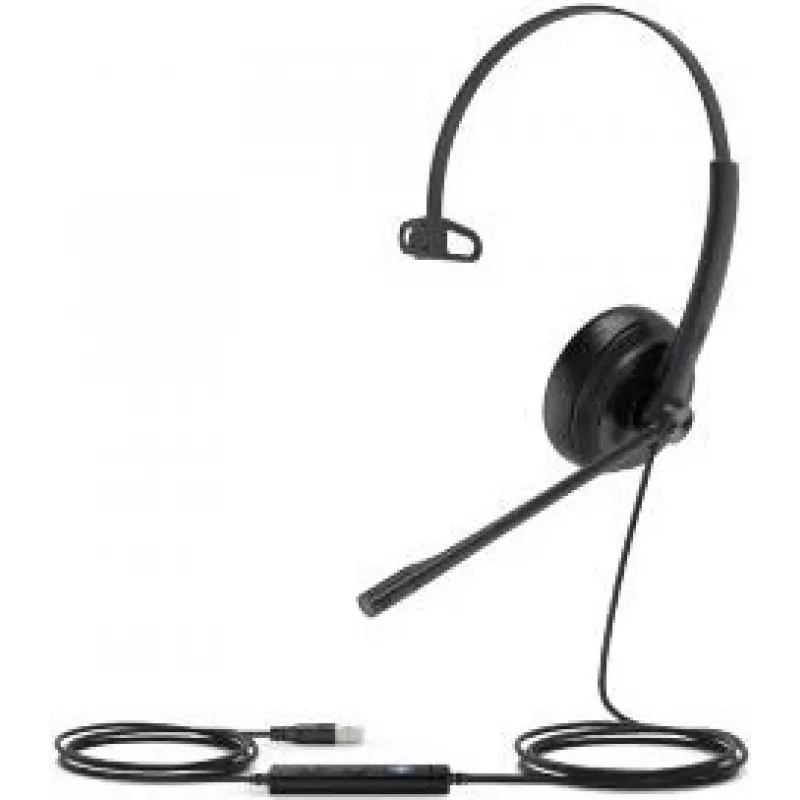
Headset Yealink UH34 SE Mono Teams

Headset Yealink UH34 SE Mono Teams
R1,250
The Yealink UH34 SE Mono Teams headset is a lightweight, USB-connected headset designed for professional communication. It delivers clear audio through a single-ear design and integrates a noise-canceling microphone for improved voice clarity during calls. Built for use with Microsoft Teams, the hea... Read More
Stock Out Of StockNo Stock Code 2238120 Brand Yealink Model 1308031 Warranty 2 Years

Shipping & Returns

The Yealink UH34 SE Mono Teams headset is a lightweight, USB-connected headset designed for professional communication. It delivers clear audio through a single-ear design and integrates a noise-canceling microphone for improved voice clarity during calls. Built for use with Microsoft Teams, the headset supports plug-and-play connection and includes comfortable ear cushions and an adjustable headband for extended wear in remote and office environments.

Advantages

The headset combines a slim, mono design with USB connectivity to provide straightforward setup and reliable compatibility with Microsoft Teams. Noise-canceling microphone technology reduces background sounds to help maintain clear conversations. Soft ear cushions and an adjustable headband contribute to comfort during long periods of use, while the professional audio characteristics are suited to voice calls and virtual meetings.

Suitable for

  • Remote work and home office voice and video calls
  • Office-based telephony and unified communications
  • Microsoft Teams meetings and collaboration
  • Customer support and contact center agents needing single-ear monitoring

Key specifications

  • Form factor: Mono (single-ear) headset
  • Connectivity: USB plug-and-play
  • Microphone: Noise-canceling microphone for clearer voice capture
  • Comfort: Padded ear cushion and adjustable headband for extended wear
  • Compatibility: Designed for use with Microsoft Teams and USB-enabled devices

How to use

Connect the USB plug to a compatible computer or device and allow the operating system to detect the headset. Configure the headset as the input and output device in your system sound settings and in Microsoft Teams or other communication applications. Position the microphone close to the mouth for optimal voice pickup and adjust the headband and ear cushion for a secure, comfortable fit. Use the in-line controls available on supported variants or the application settings to adjust volume and mute when necessary.

Recommendations

For best call quality, use the headset in a quiet environment and keep the microphone oriented toward the mouth. Regularly check connector and cable condition to ensure reliable USB connection. When using for long sessions, take short breaks to reduce ear fatigue and adjust the headband tension for comfort.

Key Highlights
  • Remote work and home office voice and video calls
  • Office-based telephony and unified communications
  • Microsoft Teams meetings and collaboration
  • Customer support and contact center agents needing single-ear monitoring
  • Form factor: Mono (single-ear) headset
  • Connectivity: USB plug-and-play
  • Microphone: Noise-canceling microphone for clearer voice capture
  • Comfort: Padded ear cushion and adjustable headband for extended wear
  • Compatibility: Designed for use with Microsoft Teams and USB-enabled devices
Price history is not available yet
We are still collecting enough daily price data for this product.

Popular products in this category

WhatsApp
Hi, I’m DistriNode’s AI assistant. I can help you find products, compare options, create quote PDFs, or open support requests.