Account Contact
Your Cart
Pay on delivery – no extra fees
Need help? Ask our AI

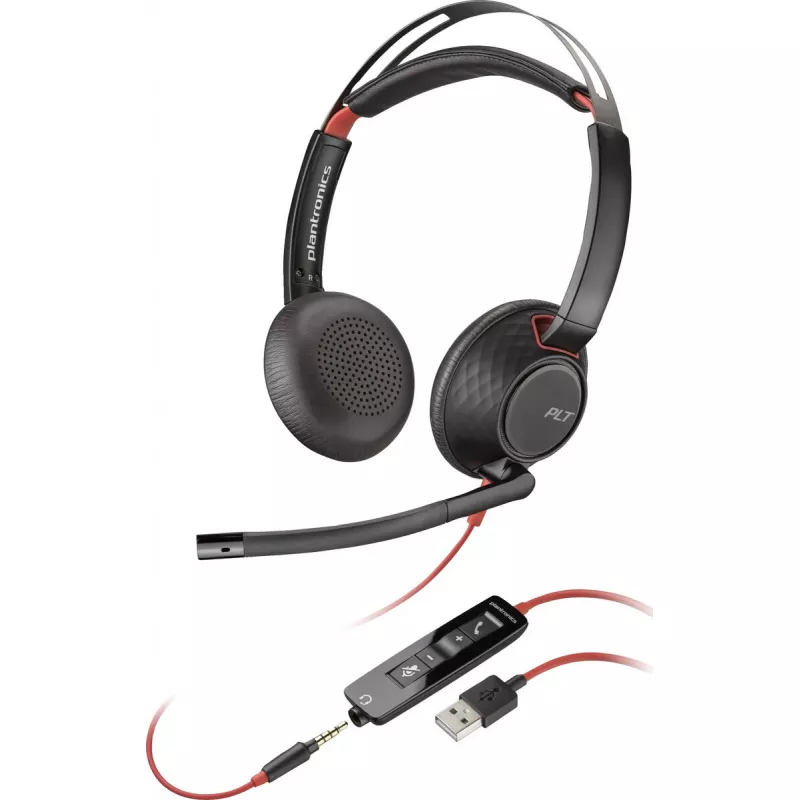
Headset Poly Blackwire 5220 Stereo USB-A — wired stereo USB-A connection, headband, microphone

Headset Poly Blackwire 5220 Stereo USB-A — wired stereo USB-A connection, headband, microphone
R4,070
Poly Blackwire 5220 Stereo USB-A is a wired stereo headset designed for computer and unified communications use. The headset connects via USB‑A and combines stereo speakers with an adjustable headband and a boom microphone to deliver clear audio for calls, meetings and multimedia playback on PCs wit... Read More
Stock Out Of StockNo Stock Code 2569611 Brand POLY Model 80R97A6 Warranty 2 Years

Shipping & Returns

Poly Blackwire 5220 Stereo USB-A is a wired stereo headset designed for computer and unified communications use. The headset connects via USB‑A and combines stereo speakers with an adjustable headband and a boom microphone to deliver clear audio for calls, meetings and multimedia playback on PCs with USB‑A ports. Inline call controls provide quick access to mute and volume functions without leaving the workstation.

Advantages

The headset provides stereo audio reproduction for more detailed sound during multimedia playback and conference calls. An adjustable headband and cushioned ear cups ensure a stable fit for extended use. The boom microphone is positioned for reliable voice capture and helps reduce background noise in typical office and home environments. Wired USB‑A connectivity offers plug‑and‑play operation with wide compatibility for business PCs and workstations.

Suitable for

  • Office telephony and unified communications on desktop PCs
  • Remote work and video conferencing
  • Webinars and online training sessions
  • Listening to music and multimedia during work
  • Customer service and contact centre environments

Key specifications

  • Connection type: Wired USB‑A
  • Audio configuration: Stereo speakers
  • Microphone: Boom microphone for voice capture
  • Controls: Inline call controls (mute, volume)
  • Fit type: Headband with adjustable sizing and cushioned ear pads
  • Compatibility: PCs and devices with USB‑A ports supporting audio

How to use

Connect the USB‑A plug to an available USB‑A port on your computer. Position the headband for a secure and comfortable fit, and adjust the boom microphone so it sits near the mouth but out of the direct airflow. Use the inline controls to mute the microphone or adjust volume during calls. The headset is recognized automatically by most operating systems; select it as the default audio input and output device in your system or conferencing application settings if necessary.

Recommendations

For optimal voice clarity, place the boom microphone approximately 1–2 cm from the corner of your mouth and avoid covering the microphone with clothing. When using the headset for long periods, take regular short breaks to reduce ear fatigue. Ensure your PC's USB drivers are up to date for best compatibility and plug the headset into a direct USB‑A port rather than an unpowered hub when possible.

Key Highlights
  • Office telephony and unified communications on desktop PCs
  • Remote work and video conferencing
  • Webinars and online training sessions
  • Listening to music and multimedia during work
  • Customer service and contact centre environments
  • Connection type: Wired USB‑A
  • Audio configuration: Stereo speakers
  • Microphone: Boom microphone for voice capture
  • Controls: Inline call controls (mute, volume)
  • Fit type: Headband with adjustable sizing and cushioned ear pads
  • Compatibility: PCs and devices with USB‑A ports supporting audio
Price history is not available yet
We are still collecting enough daily price data for this product.

Popular products in this category

WhatsApp
Hi, I’m DistriNode’s AI assistant. I can help you find products, compare options, create quote PDFs, or open support requests.