Account Contact
Your Cart
Pay the courier with no extra fees.
Need help? DistriNode AI can handle any task on our site.

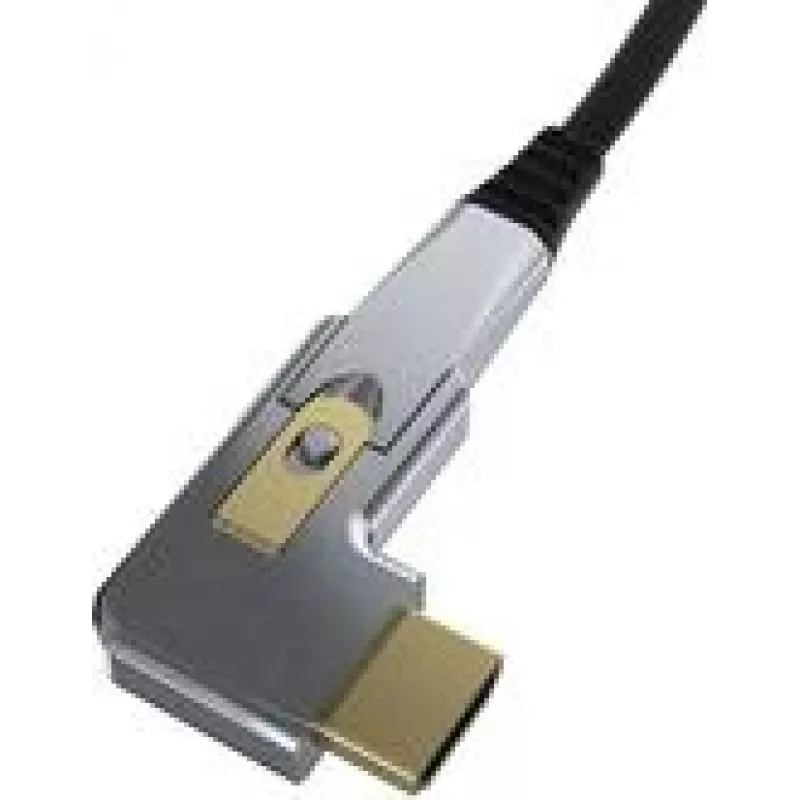
HDMI to DisplayPort Active Optical Adapter Kindermann 4956000 — 20 m cable length

HDMI to DisplayPort Active Optical Adapter Kindermann 4956000 — 20 m cable length
R778
The Kindermann HDMI to DisplayPort Active Optical Adapter (20 m) converts an HDMI source signal into a DisplayPort output using an active optical cable designed for long-distance digital video transmission. This adapter accommodates installations where copper HDMI or DisplayPort cables cannot reliab... Read More
Stock 780 Code 1490142 Brand KINDERMANN Model 4956000 Warranty 2 Years

Shipping & Returns

Estimated delivery Tuesday, October 6
You will be kept updated through our detailed tracking system
Payment options
EFTPayFastBank CardSnapScanZapperGoogle PayApple PayMobicredMoreTymePay on Arrival

The Kindermann HDMI to DisplayPort Active Optical Adapter (20 m) converts an HDMI source signal into a DisplayPort output using an active optical cable designed for long-distance digital video transmission. This adapter accommodates installations where copper HDMI or DisplayPort cables cannot reliably maintain signal integrity over longer runs. The integrated optical cable provides stable connectivity with reduced signal attenuation and is suitable for permanent AV installations, meeting-room setups and digital signage applications.

Advantages

The active optical design minimizes signal loss and electromagnetic interference compared with long copper runs, enabling clean transmission of high-resolution video across a 20 m distance. The adapter supports a plug-and-play workflow without the need for external power supplies in typical setups and keeps connector compatibility between HDMI sources and DisplayPort displays. Its compact inline module simplifies installation and reduces cable clutter in professional AV environments.

Suitable for

Key specifications

How to use

Connect the HDMI end of the adapter to the HDMI output of your source device and plug the DisplayPort end into the display or projector. Power requirements are typically met through the connected HDMI source; verify source compatibility if external power is needed. After connections are made, select the appropriate input on the display; most systems will detect the signal automatically. Route the optical cable along the installation path, avoiding sharp bends to preserve the integrity of the fiber.

Recommendations

For reliable operation, avoid tight bends and excessive tension on the optical cable, keep connectors free of dust and ensure the source device supports HDMI output modes compatible with the target DisplayPort display. For installations with wall boxes or conduits, verify bend radius requirements and allow service loops for maintenance access.

Key Highlights
  • Conference rooms and lecture halls
  • Classrooms and training facilities
  • Digital signage and retail displays
  • AV racks and fixed installations where long runs are required
  • Cable length: 20 m optical cable
  • Conversion direction: HDMI (source) to DisplayPort (display)
  • Signal medium: active optical transmission
  • Connector types: HDMI male input, DisplayPort male output
  • Video support: high-resolution digital video suitable for typical AV use (refer to device compatibility for exact resolutions and refresh rates)
  • Typical installation: fixed or semi-permanent AV installations
Price history over the last 6 months
HDMI to DisplayPort Active Optical Adapter Kindermann 4956000 — 20 m cable length
Current
R778
Lowest
R766
Highest
R1,110
Change 24H
+R9   +1%
Week
-R302   -28%
Month
-R306   -28%

Popular products in this category

WhatsApp
Hi, I’m DistriNode’s AI assistant. I can help you find products, compare options, create quote PDFs, or open support requests.