Account Contact
Your Cart
Pay the courier with no extra fees.
Need help? DistriNode AI can handle any task on our site.

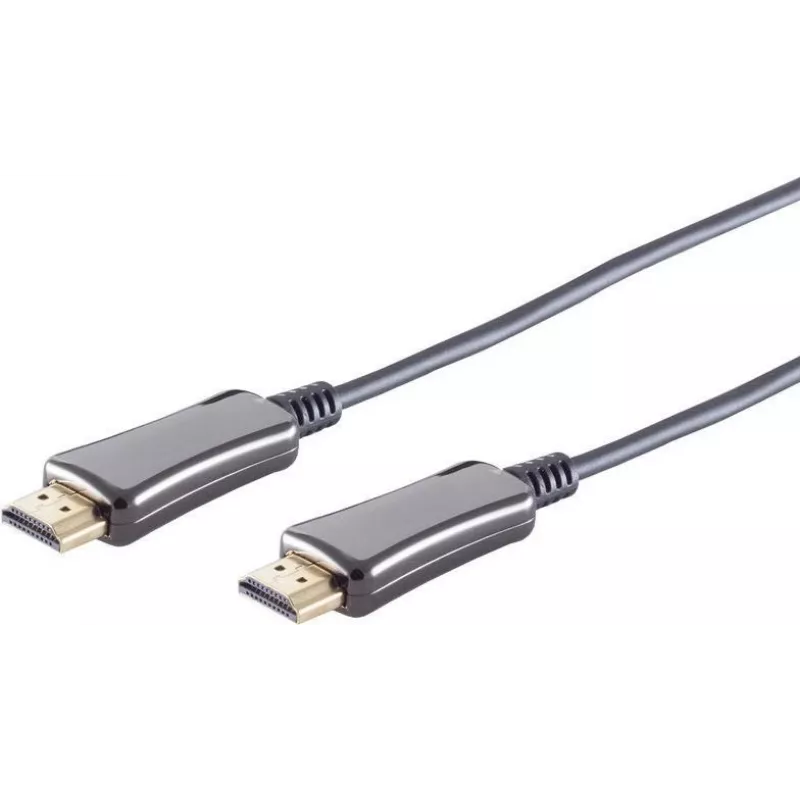
HDMI cable ShiverPeaks 30-05485, 30 m, 4K 60Hz

HDMI cable ShiverPeaks 30-05485, 30 m, 4K 60Hz
R1,126
ShiverPeaks HDMI cable 30-05485 is a 30-meter high-speed HDMI lead designed to deliver digital video and audio signals up to 4K resolution at 60 Hz. The cable provides a single-cable connection for TVs, monitors, projectors and AV equipment where extended cable runs are necessary. Built for installa... Read More
Stock 24 Code 2351655 Brand SHIVERPEAKS Model 30-05485 Warranty 2 Years

Shipping & Returns

Estimated delivery Tuesday, October 6
You will be kept updated through our detailed tracking system
Payment options
EFTPayFastBank CardSnapScanZapperGoogle PayApple PayMobicredMoreTymePay on Arrival

ShiverPeaks HDMI cable 30-05485 is a 30-meter high-speed HDMI lead designed to deliver digital video and audio signals up to 4K resolution at 60 Hz. The cable provides a single-cable connection for TVs, monitors, projectors and AV equipment where extended cable runs are necessary. Built for installations that require reliable signal transmission over longer distances, it supports standard HDTV and multimedia setups without additional converters.

Advantages

The cable supports 4K@60Hz, ensuring full-motion video at UHD resolution for compatible displays. Its 30 m length enables flexible placement of display and source devices in living rooms, meeting rooms or installation scenarios. The single HDMI connection carries both audio and video, simplifying cabling and reducing the number of connectors needed. The cable’s construction is intended for stable data transfer across extended distances, making it suitable for wired AV setups.

Suitable for

  • Connecting 4K televisions to media players, set-top boxes or receivers over long distances
  • Feeding projectors from PCs or AV switchers in conference rooms and classrooms
  • Wiring home cinema systems where the source and display are separated
  • Professional AV installations that require single-cable audio/video transmission

Key specifications

  • Length: 30 m
  • Maximum supported resolution: 4K (3840×2160) at 60 Hz
  • Signal type: digital HDMI audio and video
  • Connector type: standard HDMI male-to-male
  • Colour: black

How to use

Connect one end of the HDMI cable to the HDMI output of your source device (PC, Blu-ray player, set-top box or AV receiver) and the other end to the HDMI input on your display device (TV, monitor or projector). Power on both devices and select the corresponding HDMI input on the display. If necessary, configure the output resolution of the source device to 3840×2160 at 60 Hz within its display or video settings. Ensure connectors are fully inserted to maintain a stable connection.

Recommendations

For reliable performance over 30 m runs, avoid tight bends near the connectors and keep the cable away from high-power electrical cables or large sources of EMI. Verify that both source and display support 4K@60Hz and appropriate HDMI modes; if a device does not negotiate the desired resolution, check cable seating and device settings before replacing hardware.

Key Highlights
  • Connecting 4K televisions to media players, set-top boxes or receivers over long distances
  • Feeding projectors from PCs or AV switchers in conference rooms and classrooms
  • Wiring home cinema systems where the source and display are separated
  • Professional AV installations that require single-cable audio/video transmission
  • Length: 30 m
  • Maximum supported resolution: 4K (3840×2160) at 60 Hz
  • Signal type: digital HDMI audio and video
  • Connector type: standard HDMI male-to-male
  • Colour: black
Price history over the last 6 months
HDMI cable ShiverPeaks 30-05485, 30 m, 4K 60Hz
Current
R1,126
Lowest
R1,111
Highest
R1,126
Change 24H
+R11   +1%
Week
—   
Month
—   

Popular products in this category

WhatsApp
Hi, I’m DistriNode’s AI assistant. I can help you find products, compare options, create quote PDFs, or open support requests.