Account Contact
Your Cart
Pay the courier with no extra fees.
Need help? DistriNode AI can handle any task on our site.

Hama 00205031 coaxial cable 10 m Coax White

Hama 00205031 coaxial cable 10 m Coax White
R610
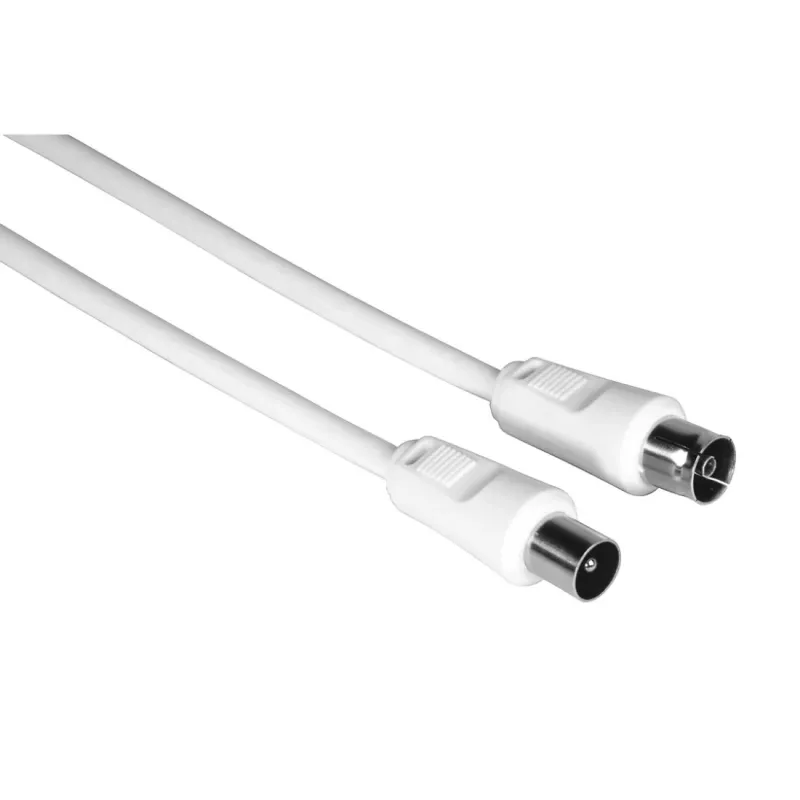
The Hama 00205031 10 m Coax White is a 10‑metre coaxial cable with coax connectors on both ends, designed for audio and video signal transmission between home entertainment devices. The cable is intended to maintain signal integrity over its length and to provide a reliable physical connection betwe... Read More
Stock 400 Code 2212065 Brand HAMA Model 00205031 Warranty 2 Years

Shipping & Returns

Estimated delivery Tuesday, October 6
You will be kept updated through our detailed tracking system
Payment options
EFTPayFastBank CardSnapScanZapperGoogle PayApple PayMobicredMoreTymePay on Arrival

The Hama 00205031 10 m Coax White is a 10‑metre coaxial cable with coax connectors on both ends, designed for audio and video signal transmission between home entertainment devices. The cable is intended to maintain signal integrity over its length and to provide a reliable physical connection between TVs, set‑top boxes and satellite receivers. Its white outer jacket suits installations where a discreet appearance is preferred.

Advantages

This coaxial cable offers a consistent characteristic impedance optimized for audio/video applications to reduce reflections and signal degradation. The 10 m length covers typical distances between wall sockets and AV equipment without the need for extension adapters. The white sheath provides basic protection against abrasion and is suitable for visible runs along walls or skirting boards. Connectors on both ends ensure quick plug‑and‑play installation without additional tools.

Suitable for

  • Connecting a television to a satellite receiver or set‑top box
  • Linking a digital TV tuner to a wall outlet
  • Replacing an existing in‑room coaxial lead for AV systems

Key specifications

  • Cable type: coaxial with male coaxial connectors on both ends
  • Length: 10 metres
  • Outer jacket colour: white
  • Intended use: audio and video signal transmission
  • Typical impedance: suitable for standard TV/satellite installations

How to use

Connect one end of the coaxial cable to the coax output of the transmitter device (for example, a satellite receiver or wall outlet) and the other end to the coax input of the receiving device (for example, a television or set‑top box). Ensure connectors are fully seated and hand‑tightened to avoid loose connections. Route the cable to avoid sharp bends and excessive tension; when running along walls, use cable clips or adhesive cable holders to secure it in place.

Recommendations

For optimal performance, avoid running the coaxial cable in parallel with mains power cables for long stretches to reduce potential interference. When installing in areas exposed to moisture or outdoor environments, use a cable and connectors rated for those conditions instead of an indoor coaxial cable. Inspect connectors periodically for corrosion or looseness and replace the cable if physical damage or persistent signal issues occur.

Key Highlights
  • Ideal for connecting a TV to antenna sockets with coax connection, for example
  • Double-shielded (braiding + aluminium foil)
  • Ideal for cable TV
  • 10 m White
  • Coax Male Straight
  • Coax Female Straight
  • Magnetically shielded 75 Ω
  • 75 dB
  • Jacket material: Aluminum
Specifications
Cable length
10 m
Connector 1
Coax
Connector 1 form factor
Straight
Connector 1 gender
Male
Connector 2
Coax
Connector 2 form factor
Straight
Connector 2 gender
Female
Gain
75 dB
Impedance
75 Ω
Jacket material
Aluminum
Magnetically shielded
Yes
Product colour
White
Quantity per pack
1 pc(s)

Leaflet

Open Leaflet
Price history over the last 6 months
Hama 00205031 coaxial cable 10 m Coax White
Current
R610
Lowest
R578
Highest
R610
Change 24H
+R30   +5%
Week
—   
Month
—   

Popular products in this category

WhatsApp
Hi, I’m DistriNode’s AI assistant. I can help you find products, compare options, create quote PDFs, or open support requests.