Account Contact
Your Cart
Pay the courier with no extra fees.
Need help? DistriNode AI can handle any task on our site.

Filter set Freewell FW-DFL-BRG for DJI Flip 6 filters – Bridge adapter set

Filter set Freewell FW-DFL-BRG for DJI Flip 6 filters – Bridge adapter set
R783
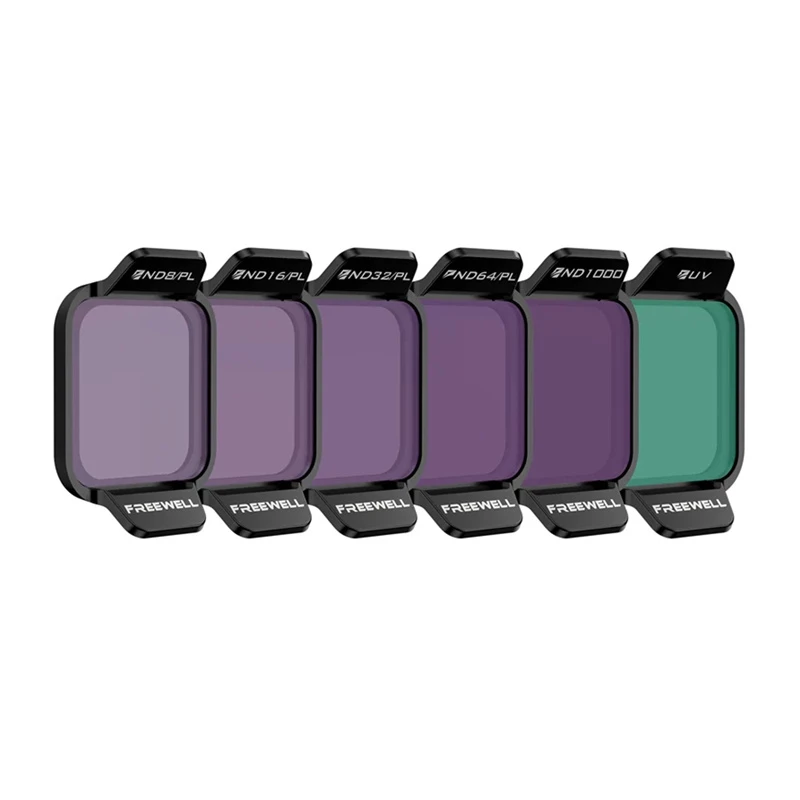
Freewell Bright Day filter set of 6 for DJI Flip provides a versatile selection of neutral density and protective filters designed for the DJI Flip drone. The set contains high-quality optical glass filters that reduce glare, control exposure, and protect the camera lens while maintaining accurate c... Read More
Stock 142 Code 876635 Brand FREEWELL Model FW-DFL-BRG Warranty 2 Years

Shipping & Returns

Estimated delivery Monday, October 5
You will be kept updated through our detailed tracking system
Payment options
EFTPayFastBank CardSnapScanZapperGoogle PayApple PayMobicredMoreTymePay on Arrival

Freewell Bright Day filter set of 6 for DJI Flip provides a versatile selection of neutral density and protective filters designed for the DJI Flip drone. The set contains high-quality optical glass filters that reduce glare, control exposure, and protect the camera lens while maintaining accurate color reproduction and image clarity. The included bridge/adapter components enable correct mounting and alignment with the Flip 6 system for secure attachment and consistent optical positioning.

Advantages

The set combines ND/PL filters for managing reflections and light levels on bright days, an ND1000 filter for long-exposure effects, and a UV filter for lens protection and improved clarity. Filters are made from high-quality optical glass for precise color and minimal image degradation. Lightweight construction and a protective case keep the filters portable and safe without affecting the drone's flight performance.

Suitable for

  • aerial photography and videography with DJI Flip
  • reducing glare and reflections in bright sunlight
  • creating long-exposure effects (water smoothing, cloud streaks) using ND1000
  • protecting lens from dust, scratches and fingerprints with UV filter

Key specifications

  • Manufacturer: Freewell
  • Model: FW-DFL-BRG
  • Compatibility: DJI Flip (Flip 6 bridge/adapter)
  • Filter types included: ND8/PL, ND16/PL, ND32/PL, ND64/PL, ND1000, UV
  • Material: High quality optical glass

How to use

Attach the bridge/adapter to the DJI Flip camera following the Flip 6 mounting procedure, then select and mount the required filter according to ambient light and the desired effect. Use ND/PL filters to reduce exposure and control reflections in bright conditions, and mount the ND1000 for long-exposure shots. Keep the UV filter on when you want continuous physical protection for the lens. Store filters in the supplied protective case when not in use and clean with the supplied cloth or a suitable lens-cleaning solution.

Recommendations

When using ND/PL filters, check exposure settings and white balance after mounting to ensure correct color and exposure. For long exposures with ND1000, use a stable mount and avoid abrupt drone movements. Regularly inspect and clean filter surfaces to prevent image artifacts; keep the protective case for transport.
Key Highlights
  • aerial photography and videography with DJI Flip
  • reducing glare and reflections in bright sunlight
  • creating long-exposure effects (water smoothing, cloud streaks) using ND1000
  • protecting lens from dust, scratches and fingerprints with UV filter
  • Manufacturer: Freewell
  • Model: FW-DFL-BRG
  • Compatibility: DJI Flip (Flip 6 bridge/adapter)
  • Filter types included: ND8/PL, ND16/PL, ND32/PL, ND64/PL, ND1000, UV
  • Material: High quality optical glass
Price history over the last 6 months
Filter set Freewell FW-DFL-BRG for DJI Flip 6 filters – Bridge adapter set
Current
R783
Lowest
R752
Highest
R943
Change 24H
+R9   +1%
Week
+R22   +3%
Month
+R26   +3%

Popular products in this category

WhatsApp
Hi, I’m DistriNode’s AI assistant. I can help you find products, compare options, create quote PDFs, or open support requests.