Account Contact
Your Cart
Pay the courier with no extra fees.
Need help? DistriNode AI can handle any task on our site.

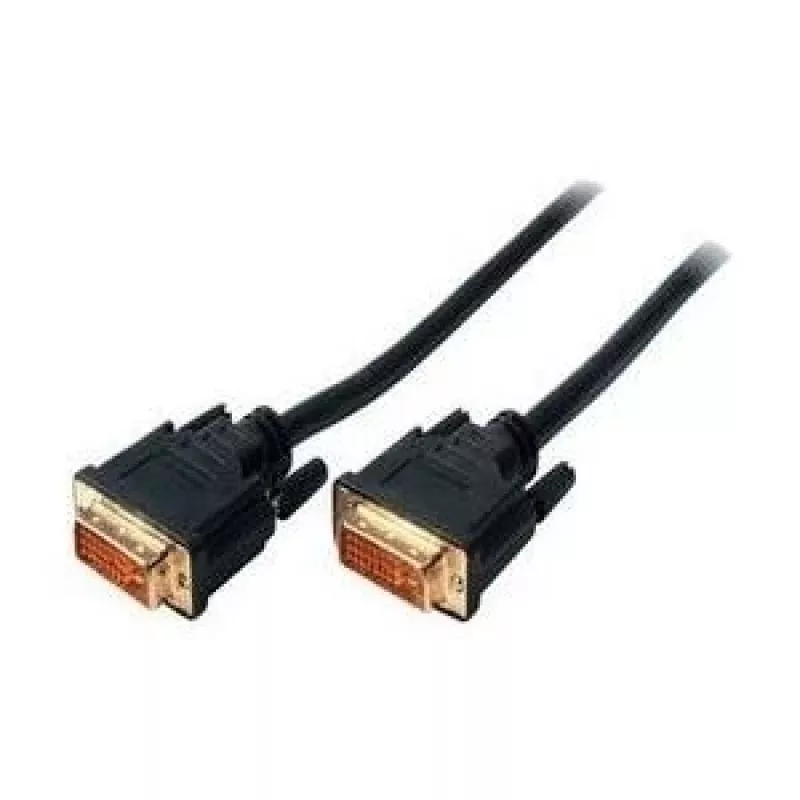
DVI cable ShiverPeaks BS77441 1.5 m DVI-D Black

DVI cable ShiverPeaks BS77441 1.5 m DVI-D Black
R387
The ShiverPeaks BS77441 1.5 m DVI-D cable provides a direct digital connection between video sources and displays. With DVI-D connectors on both ends and a 1.5 m length, this black cable supports uncompressed digital video signals for monitors, projectors and other display devices that accept DVI-D ... Read More
Stock 175 Code 2202384 Brand SHIVERPEAKS Model BS77441 Warranty 2 Years

Shipping & Returns

Estimated delivery Tuesday, October 6
You will be kept updated through our detailed tracking system
Payment options
EFTPayFastBank CardSnapScanZapperGoogle PayApple PayMobicredMoreTymePay on Arrival

The ShiverPeaks BS77441 1.5 m DVI-D cable provides a direct digital connection between video sources and displays. With DVI-D connectors on both ends and a 1.5 m length, this black cable supports uncompressed digital video signals for monitors, projectors and other display devices that accept DVI-D inputs. The cable is designed for reliable signal transfer and everyday use in both home and professional settings.

Advantages

This DVI-D cable delivers a pure digital video path that reduces conversion losses and interference compared with analog connections. The 1.5 m length offers flexibility for typical desk and AV installations without excess cable clutter. A black finish provides a discreet, professional appearance, while robust connector housings and shielding improve durability and signal integrity over time.

Suitable for

  • Connecting desktop PCs or graphics cards to DVI-D capable monitors
  • Linking laptops or media players with DVI-D outputs to projectors
  • Replacing worn or lost DVI-D cables in office or studio setups
  • Temporary AV installations where a short, reliable digital video link is needed

Key specifications

  • Cable length: 1.5 m
  • Connector type (both ends): DVI-D
  • Signal type: Digital video (single-link compatibility)
  • Colour: Black
  • Construction: Shielded cable with molded connector housings

How to use

Identify the DVI-D ports on your source device (for example a graphics card or media player) and on the display device. Align each DVI-D connector with the corresponding port and gently insert until the connector is fully seated; secure any thumbscrews if present. Use the 1.5 m length to route the cable without forcing bends that exceed the cables bend radius. Power on the devices and select the proper input on the display to begin digital video transmission.

Recommendations

For best performance, avoid running the DVI-D cable parallel to power cords or strong electromagnetic sources. Keep connectors clean and handle the cable by the connector bodies when inserting or removing to reduce strain. If you require resolutions beyond single-link DVI limits, verify device compatibility before use.

Key Highlights
  • Connecting desktop PCs or graphics cards to DVI-D capable monitors
  • Linking laptops or media players with DVI-D outputs to projectors
  • Replacing worn or lost DVI-D cables in office or studio setups
  • Temporary AV installations where a short, reliable digital video link is needed
  • Cable length: 1.5 m
  • Connector type (both ends): DVI-D
  • Signal type: Digital video (single-link compatibility)
  • Colour: Black
  • Construction: Shielded cable with molded connector housings
Specifications
AWG wire size
30
Cable length
1.5 m
Cable material
Copper
Connector 1
DVI-D
Connector 1 gender
Male
Connector 1 pinout
24+1
Connector 2
DVI-D
Connector 2 gender
Male
Connector 2 pinout
24+1
Connector contacts plating
Gold
Product colour
Black
Price history over the last 6 months
DVI cable ShiverPeaks BS77441 1.5 m DVI-D Black
Current
R387
Lowest
R377
Highest
R387
Change 24H
+R9   +2%
Week
—   
Month
—   

Popular products in this category

WhatsApp
Hi, I’m DistriNode’s AI assistant. I can help you find products, compare options, create quote PDFs, or open support requests.