Account Contact
Your Cart
Pay the courier with no extra fees.
Need help? DistriNode AI can handle any task on our site.

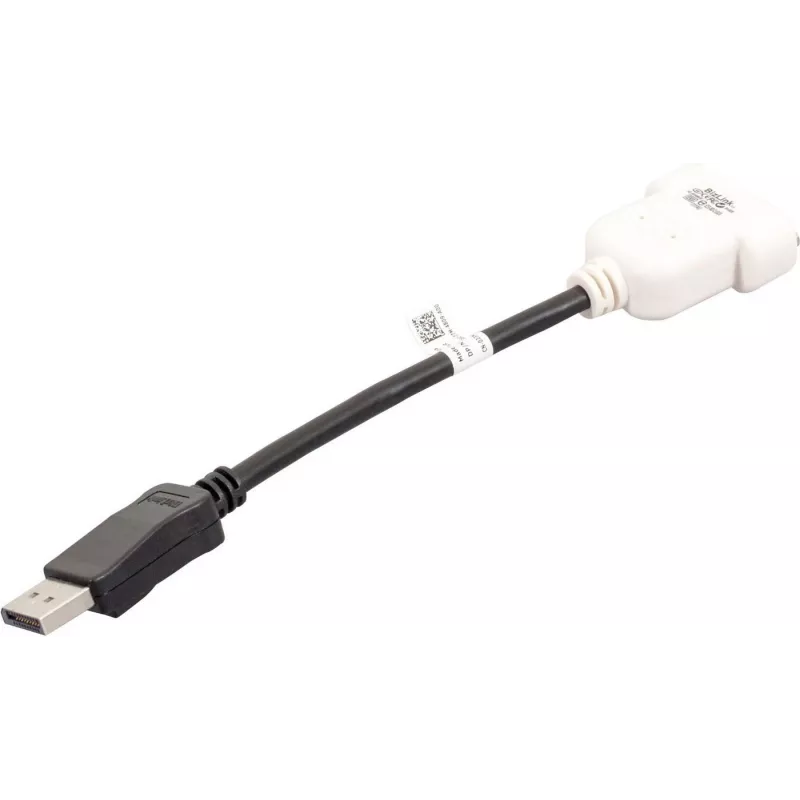
DisplayPort to DVI-D Cable DELL 023NVR 0.23m Black White

DisplayPort to DVI-D Cable DELL 023NVR 0.23m Black White
R809
The Dell DisplayPort to DVI-D Cable (0.23 m) connects a DisplayPort-enabled computer or graphics source to a DVI-D monitor or projector. The short, purpose-built cable carries digital video signals from a DisplayPort output to a single-link DVI-D input, delivering clear images up to 1920x1200 resolu... Read More
Stock 42 Code 1506596 Brand DELL Model 23NVR Warranty 2 Years

Shipping & Returns

Estimated delivery Tuesday, October 6
You will be kept updated through our detailed tracking system
Payment options
EFTPayFastBank CardSnapScanZapperGoogle PayApple PayMobicredMoreTymePay on Arrival

The Dell DisplayPort to DVI-D Cable (0.23 m) connects a DisplayPort-enabled computer or graphics source to a DVI-D monitor or projector. The short, purpose-built cable carries digital video signals from a DisplayPort output to a single-link DVI-D input, delivering clear images up to 1920x1200 resolution. Its compact length and two-tone black-and-white finish suit desktop setups where a direct, low-profile connection is required without excess cable slack.

Advantages

This cable provides a simple, passive conversion from DisplayPort to DVI-D with a reliable physical fit and a compact form factor. The short 0.23 m length reduces clutter and signal degradation for close-proximity connections. Constructed to Dell’s quality standards, the cable supports stable digital video transmission and is compatible with a broad range of laptops and desktop graphics cards featuring DisplayPort outputs.

Suitable for

  • Connecting a laptop or desktop DisplayPort output to a DVI-D monitor or projector
  • Short, tidy connections in office workstations or home desktop setups
  • Replacing a damaged or missing short display cable

Key specifications

  • Connector type: DisplayPort (source) to DVI-D (display)
  • Supported maximum resolution: up to 1920 x 1200 (single-link DVI-D)
  • Cable length: 0.23 meters
  • Signal type: digital video only (no audio)
  • Colour: black and white

How to use

Power off both devices if recommended by the manufacturer, then insert the DisplayPort connector into the computer’s DisplayPort output and the DVI-D connector into the display’s DVI-D input. Ensure both connectors are fully seated for a secure connection. Power on the display and computer, then select the appropriate input on the monitor if it does not switch automatically. Adjust display settings in your operating system to set resolution and display arrangement as needed.

Recommendations

Use this short cable for situations where the source and display are close together to minimize cable clutter. Because this is a passive DisplayPort-to-DVI-D connection, verify that the graphics output supports legacy DVI signaling if using certain adapters or older devices. For longer runs or multi-monitor setups, consider a longer cable or an active adapter that supports higher resolutions and additional features.

Key Highlights
  • Connecting a laptop or desktop DisplayPort output to a DVI-D monitor or projector
  • Short, tidy connections in office workstations or home desktop setups
  • Replacing a damaged or missing short display cable
  • Connector type: DisplayPort (source) to DVI-D (display)
  • Supported maximum resolution: up to 1920 x 1200 (single-link DVI-D)
  • Cable length: 0.23 meters
  • Signal type: digital video only (no audio)
  • Colour: black and white
Specifications
Cable length
0.23 m
Connector 1
DVI-D
Connector 1 gender
Male
Connector 2
DisplayPort
Connector 2 gender
Male
Harmonized System (HS) code
84733080
Product colour
Black, White

Leaflet

Open Leaflet
Price history over the last 6 months
DisplayPort to DVI-D Cable DELL 023NVR 0.23m Black White
Current
R809
Lowest
R798
Highest
R809
Change 24H
+R10   +1%
Week
—   
Month
—   

Popular products in this category

WhatsApp
Hi, I’m DistriNode’s AI assistant. I can help you find products, compare options, create quote PDFs, or open support requests.