Account Contact
Your Cart
Pay the courier with no extra fees.
Need help? DistriNode AI can handle any task on our site.

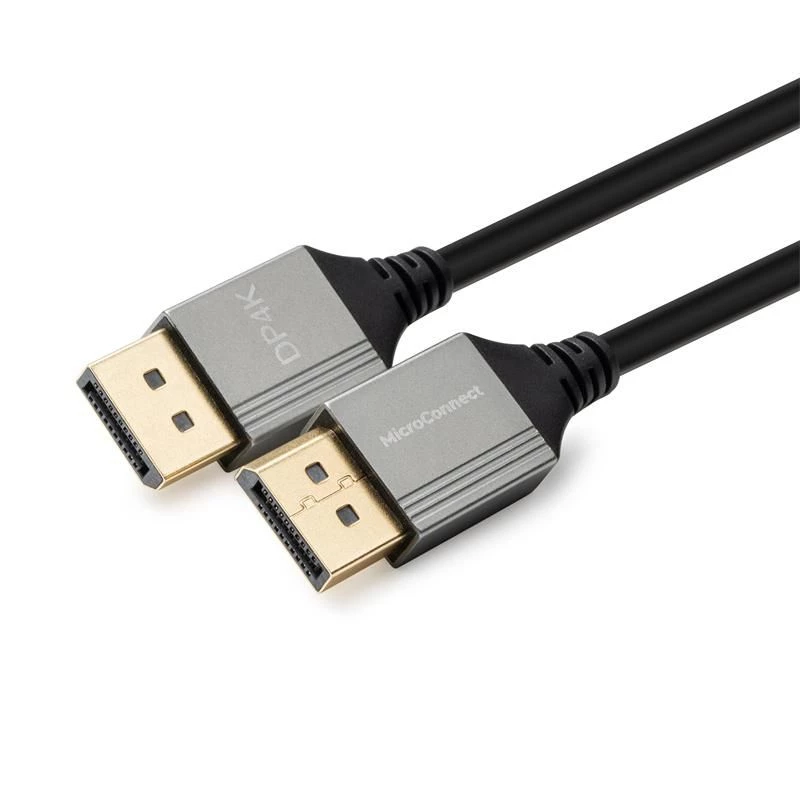
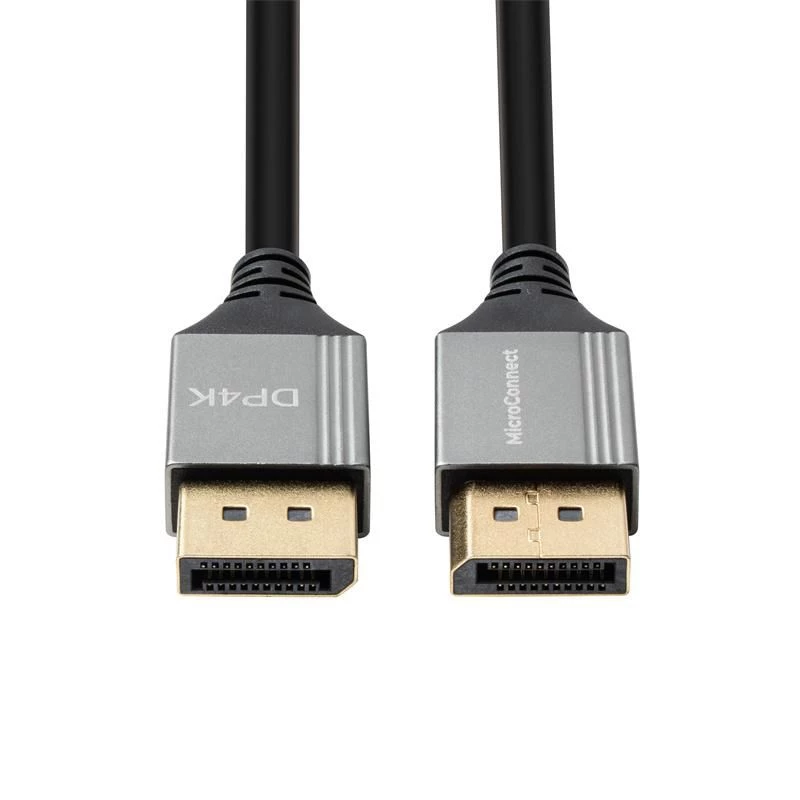
DisplayPort cable MicroConnect MC-DP-MMG-200US — DisplayPort to DisplayPort, 2.0 m

DisplayPort cable MicroConnect MC-DP-MMG-200US — DisplayPort to DisplayPort, 2.0 m
R648
MicroConnect MC-DP-MMG-200US — DisplayPort to DisplayPort, 2.0 m is a DisplayPort cable designed to connect PCs, laptops and monitors over a two-metre length. The cable transmits digital video and audio signals for high-resolution displays and multi-monitor setups, providing a direct DisplayPort lin... Read More
Stock 243 Code 1727298 Brand MICROCONNECT Model MC-DP-MMG-200US Warranty 2 Years

Shipping & Returns

Estimated delivery Tuesday, October 6
You will be kept updated through our detailed tracking system
Payment options
EFTPayFastBank CardSnapScanZapperGoogle PayApple PayMobicredMoreTymePay on Arrival

MicroConnect MC-DP-MMG-200US — DisplayPort to DisplayPort, 2.0 m is a DisplayPort cable designed to connect PCs, laptops and monitors over a two-metre length. The cable transmits digital video and audio signals for high-resolution displays and multi-monitor setups, providing a direct DisplayPort link for home, office or professional environments.

Advantages

This DisplayPort cable offers a slim profile and durable construction that fits modern, space-conscious setups. It supports reliable digital signal transmission between compatible devices over a 2.0 m length, reducing the need for adapters while maintaining straightforward plug-and-play operation. The cable is suitable for continuous use in typical desktop and workstation scenarios.

Suitable for

  • Connecting a laptop to an external DisplayPort monitor
  • Linking a desktop PC to a DisplayPort-enabled display
  • Setting up multi-monitor configurations using DisplayPort inputs
  • Replacing or extending an existing DisplayPort connection within a 2.0 m range

Key specifications

  • Cable type: DisplayPort to DisplayPort
  • Length: 2.0 m
  • Signal: digital video and audio over DisplayPort
  • Compatibility: standard DisplayPort-equipped PCs, laptops and monitors

How to use

Connect one DisplayPort connector to the source device (PC or laptop) and the other end to the target display. Ensure both devices are powered on and set the monitor to the correct DisplayPort input if required. The connection is plug-and-play for most operating systems; adjust display settings such as resolution and refresh rate through the computer's display control panel as needed.

Recommendations

Use the cable within its 2.0 m length to preserve signal integrity. Avoid tight bends near the connectors and route the cable to prevent sharp kinks. When connecting multiple displays, configure display arrangement and resolution in the operating system to match the capabilities of the monitor and source device.

Key Highlights
  • Connecting a laptop to an external DisplayPort monitor
  • Linking a desktop PC to a DisplayPort-enabled display
  • Setting up multi-monitor configurations using DisplayPort inputs
  • Replacing or extending an existing DisplayPort connection within a 2.0 m range
  • Cable type: DisplayPort to DisplayPort
  • Length: 2.0 m
  • Signal: digital video and audio over DisplayPort
  • Compatibility: standard DisplayPort-equipped PCs, laptops and monitors

Leaflet

Open Leaflet
Price history over the last 6 months
DisplayPort cable MicroConnect MC-DP-MMG-200US — DisplayPort to DisplayPort, 2.0 m
Current
R648
Lowest
R159
Highest
R648
Change 24H
+R43   +7%
Week
+R490   +308%
Month
+R489   +307%

Popular products in this category

WhatsApp
Hi, I’m DistriNode’s AI assistant. I can help you find products, compare options, create quote PDFs, or open support requests.