Account Contact
Your Cart
Pay the courier with no extra fees.
Need help? DistriNode AI can handle any task on our site.

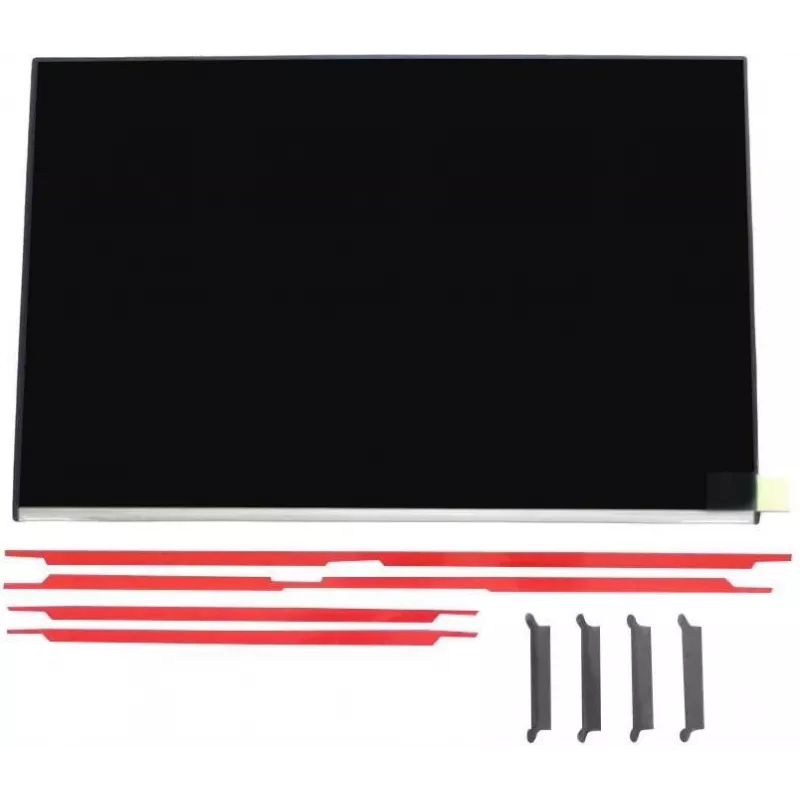
Display for HP laptop P06011-001 WUXGA compatible with EliteBook 640 G11

Display for HP laptop P06011-001 WUXGA compatible with EliteBook 640 G11
R4,166
Replacement display module P06011-001 compatible with HP EliteBook 640 G11. This WUXGA panel provides Full HD+ clarity and matches the original form factor and connectors, intended as a spare part for screen repairs or upgrades to restore laptop visual performance for office work, web browsing and m... Read More
Stock 14 Code 1540709 Brand HP Model P06011-001 Warranty 2 Years

Shipping & Returns

Estimated delivery Tuesday, October 6
You will be kept updated through our detailed tracking system
Payment options
EFTPayFastBank CardSnapScanZapperGoogle PayApple PayMobicredMoreTymePay on Arrival

Replacement display module P06011-001 compatible with HP EliteBook 640 G11. This WUXGA panel provides Full HD+ clarity and matches the original form factor and connectors, intended as a spare part for screen repairs or upgrades to restore laptop visual performance for office work, web browsing and multimedia.

Advantages

The WUXGA resolution delivers higher-than-standard HD detail suitable for text, spreadsheets and video playback. The module is designed to be compatible with the EliteBook 640 G11 mechanical fittings and connector layout, allowing straightforward replacement without modifying the laptop chassis. Supplied as a single unit optimized for repair and maintenance tasks.

Suitable for

  • Replacing a damaged or non-functional screen on HP EliteBook 640 G11
  • Repair and maintenance workflows in service centres
  • Upgrading a worn or low-resolution display to WUXGA quality

Key specifications

  • Panel type: WUXGA (Full HD+)
  • Compatibility: HP EliteBook 640 G11
  • Quantity: 1 display module
  • Form factor: module matching original laptop dimensions and connector layout

How to use

Power down the laptop and disconnect all cables and battery if applicable. Remove the bezel and existing display following manufacturer service instructions or a compatible repair guide, then disconnect the old display cable. Install the replacement WUXGA module, reconnect the display cable and reassemble the bezel and any removed parts. Power on the laptop and verify display operation and alignment.

Recommendations

Handle the display module by its edges, avoid touching the panel surface and use an anti-static wrist strap when performing the replacement. Follow official HP service procedures or professional repair guidance to ensure correct installation and to avoid damage to connectors or the laptop chassis.
Key Highlights
  • Replacing a damaged or non-functional screen on HP EliteBook 640 G11
  • Repair and maintenance workflows in service centres
  • Upgrading a worn or low-resolution display to WUXGA quality
  • Panel type: WUXGA (Full HD+)
  • Compatibility: HP EliteBook 640 G11
  • Quantity: 1 display module
  • Form factor: module matching original laptop dimensions and connector layout
Specifications
Brand compatibility
HP
Compatibility
EliteBook 640 G11
Display resolution
1920 x 1200 pixels
HD type
WUXGA
Quantity per pack
1 pc(s)
Type
Display

Leaflet

Open Leaflet
Price history over the last 6 months
Display for HP laptop P06011-001 WUXGA compatible with EliteBook 640 G11
Current
R4,166
Lowest
R4,157
Highest
R4,172
Change 24H
+R0   +0%
Week
—   
Month
—   

Popular products in this category

WhatsApp
Hi, I’m DistriNode’s AI assistant. I can help you find products, compare options, create quote PDFs, or open support requests.