Account Contact
Your Cart
Pay the courier with no extra fees.
Need help? DistriNode AI can handle any task on our site.

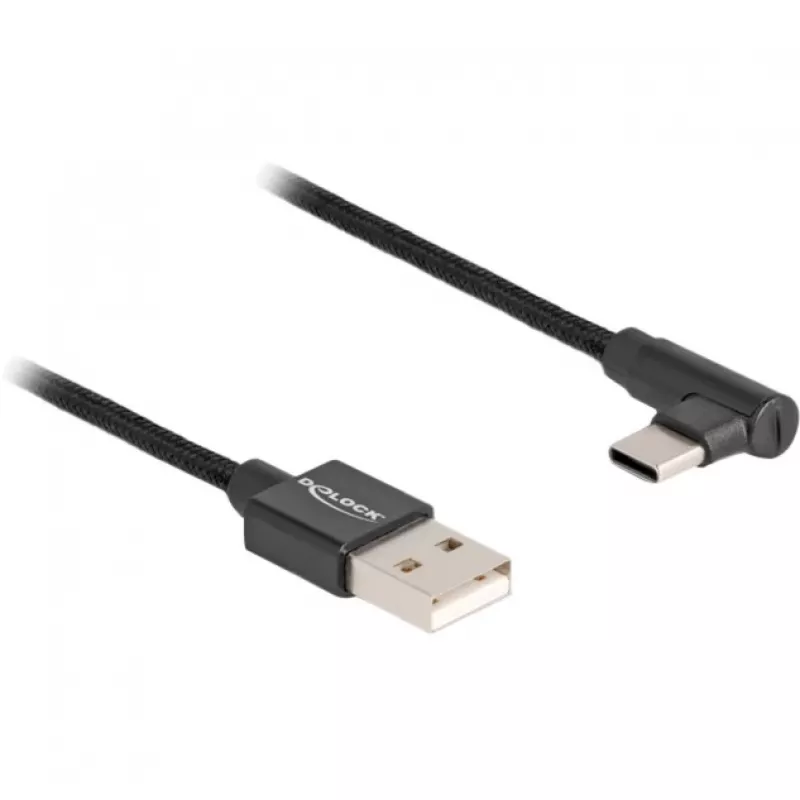
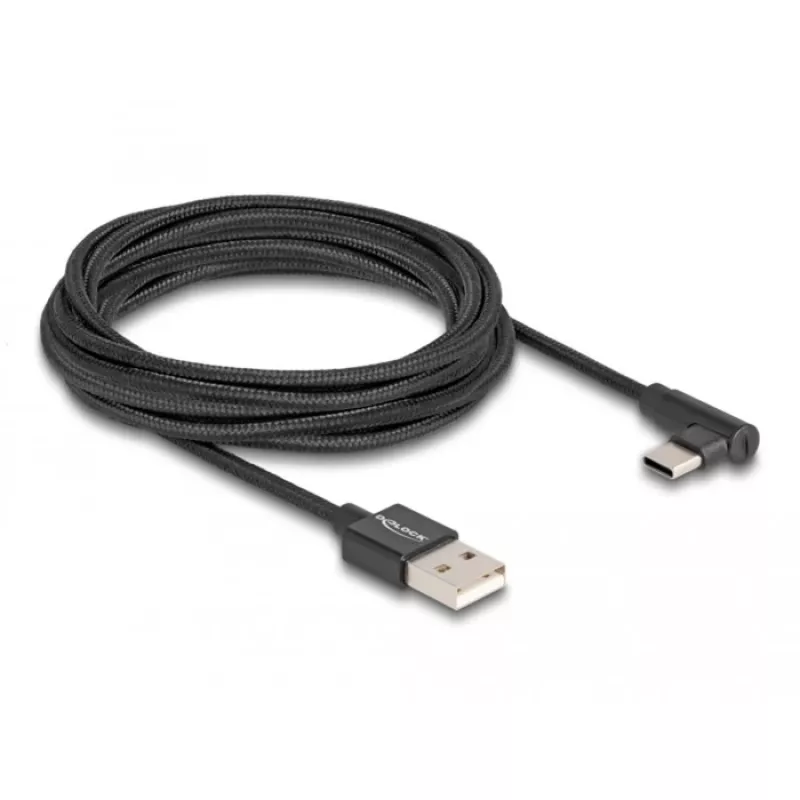
DeLOCK USB 2.0 Cable Type-A male to USB Type-C male angled 3 m black

DeLOCK USB 2.0 Cable Type-A male to USB Type-C male angled 3 m black
R512
This USB cable by DeLOCK connects a device with a USB Type-C™ connector to a PC or laptop with a free USB Type-A port. The cable is 3 m long, follows USB 2.0 specifications with a maximum data transfer rate of 0.48 Gbit/s, and features an angled Type-C plug and a textile-sheathed cable with metal co... Read More
Stock 500 Code 1722914 Brand DELOCK Model 80033 Warranty 2 Years

Shipping & Returns

Estimated delivery Thursday, October 1
You will be kept updated through our detailed tracking system
Payment options
EFTPayFastBank CardSnapScanZapperGoogle PayApple PayMobicredMoreTymePay on Arrival

This USB cable by DeLOCK connects a device with a USB Type-C™ connector to a PC or laptop with a free USB Type-A port. The cable is 3 m long, follows USB 2.0 specifications with a maximum data transfer rate of 0.48 Gbit/s, and features an angled Type-C plug and a textile-sheathed cable with metal connector housings for a neat appearance.

Advantages

The angled USB Type-C male plug facilitates connections in confined spaces while the 3 m length provides extended reach. Textile shielding gives the cable a durable feel and the metal connector housings increase mechanical robustness. USB 2.0 compatibility ensures reliable data transfer and wide device compatibility.

Suitable for

  • Connecting smartphones, tablets or peripherals with USB-C to a PC or laptop with USB-A
  • Use where extra cable length is required (3 m)
  • Setups with limited space near ports where an angled plug is beneficial

Key specifications

  • Connector 1: USB Type-A male
  • Connector 2: USB Type-C male (angled)
  • USB version: USB 2.0 (up to 0.48 Gbit/s)
  • Cable length: 3 m
  • Colour: Black
  • Brand: DELOCK
  • MPN: 80033
  • EAN: 4043619800339

How to use

Insert the USB Type-A male connector into an available USB Type-A port on the PC or laptop. Plug the angled USB Type-C male connector into the device with a USB-C port. Ensure connectors are oriented correctly and seat fully to establish data connection. The cable supports USB 2.0 data transfer rates; use suitable device drivers if required.

Recommendations

For best longevity, avoid sharp bends near the connector ends and do not stretch the cable. Use the angled end when space around the device port is limited and keep the cable away from high-heat sources.
Key Highlights
  • Connecting smartphones, tablets or peripherals with USB-C to a PC or laptop with USB-A
  • Use where extra cable length is required (3 m)
  • Setups with limited space near ports where an angled plug is beneficial
  • Connector 1: USB Type-A male
  • Connector 2: USB Type-C male (angled)
  • USB version: USB 2.0 (up to 0.48 Gbit/s)
  • Cable length: 3 m
  • Colour: Black
  • Brand: DELOCK
  • MPN: 80033
  • EAN: 4043619800339
Specifications
AWG wire size
30/24
Cable diameter
2.6 mm
Cable length
3 m
Connector 1
USB A
Connector 1 form factor
Straight
Connector 1 gender
Male
Connector 2
USB C
Connector 2 form factor
Angled
Connector 2 gender
Male
Connector housing material
Metal
Connector shielding
Yes
Country of origin
China
Maximum data transfer rate
0.48 Gbit/s
Output current (max)
1.5 A
Package type
Polybag
Product colour
Black
Quantity per pack
1 pc(s)
USB version
USB 2.0

Leaflet

Open Leaflet

Document

Open Document

Document

Open Document
Price history over the last 6 months
DeLOCK USB 2.0 Cable Type-A male to USB Type-C male angled 3 m black
Current
R512
Lowest
R496
Highest
R523
Change 24H
+R10   +2%
Week
+R14   +3%
Month
+R13   +3%

Popular products in this category

WhatsApp
Hi, I’m DistriNode’s AI assistant. I can help you find products, compare options, create quote PDFs, or open support requests.