Account Contact
Your Cart
Pay the courier with no extra fees.
Need help? DistriNode AI can handle any task on our site.

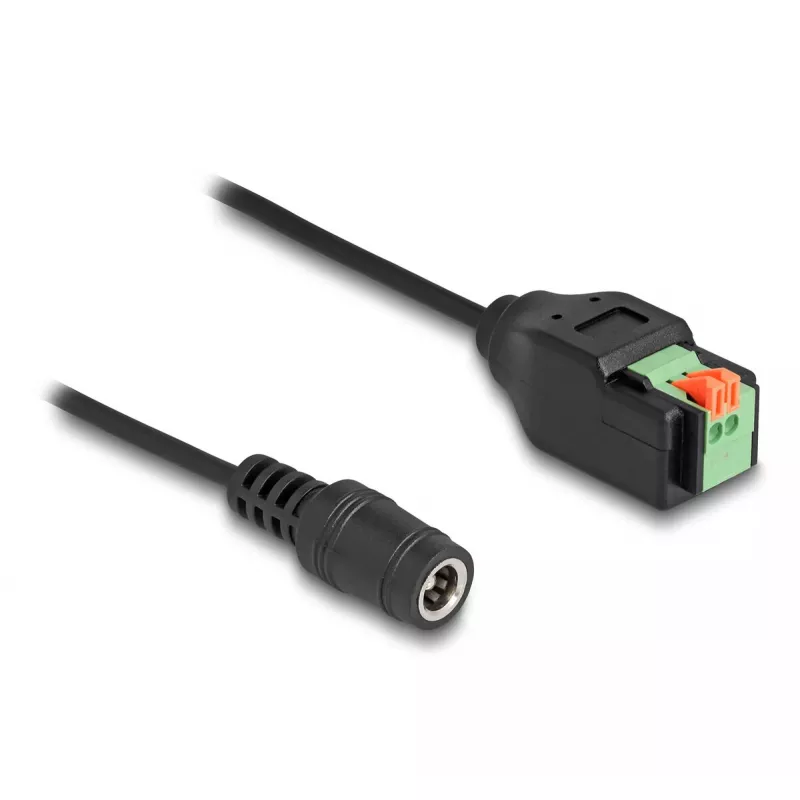
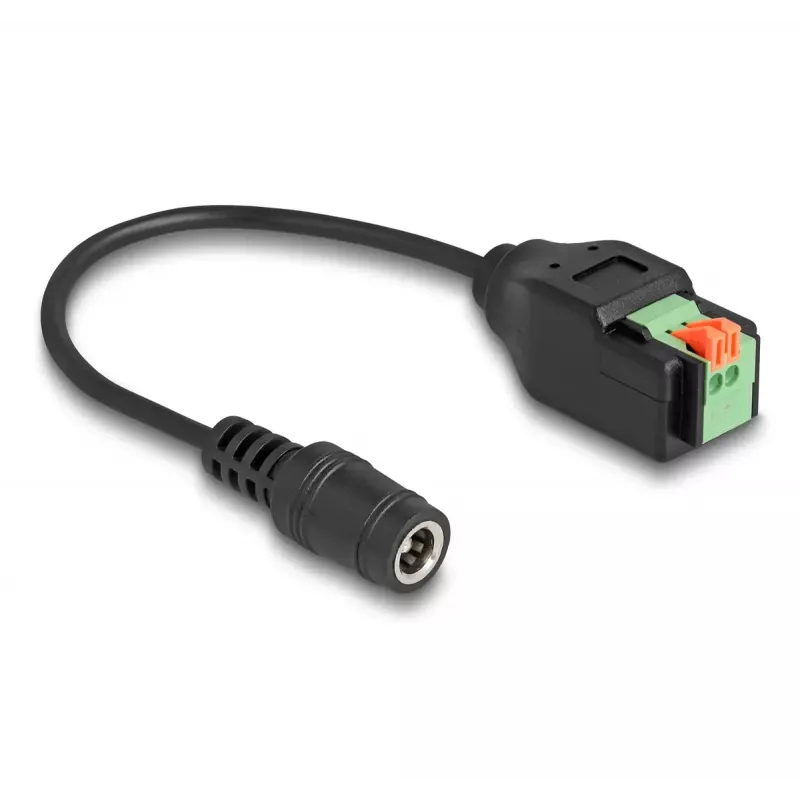
DeLOCK DC 2.1 x 5.5 mm jack to 2 pin Terminal Block Adapter 15 cm

DeLOCK DC 2.1 x 5.5 mm jack to 2 pin Terminal Block Adapter 15 cm
R362
This adapter cable by Delock connects devices with a 5.5 x 2.1 mm DC male jack to a 2‑pin terminal block. The cable length is 15 cm and the product is supplied in black and green. It is suitable for applications where a device with a standard 5.5 x 2.1 mm power connector must be wired to loose leads... Read More
Stock 100 Code 1738329 Brand DELOCK Model 66326 Warranty 2 Years

Shipping & Returns

Estimated delivery Friday, October 2
You will be kept updated through our detailed tracking system
Payment options
EFTPayFastBank CardSnapScanZapperGoogle PayApple PayMobicredMoreTymePay on Arrival

This adapter cable by Delock connects devices with a 5.5 x 2.1 mm DC male jack to a 2‑pin terminal block. The cable length is 15 cm and the product is supplied in black and green. It is suitable for applications where a device with a standard 5.5 x 2.1 mm power connector must be wired to loose leads or to equipment using a two‑pole terminal block.

Advantages

The adapter provides a reliable push‑button terminal block that accepts stripped wire ends without the need for tools. Its compact 15 cm cable makes the connection neat and minimizes excess cable. The combination of a standard 5.5 x 2.1 mm DC jack and a removable terminal block enables flexible use with a range of power supplies and devices.

Suitable for

  • Connecting power supplies with a 5.5 x 2.1 mm DC plug to custom wiring
  • Prototyping and test setups where quick wire changes are needed
  • Connecting CCTV cameras, LED drivers, routers or other devices requiring a 5.5 x 2.1 mm connector

Key specifications

  • Connector 1: 5.5 x 2.1 mm DC male
  • Connector 2: 2‑pin terminal block with push‑button
  • Cable length: 15 cm
  • Product colour: Black (jack and cable), Green (terminal block)
  • Brand: DELOCK, MPN: 66326, EAN: 4043619663262

How to use

Insert the 5.5 x 2.1 mm DC jack into the device or power adapter socket. Strip the insulation from the wire ends you intend to connect, press the push‑button on the terminal block, insert the stripped ends into the corresponding terminals and release the button to secure the wires. Confirm polarity before powering the device to avoid damage.

Recommendations

Use with low‑voltage DC applications only and verify the voltage and current requirements of the connected device. Ensure secure wire insertion and periodic visual inspection for wear or loose connections.
Key Highlights
  • Connecting power supplies with a 5.5 x 2.1 mm DC plug to custom wiring
  • Prototyping and test setups where quick wire changes are needed
  • Connecting CCTV cameras, LED drivers, routers or other devices requiring a 5.5 x 2.1 mm connector
  • Connector 1: 5.5 x 2.1 mm DC male
  • Connector 2: 2‑pin terminal block with push‑button
  • Cable length: 15 cm
  • Product colour: Black (jack and cable), Green (terminal block)
  • Brand: DELOCK, MPN: 66326, EAN: 4043619663262
Specifications
Cable length
0.15 m
Compliance certificates
CE
Connector 1
5.5 x 2.1 mm
Connector 1 form factor
Straight
Connector 1 gender
Female
Connector 2
2-pin terminal block
Connector 2 form factor
Straight
Jacket material
Polyvinyl chloride (PVC)
Package type
Polybag
Product colour
Black, Green
Quantity per pack
1 pc(s)
Sustainability compliance
Yes

Leaflet

Open Leaflet

Document

Open Document

Document

Open Document
Price history over the last 6 months
DeLOCK DC 2.1 x 5.5 mm jack to 2 pin Terminal Block Adapter 15 cm
Current
R362
Lowest
R348
Highest
R367
Change 24H
+R10   +3%
Week
+R13   +4%
Month
+R10   +3%

Popular products in this category

WhatsApp
Hi, I’m DistriNode’s AI assistant. I can help you find products, compare options, create quote PDFs, or open support requests.