Account Contact
Your Cart
Pay on delivery – no extra fees
Need help? Ask our AI

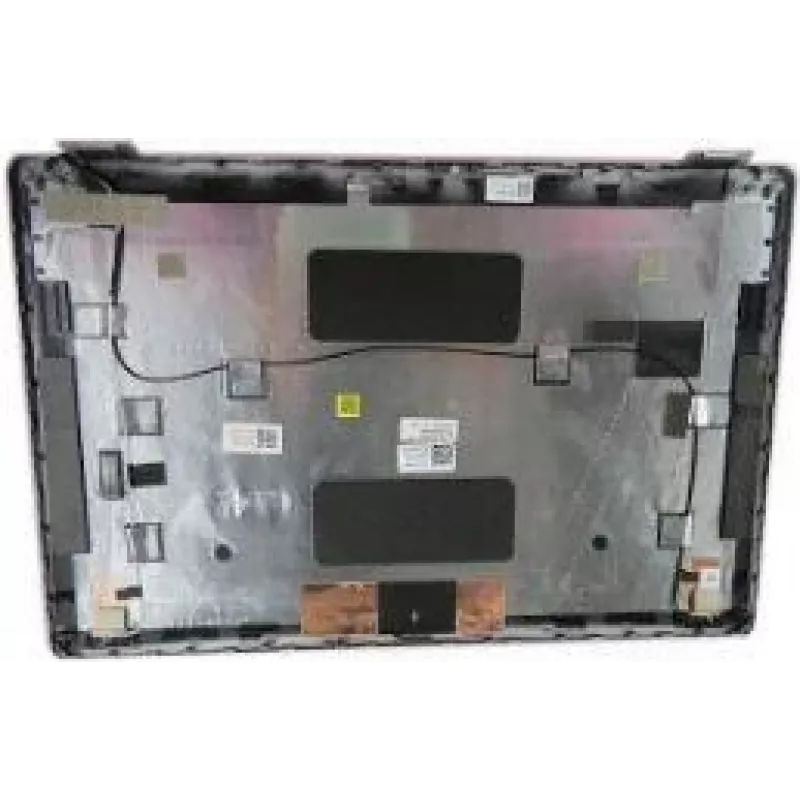
Dell replacement WLAN cover for Latitude 5430 (ASSY WLAN NORM IR EMZ, MPN 88YTC)

Dell replacement WLAN cover for Latitude 5430 (ASSY WLAN NORM IR EMZ, MPN 88YTC)
R2,360
Replacement WLAN cover assembly for Dell Latitude 5430 designed to house and protect the laptop's WLAN components and antenna area. This cover restores the original fit and alignment for factory-style repair or part replacement, helping to maintain internal component positioning and external appeara... Read More
Stock Out Of StockNo Stock Code 2364231 Brand DELL Model 88YTC Warranty 2 Years

Shipping & Returns

Replacement WLAN cover assembly for Dell Latitude 5430 designed to house and protect the laptop's WLAN components and antenna area. This cover restores the original fit and alignment for factory-style repair or part replacement, helping to maintain internal component positioning and external appearance after maintenance or refurbishment.

Advantages

The Dell replacement WLAN cover provides precise fitment to the Dell Latitude 5430 chassis and aligns with internal mounting points and antenna connectors. It is manufactured to match the original part's dimensions and mounting features so that WLAN components and antenna elements are held securely. Using a dedicated replacement cover reduces the risk of cable pinching, misalignment of antennas, and unintended movement of wireless modules during use or transport.

Suitable for

  • Repairing or replacing a damaged or missing WLAN cover on a Dell Latitude 5430
  • Refurbishment projects to restore factory appearance and component alignment
  • Maintenance tasks that require access to WLAN module or antenna area

Key specifications

  • Compatibility: Dell Latitude 5430 chassis form factor
  • Function: Enclosure for WLAN module and antenna area; supports mounting points and cable routing
  • Material: durable plastic construction consistent with factory components
  • Finish: factory-style surface texture and color matching Latitude 5430 panels
  • Fitment: designed for correct alignment with internal screw bosses and antenna connections

How to use

Power down the laptop, disconnect any power source and remove the main battery if applicable before beginning. Remove the existing lower or relevant access panel according to Dell service instructions, disconnect antenna cables from the WLAN module as needed, and unfasten mounting screws holding the old cover. Position the replacement WLAN cover so that mounting points, screw bosses and cable routing channels align with the chassis and WLAN components. Reinstall screws to secure the cover, reconnect antenna leads to the wireless module, and reassemble the laptop. Verify antenna connections and perform a wireless function test before returning the device to regular use.

Recommendations

Follow Dell service manual procedures or a qualified technician's guidance when replacing internal covers. Use appropriate anti-static precautions and the correct screwdriver sizes to avoid damaging screw heads or plastic clips. After installation, perform a wireless connectivity check to confirm that antennas are connected and that signal performance is normal.

Key Highlights
  • Repairing or replacing a damaged or missing WLAN cover on a Dell Latitude 5430
  • Refurbishment projects to restore factory appearance and component alignment
  • Maintenance tasks that require access to WLAN module or antenna area
  • Compatibility: Dell Latitude 5430 chassis form factor
  • Function: Enclosure for WLAN module and antenna area; supports mounting points and cable routing
  • Material: durable plastic construction consistent with factory components
  • Finish: factory-style surface texture and color matching Latitude 5430 panels
  • Fitment: designed for correct alignment with internal screw bosses and antenna connections
Price history is not available yet
We are still collecting enough daily price data for this product.

Popular products in this category

WhatsApp
Hi, I’m DistriNode’s AI assistant. I can help you find products, compare options, create quote PDFs, or open support requests.