Account Contact
Your Cart
Pay the courier with no extra fees.
Need help? DistriNode AI can handle any task on our site.

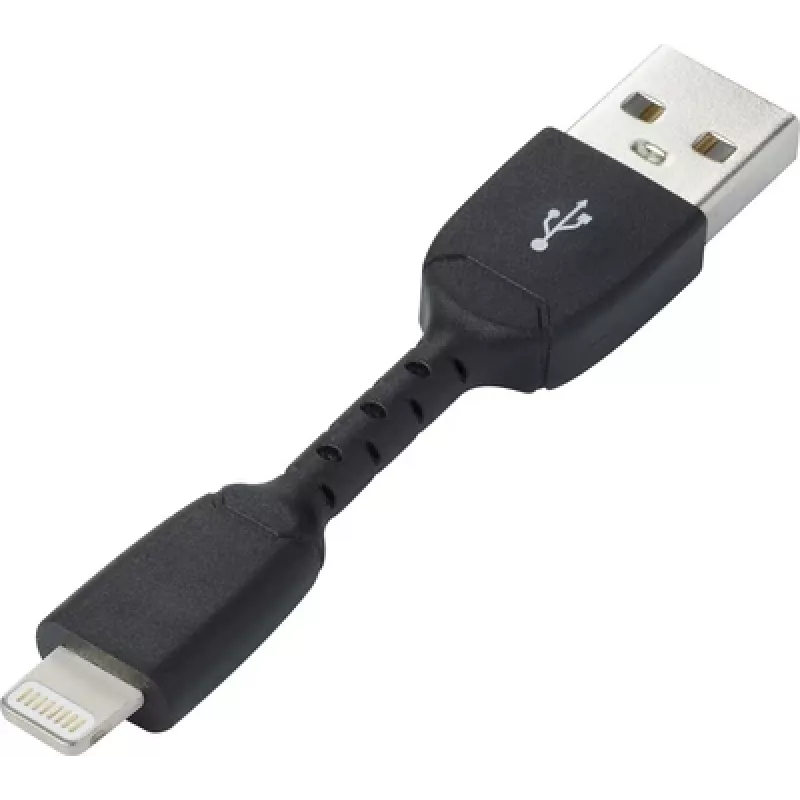
Data cable Renkforce 1420056 USB 2.0 to Apple Dock Connector, charge and sync

Data cable Renkforce 1420056 USB 2.0 to Apple Dock Connector, charge and sync
R465
Renkforce 1420056 is a data cable that connects legacy Apple devices with a 30‑pin Dock Connector to a USB 2.0 port. The cable supports charging and data transfer, enabling synchronization of media, contacts and backups between compatible Apple hardware and computers, USB chargers or USB hubs. It is... Read More
Stock 45 Code 2249695 Brand RENKFORCE Model 1420056 Warranty 2 Years

Shipping & Returns

Estimated delivery Tuesday, October 6
You will be kept updated through our detailed tracking system
Payment options
EFTPayFastBank CardSnapScanZapperGoogle PayApple PayMobicredMoreTymePay on Arrival

Renkforce 1420056 is a data cable that connects legacy Apple devices with a 30‑pin Dock Connector to a USB 2.0 port. The cable supports charging and data transfer, enabling synchronization of media, contacts and backups between compatible Apple hardware and computers, USB chargers or USB hubs. It is a plug‑and‑play accessory designed for straightforward daily use with devices that require the 30‑pin connection.

Advantages

The cable provides reliable USB 2.0 data transfer speeds for syncing media and performing backups while simultaneously allowing device charging. Its standard USB A connector ensures compatibility with a wide range of chargers, computers and hubs. The design is intended for simple plug‑and‑play operation without additional drivers, making it practical for users who maintain older Apple devices.

Suitable for

  • Charging Apple devices with a 30‑pin Dock Connector from USB power sources
  • Syncing music, photos, contacts and backups with computers via USB 2.0
  • Connecting legacy Apple devices to USB hubs and chargers
  • Replacing original cables for older iPhone, iPad and iPod models that use the 30‑pin interface

Key specifications

  • Interface: USB 2.0 (host) to Apple 30‑pin Dock Connector (device)
  • Functionality: Charging and data synchronization
  • Compatibility: Apple devices with 30‑pin Dock Connector
  • Connection type: Standard USB A plug to Apple 30‑pin plug
  • Operation: Plug‑and‑play with no additional drivers required

How to use

Connect the USB A end to a computer, USB charger or USB hub and insert the 30‑pin connector into the Apple device. The device will charge when the USB source provides power; for data transfer, use the computer's file management or synchronization software to back up or transfer media. Disconnect by removing the connectors when charging or transfer is complete.

Recommendations

For reliable performance, use with USB ports and chargers that meet standard USB 2.0 power and data specifications. Avoid bending the cable sharply at the connector ends and unplug by gripping the connector rather than pulling the cable. Store the cable in a dry place when not in use to maintain connector integrity.

Key Highlights
  • Charging Apple devices with a 30‑pin Dock Connector from USB power sources
  • Syncing music, photos, contacts and backups with computers via USB 2.0
  • Connecting legacy Apple devices to USB hubs and chargers
  • Replacing original cables for older iPhone, iPad and iPod models that use the 30‑pin interface
  • Interface: USB 2.0 (host) to Apple 30‑pin Dock Connector (device)
  • Functionality: Charging and data synchronization
  • Compatibility: Apple devices with 30‑pin Dock Connector
  • Connection type: Standard USB A plug to Apple 30‑pin plug
  • Operation: Plug‑and‑play with no additional drivers required
Price history over the last 6 months
Data cable Renkforce 1420056 USB 2.0 to Apple Dock Connector, charge and sync
Current
R465
Lowest
R455
Highest
R465
Change 24H
+R9   +2%
Week
—   
Month
—   

Popular products in this category

WhatsApp
Hi, I’m DistriNode’s AI assistant. I can help you find products, compare options, create quote PDFs, or open support requests.