Account Contact
Your Cart
Pay the courier with no extra fees.
Need help? DistriNode AI can handle any task on our site.

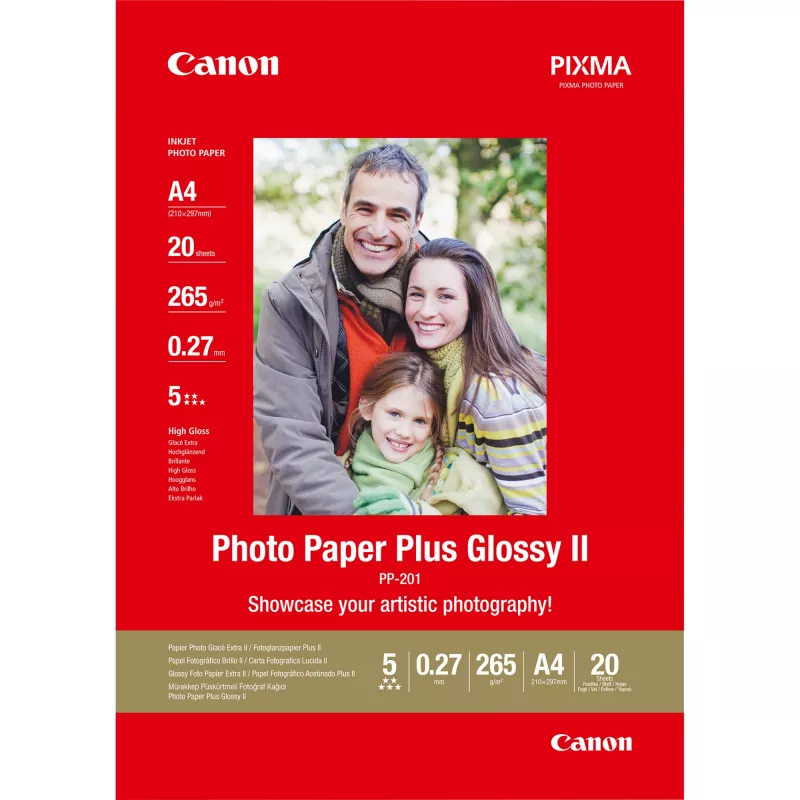
Canon PP-201 Glossy II Photo Paper Plus A4 - 20 Sheets

Canon PP-201 Glossy II Photo Paper Plus A4 - 20 Sheets
R468
Canon Photo Paper Plus Glossy II (PP-201) is an A4 (210 x 297 mm) glossy photo paper designed for high-quality colour photo printing. With a media weight of 260 g/m² and a pack of 20 sheets, this white glossy paper produces vivid colours and sharp details for digital photographs and reprints.Advanta... Read More
Stock 100 Code 120080 Brand Canon Model 2311B019 Warranty 2 Years

Shipping & Returns

Estimated delivery Tuesday, September 29
You will be kept updated through our detailed tracking system
Payment options
EFTPayFastBank CardSnapScanZapperGoogle PayApple PayMobicredMoreTymePay on Arrival

Canon Photo Paper Plus Glossy II (PP-201) is an A4 (210 x 297 mm) glossy photo paper designed for high-quality colour photo printing. With a media weight of 260 g/m² and a pack of 20 sheets, this white glossy paper produces vivid colours and sharp details for digital photographs and reprints.

Advantages

The glossy surface of Canon PP-201 enhances colour saturation and contrast while preserving fine detail. At 260 g/m² the paper provides a sturdy, professional feel suitable for prints that require a premium appearance. The A4 size fits standard home and office printers, and the 20-sheet pack is convenient for occasional or small-volume photo projects.

Suitable for

  • Home photo prints and family photographs
  • Small volumes of professional photo proofs
  • Reprints of digital images
  • Presentations and portfolios requiring glossy images

Key specifications

  • Brand: Canon
  • Model: PP-201 Glossy II (MPN 2311B019)
  • Size: A4 (210 x 297 mm)
  • Finish: Gloss
  • Media weight: 260 g/m²
  • Sheets per pack: 20
  • Colour: White

How to use

Load sheets into the printer tray according to the printer manufacturer’s instructions, glossy side up if indicated. Select the appropriate media type or paper setting (photo paper/glossy) and choose the correct paper size (A4) and quality level in the print dialog. Allow prints to dry flat for a few minutes before handling to avoid smudging or fingerprint marks.

Recommendations

For best results use with Canon ink and printers compatible with glossy photo media. Store unused sheets flat in a cool, dry place away from direct sunlight and high humidity to maintain print quality.
Key Highlights
  • Home photo prints and family photographs
  • Small volumes of professional photo proofs
  • Reprints of digital images
  • Presentations and portfolios requiring glossy images
  • Brand: Canon
  • Model: PP-201 Glossy II (MPN 2311B019)
  • Size: A4 (210 x 297 mm)
  • Finish: Gloss
  • Media weight: 260 g/m²
  • Sheets per pack: 20
  • Colour: White
Specifications
Compatible products
- Bubble Jet: BJC 8200 Photo, i250, i320, i350, i450, i455, i470D, i475D, i550, i560, i6500, i70, i80, i850, i860, i865, i90, i905, i905D, i9100, i950, i960, i965, i990, i9900, i9950, S200, S200X, S300, S330 PHOTO, S500, S520, S530D, S600, S630, S6300, S750, S800, S820, S820D, S830D, S900, S9000 - Bubble Jet SMARTBASE: MP360, MP370, MP390, MP700 Photo, MP730 Photo, MPC190, MPC200 Photo - PIXMA: IP1500, IP1600, IP2000, IP2200, IP2700, IP3000, iP4000, iP4000R, iP4200, iP5000, iP5200, iP5200R, iP6000D, iP6210D, iP6220D, iP6600D, iP8500, iX4000, MP110, MP130, MP150, MP170, MP450, MP500, MP680, MP700, MP750, MP780, MP800, MX340, MX350
Finish type
Gloss
Harmonized System (HS) code
37032000
Height
297 mm
Media weight
260 g/m²
Paper size
A4
Product colour
White
Sheets per pack
20 sheets
Width
210 mm

Leaflet

Open Leaflet
Price history over the last 6 months
Canon PP-201 Glossy II Photo Paper Plus A4 - 20 Sheets
Current
R468
Lowest
R428
Highest
R481
Change 24H
+R34   +8%
Week
+R38   +9%
Month
+R38   +9%

Popular products in this category

WhatsApp
Hi, I’m DistriNode’s AI assistant. I can help you find products, compare options, create quote PDFs, or open support requests.