Account Contact
Your Cart
Pay on delivery – no extra fees
Need help? Ask our AI

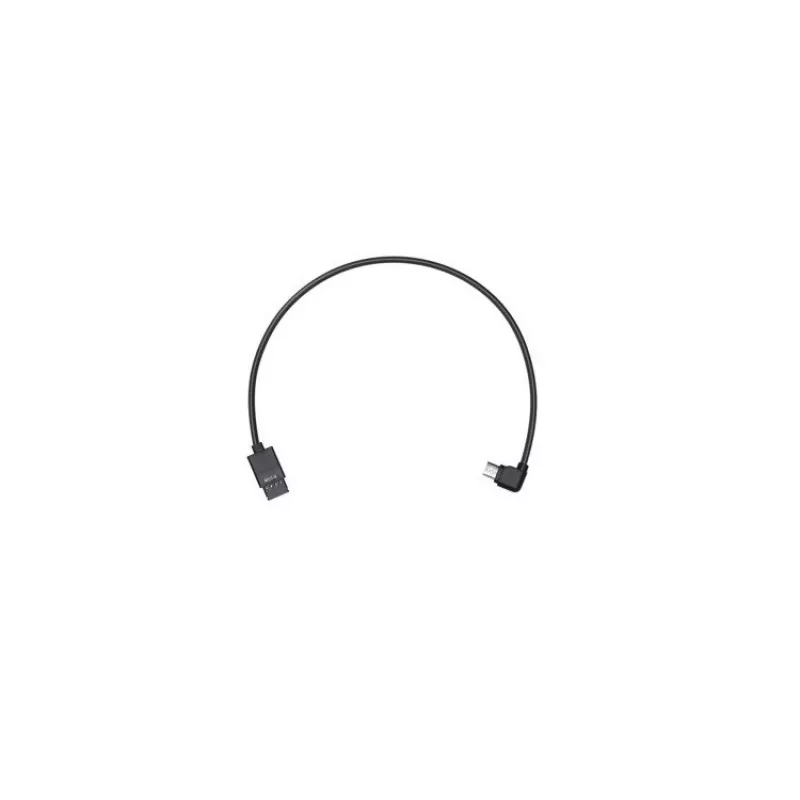
Cable MCC for DJI Ronin-S (Type B) — DJI accessory, model DJIRON40-11

Cable MCC for DJI Ronin-S (Type B) — DJI accessory, model DJIRON40-11
R569
The Cable MCC for DJI Ronin-S (Type B) is a replacement connection cable designed to restore or maintain reliable communication and power between the Ronin‑S gimbal and compatible cameras or control ports. As an OEM DJI accessory it matches the original connector type and wiring layout for the Ronin... Read More
Stock Out Of StockNo Stock Code 1719834 Brand DJI Model DJIRON40-11 Warranty 2 Years

Shipping & Returns

The Cable MCC for DJI Ronin-S (Type B) is a replacement connection cable designed to restore or maintain reliable communication and power between the Ronin‑S gimbal and compatible cameras or control ports. As an OEM DJI accessory it matches the original connector type and wiring layout for the Ronin‑S Type B interface, providing a direct replacement for damaged or missing cables used during regular operation or repair.

Advantages

This cable provides factory-compatible fit and wiring for the Ronin‑S Type B connection, ensuring correct data transmission and power delivery. It is intended as a direct replacement, allowing quick restoration of gimbal functionality without modifying equipment. The OEM design minimizes compatibility issues and helps preserve original performance characteristics when replacing a worn or broken cable.

Suitable for

  • Repairing or replacing a damaged Type B connection cable on the DJI Ronin‑S gimbal
  • Keeping as a spare part for field use or equipment maintenance
  • Re-establishing control or signal links between the Ronin‑S and compatible camera/control ports

Key specifications

  • Connector type: Ronin‑S Type B compatible MCC connector
  • Function: data and power transmission between gimbal and camera/control port
  • Compatibility: designed specifically for use with the DJI Ronin‑S gimbal Type B interface
  • Design: OEM replacement cable matching original wiring and connector layout

How to use

Power off both the Ronin‑S and the connected camera or control device before replacing the cable. Disconnect the damaged cable from both ends and align the Type B connector with the gimbal and device sockets, then insert firmly until seated. Ensure the cable routing does not interfere with gimbal motors or movement. After installation, power on devices and verify control signals and camera communication are functioning normally. If connection issues persist, recheck seating and cable orientation or consult technical support.

Recommendations

Handle the cable by the connector housings when connecting or disconnecting; avoid pulling on the cable jacket. Route the cable following the gimbal manufacturer’s guidance to prevent pinching or excessive bending near connectors. For reliable operation, inspect connectors for damage before use and replace the cable if insulation or contacts appear worn.

Key Highlights
  • Repairing or replacing a damaged Type B connection cable on the DJI Ronin‑S gimbal
  • Keeping as a spare part for field use or equipment maintenance
  • Re-establishing control or signal links between the Ronin‑S and compatible camera/control ports
  • Connector type: Ronin‑S Type B compatible MCC connector
  • Function: data and power transmission between gimbal and camera/control port
  • Compatibility: designed specifically for use with the DJI Ronin‑S gimbal Type B interface
  • Design: OEM replacement cable matching original wiring and connector layout
Price history is not available yet
We are still collecting enough daily price data for this product.

Popular products in this category

WhatsApp
Hi, I’m DistriNode’s AI assistant. I can help you find products, compare options, create quote PDFs, or open support requests.